











In today’s generation, not only digital technologies have developed but also digital applications. You can see live streaming video everywhere on social media sites. There are cases when you want to save the streaming video knowing that anytime the owner might delete it.
This article will help you record streaming video in a few clicks. Thus, we present to you, VideoPower GREEN or ZEUS an impressive streaming video recorder on Windows 10, 8.1, 8, and 7. This software allows you to do many things you may need and want for your video recording such as; set the recording area, picture quality, audio, output format, and many more.
Check this guide out and download this streaming video recorder app and use its free trial version by clicking the link below.
ZEUS can do what VideoPower series can do and more with an almost similar interface.
Check out NOW! Start easier with more affordable prices!
Record Streams using the Streaming Video Recorder
Step 1: Configure Settings for High Output Quality
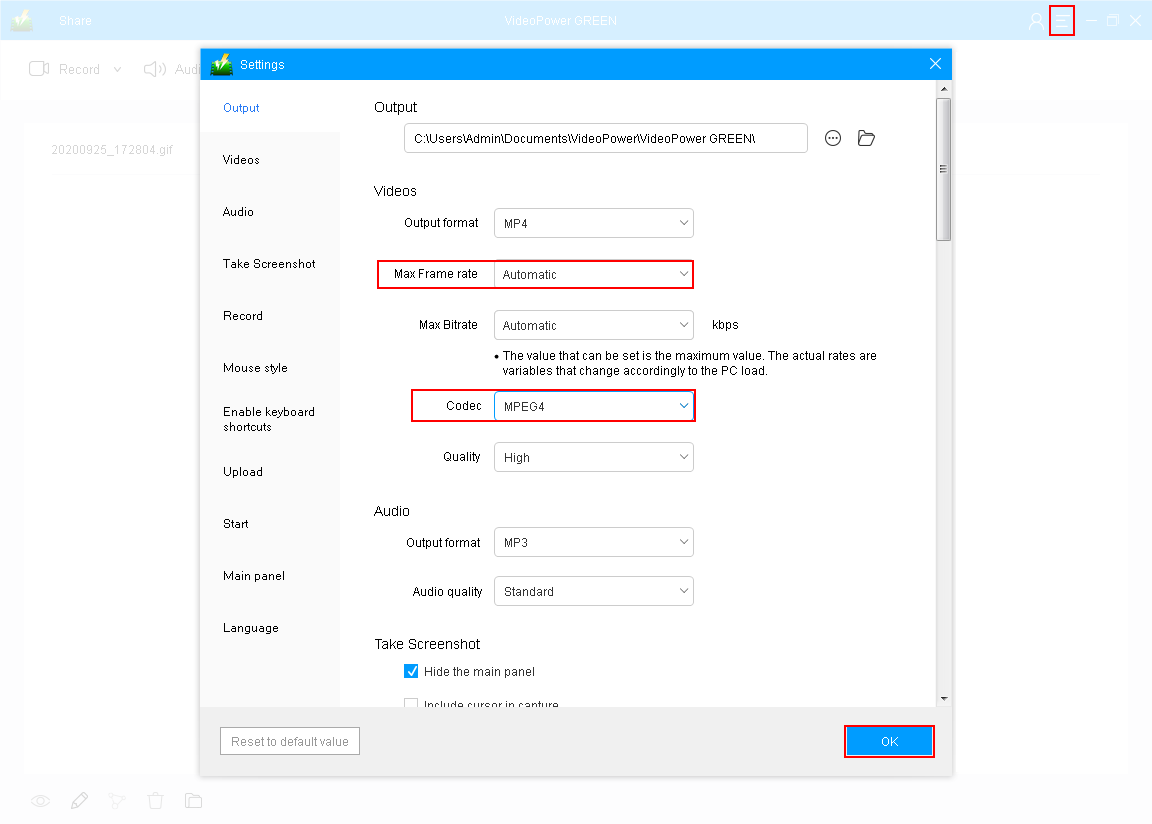
Go to the “Settings” to change the default settings and achieve a better recording. Change the “Frame rate” to “60” and “MPEG4” for the “Codec”. This will make the recording smoother.
Step 2: Select a recording mode
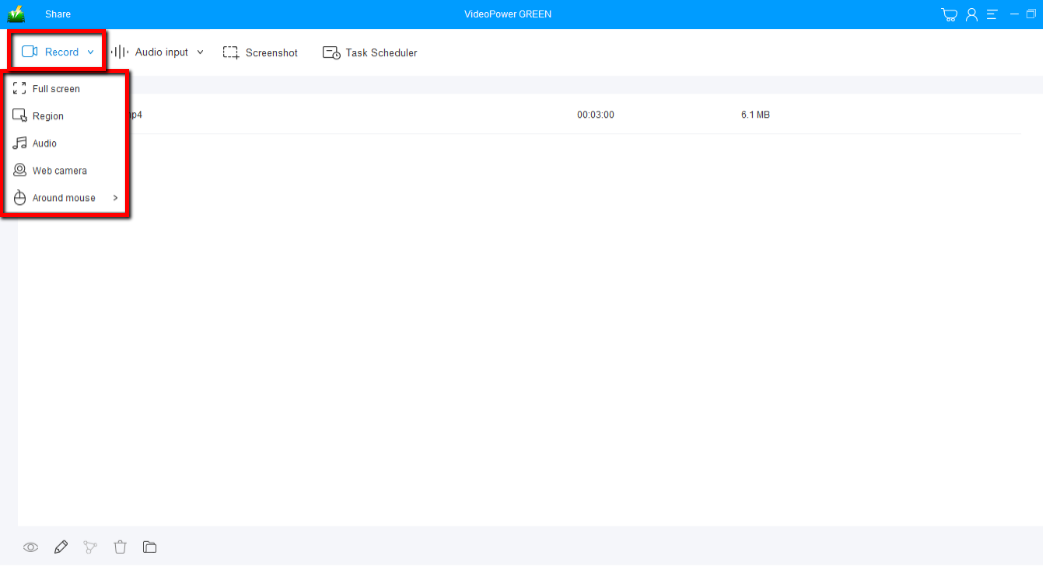
Click on the “Record” button to choose the recording mode from “Full screen, Region, Audio, Web camera, Around mouse”. It is recommended to use “Fullscreen” or “Region” to capture live streaming videos.
Step 3: Start recording the streaming video
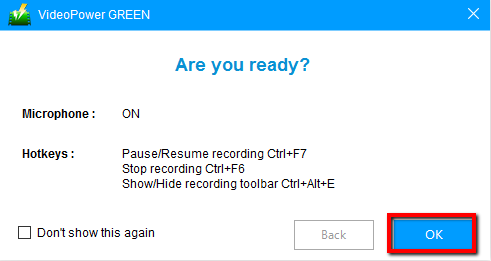
The pop-up window will ask whether you are ready to start recording, click “OK” to confirm when you are ready to record.
Step 4: Save and edit the recorded video

Click the “Stop” button to stop recording.
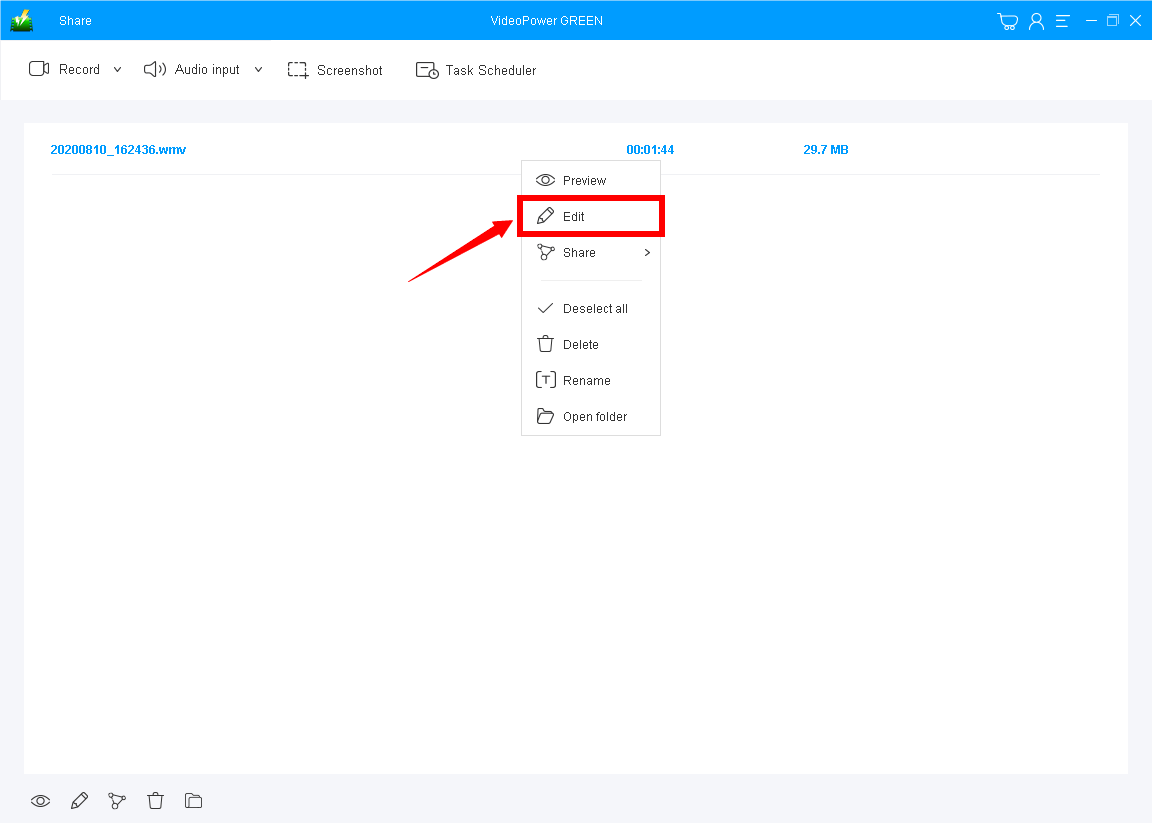
After that, the recorded video file is saved in the pointed output folder on your PC. The recorded files are listed on the main interface. You can right-click on the file name and choose “Edit” to enhance the recorded video.
Conclusion:
This is a wonderful software that has far advanced features compared to other streaming video recorders. VideoPower GREEN, a powerful screen recording software that supports conversion to any video formats as well. It has a video editing function to trim video, adjust video size, change video effects, and add watermarks.
It’s a screen recorder software, screenshot capturing tool, video editor, converter, and a lot more features!
ZEUS series can do everything that VideoPower series can do and more, the interface is almost the same.
Check out NOW! Start easier with more affordable prices!




ZEUS Series
VideoPower brother products, start easier with more affordable prices!
| ZEUS BUNDLE 1 Year License ⇒ $29.99 |
ZEUS BUNDLE LITE 1 Year License ⇒ $19.99 |
ZEUS RECORD LITE 1 Year License ⇒ $9.98 |
ZEUS DOWNLOAD LITE 1 Year License ⇒ $9.98 |
||
| Screen Recorder | Screen&Audio Recording | ✔ | ✔ | ✔ | |
| Duration Setting, Schedule Recording | ✔ | ||||
| Video Downloader | Paste URL to download, batch download | ✔ | ✔ | ✔ | |
| Search/download video,browser detector | ✔ | ||||
| Music Recorder | Record music and get music ID3 tag info | ✔ | ✔ | ||
| Music search/download/record, CD Ripper/Creator, Audio Editor | ✔ | ||||
| Video Editor | Edit and convert videos, create slideshow | ✔ | |||
| Screen Capture | Capture screen, image editor | ✔ | |||