











Music has been the most popular art form on earth and everyone has their own reasoning about it. Music differs from one artistic value to another as well as people’s interests and that’s evident throughout history. And as every decade passed, the genre and style of music grew synchronically with the people’s preference. The same goes for the different tools and instruments that transitioned from historic to electronic ones as the generations enter the modern civilization that we are living in. Aside from the music itself, the devices and software enhance their features as well.

Most of you may have already noticed this diversity as well. Before it can only be played through radio stations. You can only listen but you can’t choose your liking. Some companies addressed this concern by creating CD players and Walkman gadgets in order to fulfill their personal desire in music. Although those gadgets are now obsolete since music can now be played conveniently on mobile phones, but, changes remain along with the applications on our phones that support music. In this article, I’ll present to you the ‘Videopower Yellow’ which has the functions you need to sufficiently enjoy your music time.
Videopower Yellow: Got everything you need!

Product Requirements: OS: Windows 10 / 8.1 / 8 / 7 (32 / 64bit) | CPU: 1GHz or higher | Memory: 1GB or more | Hard disk space: 15GB | Graphics: NVIDIA GeForce 9 Series / AMD (ATI) HD 4000 / Intel HD Graphics 2500
Features:
- Music Recorder
- Radio Recorder
- Search/Download Music
- Schedule Recording
- ID3 tags Identifier and editor
- Youtube – mp3 downloader
- Audio Editor
- CD ripper /CD burner
Special Offer: $39
Visit the website for other Videopower products
The way we enjoy music now is way more comfortable than before. In previous years, you needed to buy CDs and DVDs with confined songs on it just to be able to listen to them. Now, you can simply download music files accessible free to listen to on the internet. A bunch of downloading applications from different providers overpopulates the network at the same time and this app’s advanced features are just an example of those.
Music Recorder
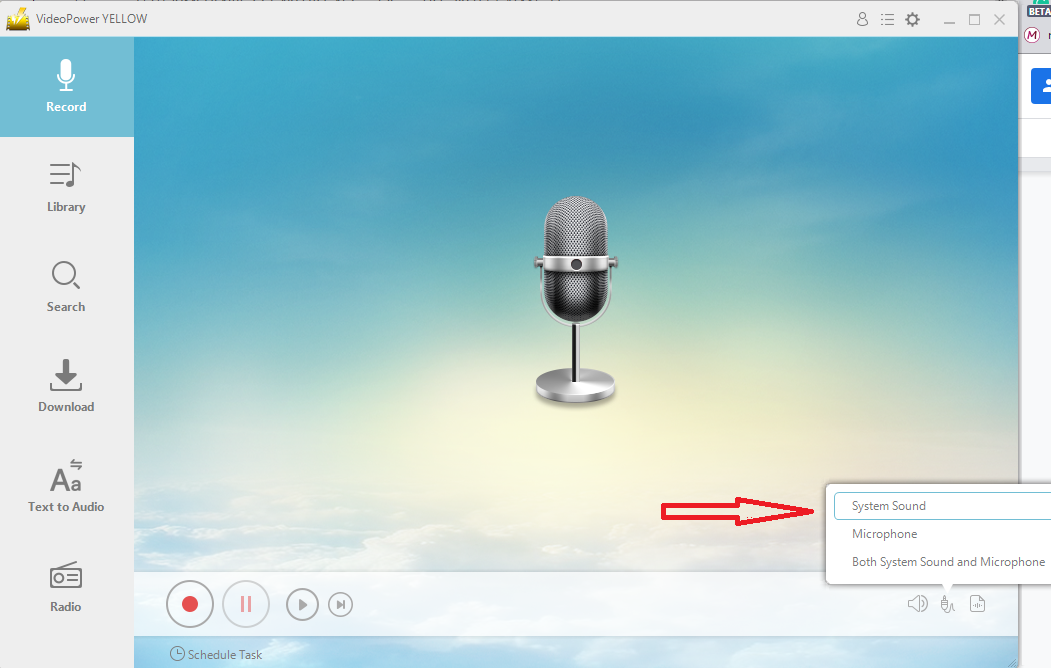
Music recording is simply replicating a computerized musical file copy of an existing sound piece. And since almost all people are into it. A lot might have even tried doing some recording at one point in their life. This application is a little bit unconventional than the others. Mostly, when you use recording applications, the audio input will always come from a microphone or audio pickup. But, Videopower yellow has the option for you to record the sounds coming from your computer system. This advanced function will give someone the flexibility to explore more sound combination possibilities. Expert recording producers use complex applications that have similar functions, and since this app partly does the same thing, it’s worth trying especially for someone who makes recordings for work or hubby.
Radio Recording
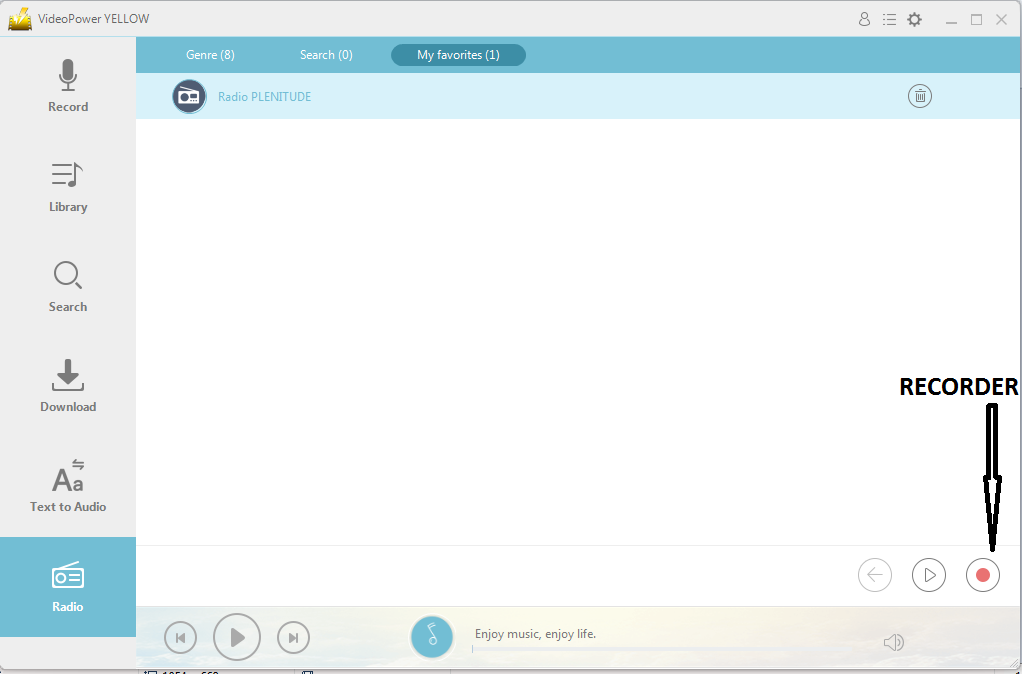
What’s more interesting is you can also attend internet radio stations with the option to record. Listening to the radio is more interactive compared to hearing a media player since they have their entertaining Mc’s that takes care of their audiences. Radios not only offer song listening but also talk show and drama but there’s no opportunity to go back and listen to interesting parts for the second time. However, this app has a recording option. The exciting parts of what you are listening to can now be recorded and played over and over again at your heart content.
Search/Download Music
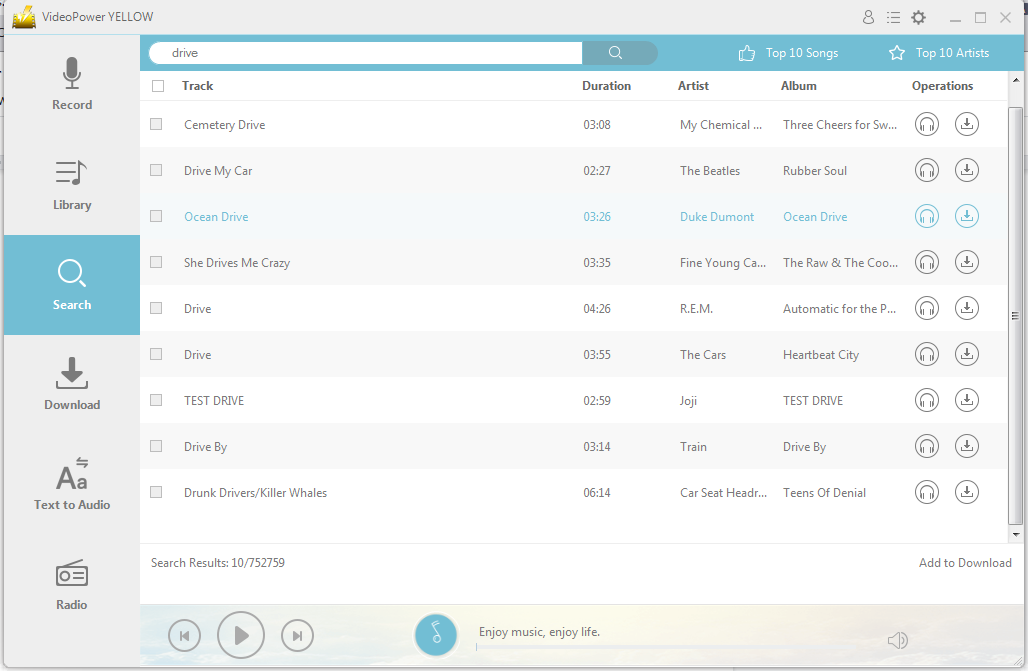
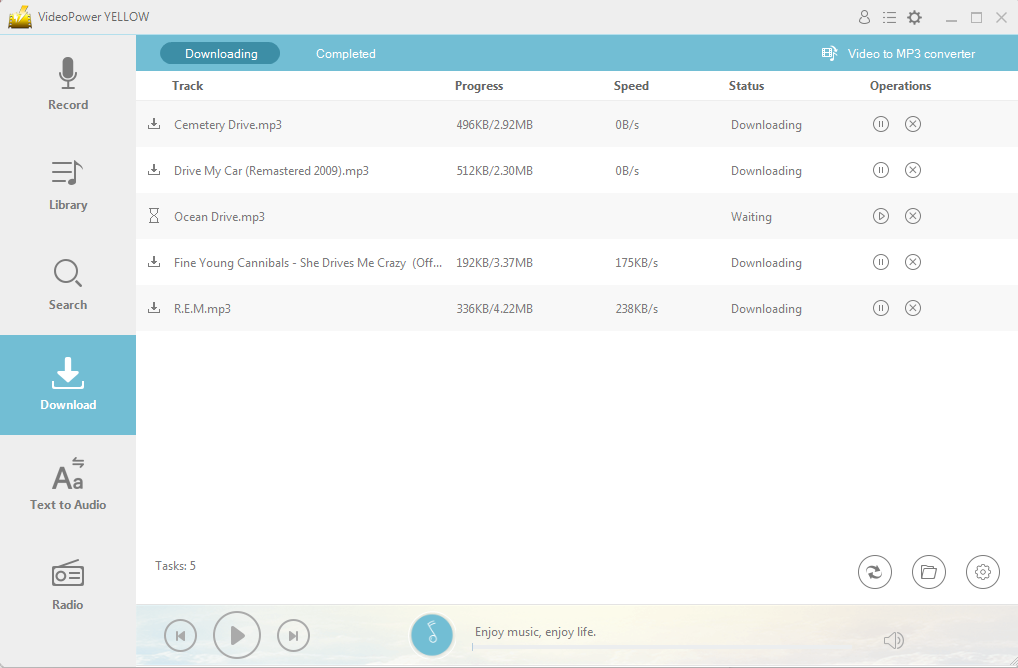
As the information indicates, this app can also do audio streaming through the internet. The search window for this application has a search engine embedded application link directly to an online music network which means, one search will give you numerous results from different sources that are astounding. If you also want to have some backup music files to savor songs while offline, the download function is ready to assist you. On top of that, the download panel is capable of downloading multiple audio files with speed, status, and progress indicators which is wonderful.
Schedule Recording
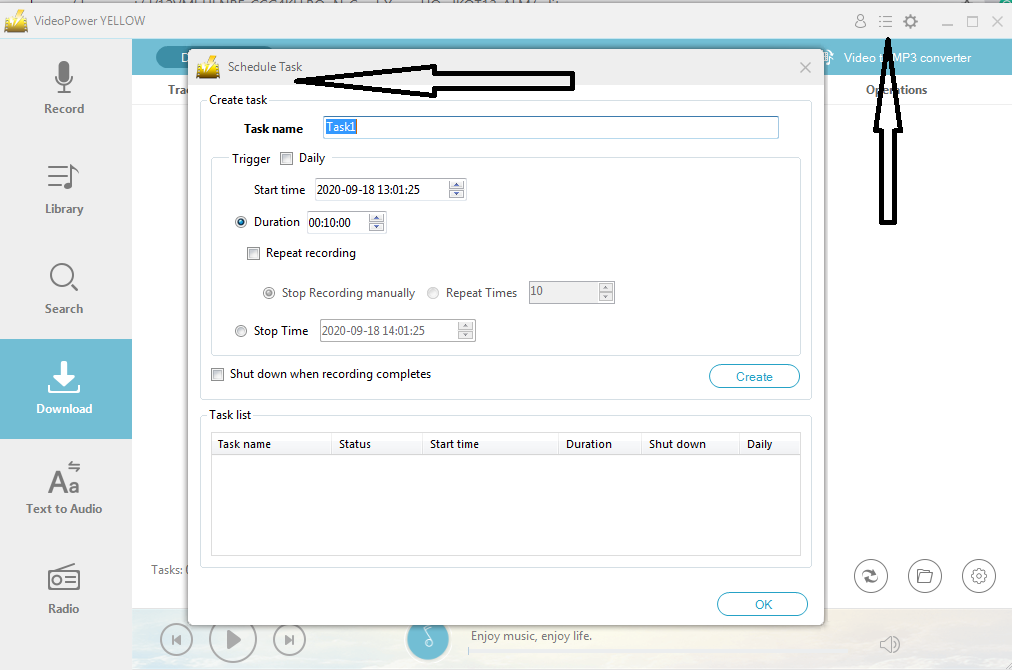
In my prior discussions, I explained about a product supporting a similar company. In that review, there’s a comparable feature that I highlighted. The Recording task schedule of ‘Videopower green’. This function mainly works automatically through time triggers. Users apply this mostly is for convenience whatever reason the record will serve for. This might be not necessary for most people. But, it could also be very helpful to some since most online jobs or hobbies also require constant recordings tasks. Yet unlike the previous product’s review, this application only focuses on audio files.
ID3 tags Identifier and editor
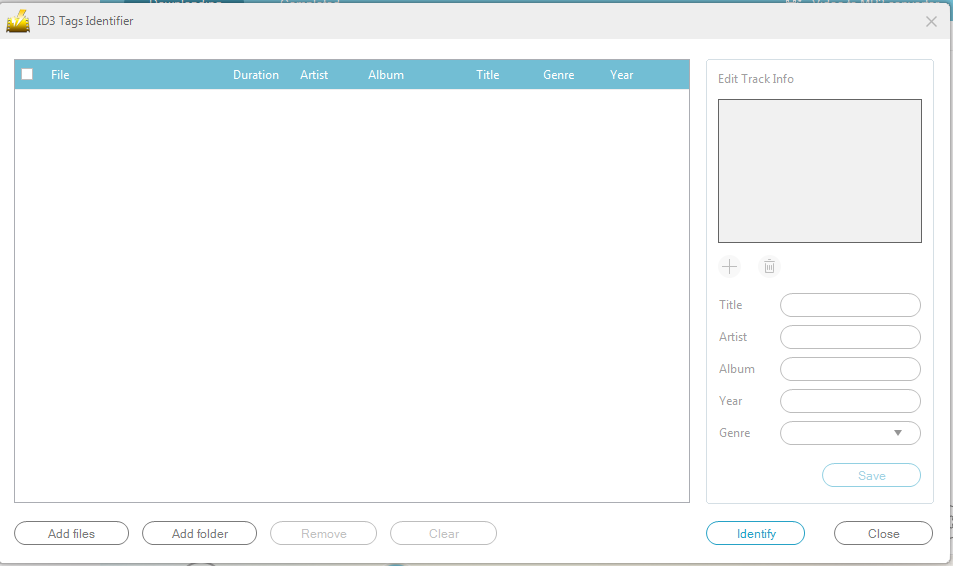
For those who are not familiar with ID3, its data conjunction is added to the audio file. Title, artist, album, track number, are just examples of that ID3 information which is added on the file. The sense of sensitivity to this information depends on the application user. Music producers might be very particular with this since it also serves as a trademark for them. Yet, regular consumers like you and me might only care about the genius artist who performed the melodic piece. Whatever type of user a person is, the ID3 tags identifier and editor window will perfectly work. If you are a music composer or an aspiring one, this feature is a fabulous publishing tool for you to start.

Youtube – mp3 downloader
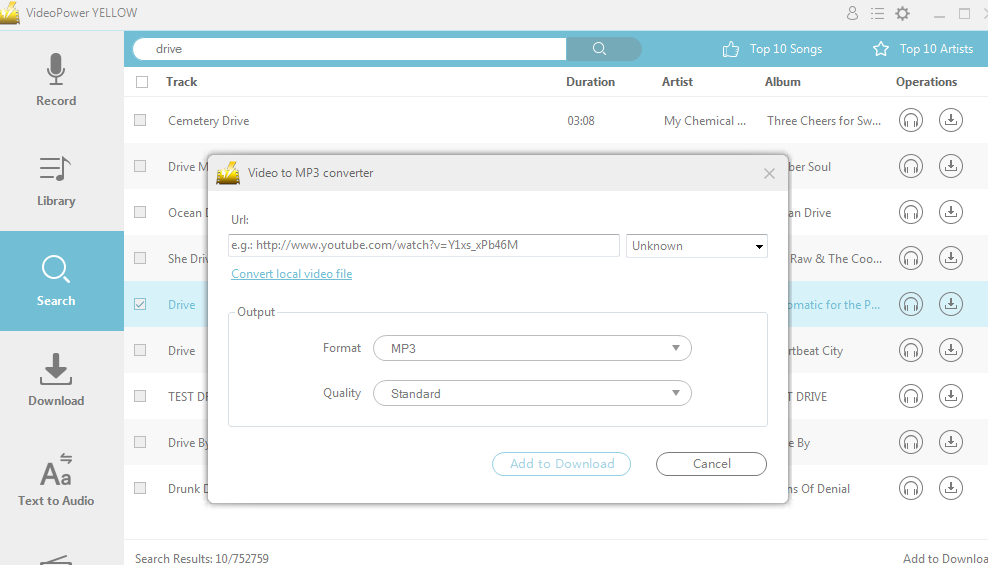
Youtube is an online visual media entertainment website that is hugely dominating the industry among its competitors nowadays. From talk shows, movies to a music video, this website has it all and netizens are affectionate of downloading music from it. Although, most users do the conversion of video to mp3 file manually and it’s quite inconvenient. Oftentimes it cost a lot of effort in hovering from one browser’s tab to another to completely acquire the music from youtube. Multiple downloads will give you a headache in the said process but you don’t need to worry about that any longer. Videopower yellow incorporated a function to download video and convert it automatically to a music file by just simply using the URL.
Audio Editor
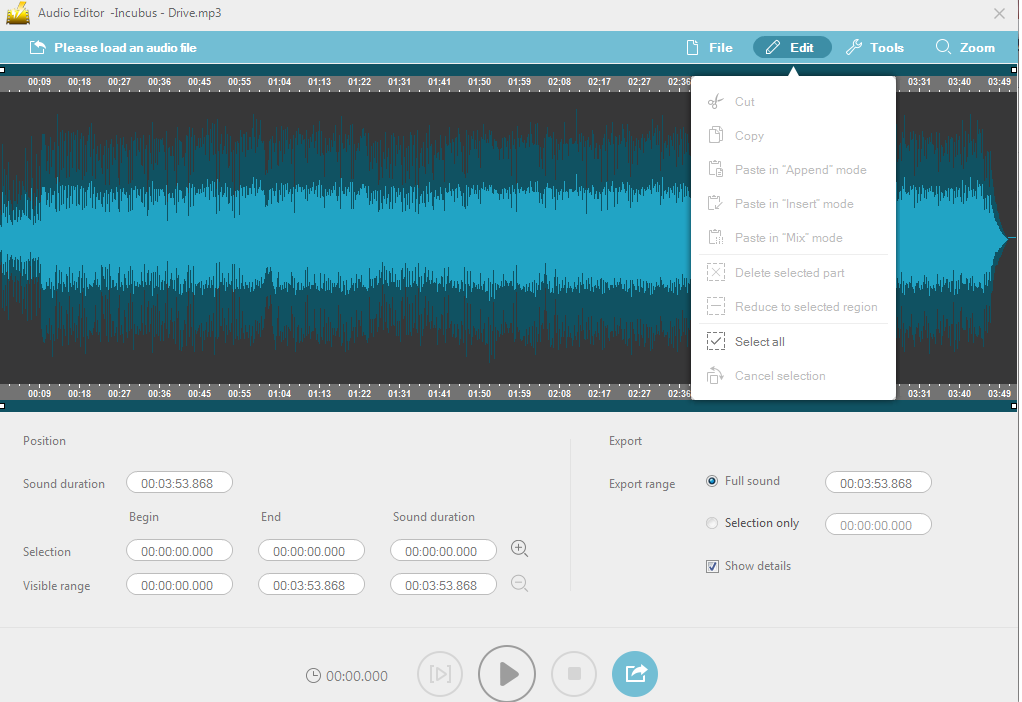
Audio editors are all the same but unique at a certain point. They differ from the functions that they can offer to their users. This app specifically has simple yet complete editing features that are needed to achieve an excellent audio composition. Cut and paste options should always be available and that’s out of the question however, the other functions are intriguing. Append, mix, and insert features are included in the editing window which is needed to skillfully make a good melodic music presentation that also exists on other professional editing applications the experts use. But, unlike those complex software, this computer application kept its user-friendly interface for novices and usual users to easily navigate.
CD ripper /CD burner
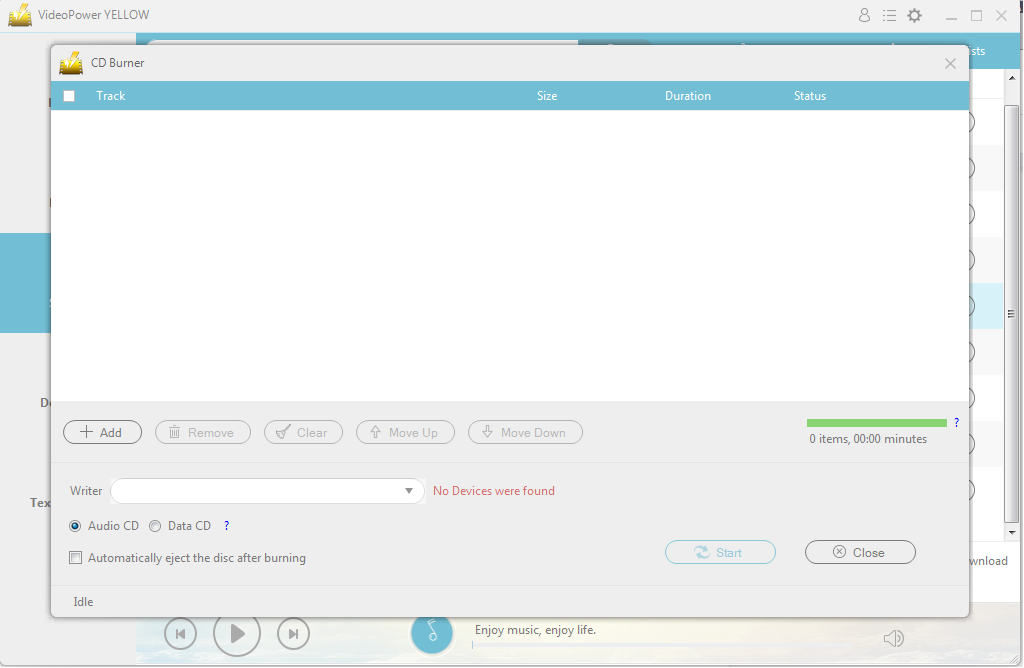
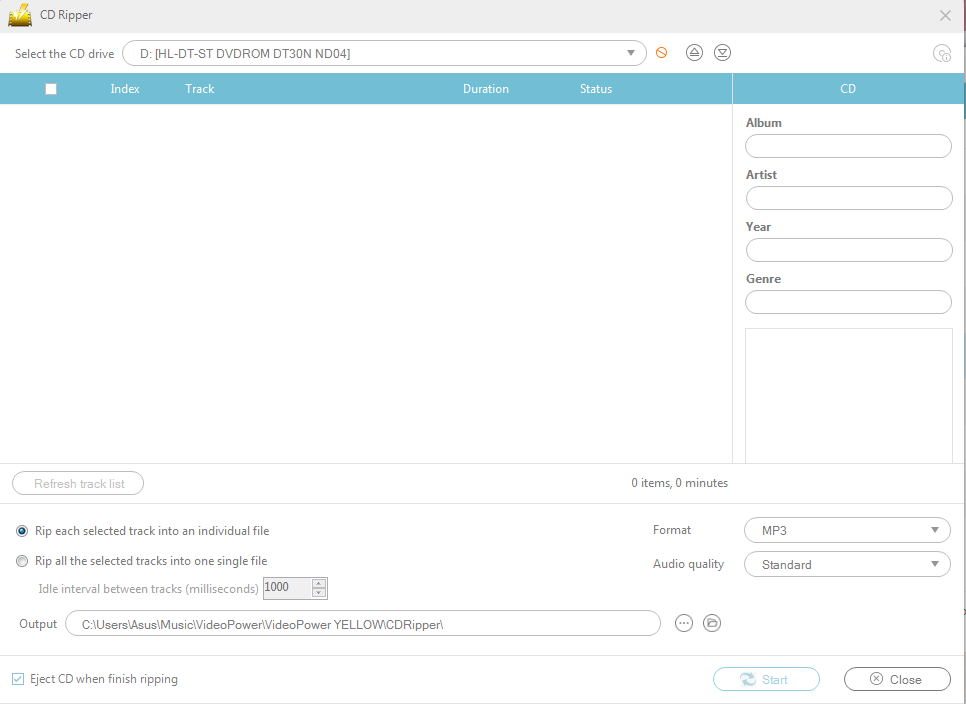
These functions have been available since the CD and DVD decades and are mainly used for the distribution of those digital media contents from one consumer to another. Since we are talking about a media file it’s common sense that these features will also be available on this application. CDs and DVDs are still circulating in the market at the time being. While those still exist in the industry, these functions will still serve their purpose. CD ripper function will allow you to extract computer data from a physical CD while the CD burner’s function is the other way around. CD burning is the process of injecting computer data into the CD. The picture below will show you how these two separate user-friendly editing windows look like.
Advantages
-
- Multiple downloads
- Microphone and system sound recording
- Radio Streaming
- Multiple music Search result from numerous sources
- Organize recording library
- Scheduled Recording option
Disadvantages
-
-
- The shortcut is only limited to Recording controls
- Limited file format
- The update with text to speech feature is not completely accurate
- No security settings like account and password.
-
Conclusion
This product is excellent living proof of how far our modern civilization has gone by compared to the tools that people used a few decades ago. Analyzing the tools before and now, people have been given the ability to obtain more advanced functions in the musical industry unlike before. This is completely a great thing, particularly the download and search features that let the users access and download free to listen to audio files across multiple sources online without limitations. The adaptability and receptiveness to the most popular form of art that this application has to offer is something that anyone could assuredly offer to almost everyone that is bound by the music industry. While the people get more accustomed to the changes that technology brings, more skills are accessible to be learned by people who are willing to as the advanced software improves the more they are made usable by common people, and this digital software is just the starting line of more development to come.




ZEUS Series
VideoPower brother products, start easier with more affordable prices!
| ZEUS BUNDLE 1 Year License ⇒ $29.99 |
ZEUS BUNDLE LITE 1 Year License ⇒ $19.99 |
ZEUS RECORD LITE 1 Year License ⇒ $9.98 |
ZEUS DOWNLOAD LITE 1 Year License ⇒ $9.98 |
||
| Screen Recorder | Screen&Audio Recording | ✔ | ✔ | ✔ | |
| Duration Setting, Schedule Recording | ✔ | ||||
| Video Downloader | Paste URL to download, batch download | ✔ | ✔ | ✔ | |
| Search/download video,browser detector | ✔ | ||||
| Music Recorder | Record music and get music ID3 tag info | ✔ | ✔ | ||
| Music search/download/record, CD Ripper/Creator, Audio Editor | ✔ | ||||
| Video Editor | Edit and convert videos, create slideshow | ✔ | |||
| Screen Capture | Capture screen, image editor | ✔ | |||