











Music/Radio Recorder
One of the more powerful audio recording apps out there.This also records into MP3. MP3 recordings are a must-have for any audio recording app, mainly because of their compatibility with virtually everything. Mainly because they’re quick to upload, without compromising too much on sound quality.
How to record music
1) Launch VideoPower YELLOW, and then choose an audio source where to record your music.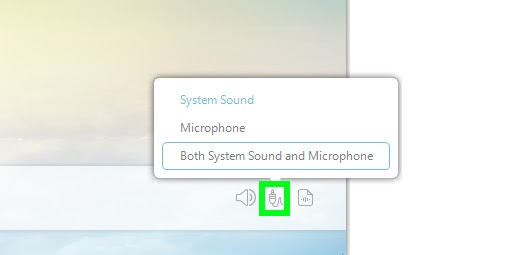
2) Playback the music on your PC. click the “Record” button to start & stop recording.
3) Music information such as title and artist are identified automatically. Right click the file to access the file location, etc.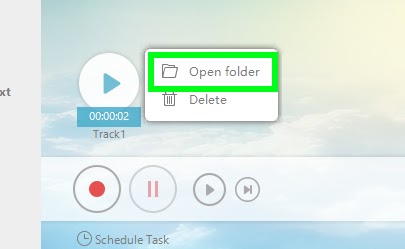
Search & download music
Despite a dwindling user base, Video Power Yellow is a mainstay of the streaming realm.. Simply boot up the app and let it go. Go to search, and search your fave artist or podcast!
Tags Identifier & Editor
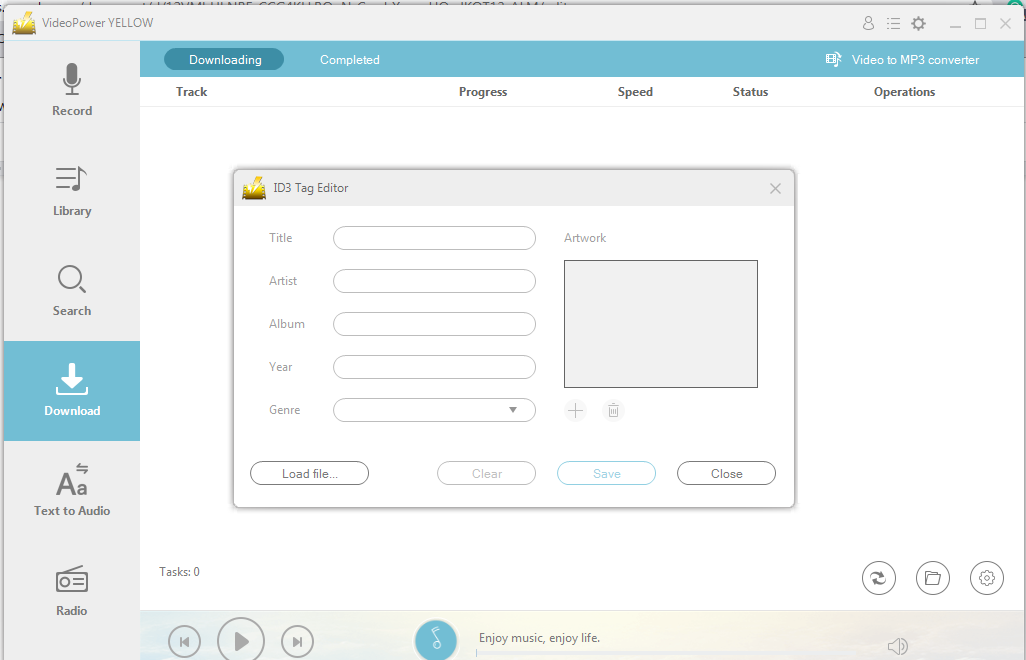
Video Power Yellow could automatically add music ID3 tags when recording music. Tags such as Title, Artist, Album, Genre, etc. will be added automatically to the recorded music. ID3 tags Identifier and ID3 Tags Editor will help you get or customize the tags info for your local music files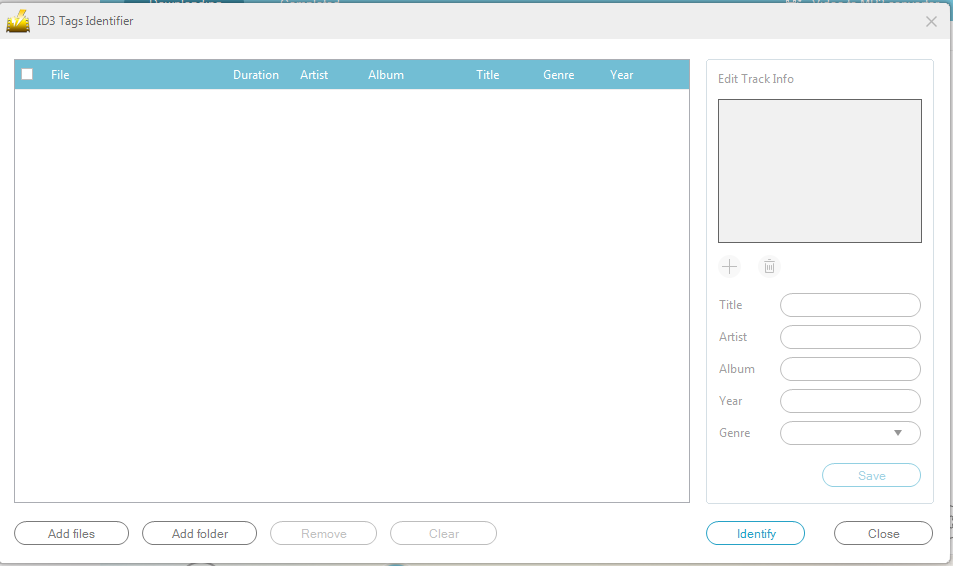
Audio Editor
With this neat application, you can create music completely from scratch. It has a lot of the basic audio editing features as well, but in addition to that, there’s a lot of ways that you can edit and manipulate your music. There’s effects for chorus, auto ducker, filters, delays, reverb, and so much more!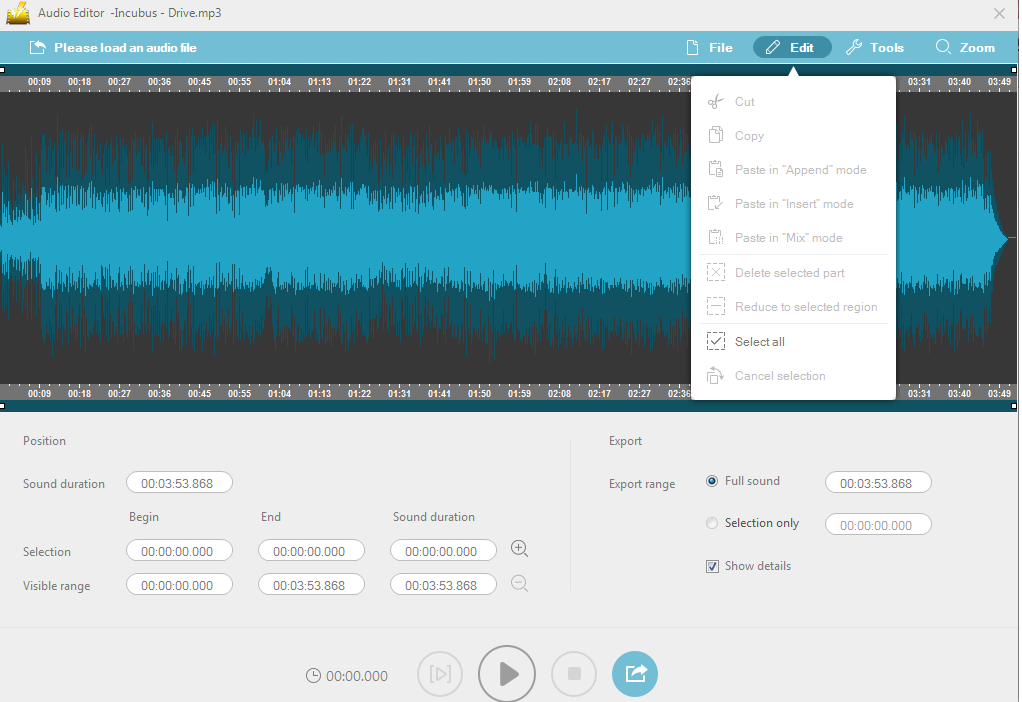
Youtube to MP3
VPY easily and simply converts YouTube videos to MP3 files without any of the usual ads, pop-ups, or other annoying obstacles that can get in your way! If you enjoy listening to music on YouTube, the right tool can help you listen to the audio portion of your favorite videos offline. Certain websites, software, and browser extensions can strip out the audio of any YouTube video and convert it into an MP3 file, which can then be saved to your computer or mobile device.
CD Burner
If all you want is a simple software for you to easily create audio CDs, getting VPY is not a bad choice. Although it also enables the writing of CDs, it can be used to decode WMA and MP3 files in real time, therefore it saves you time as well as hard drive space.

System Requirements
OS: Windows 10 / 8.1 / 8 / 7 (32 / 64bit)
CPU: 1GHz or higher
Memory: 1GB or more (4GB or more recommended)
Hard disk space: 15GB or more recommended
Graphics: NVIDIA GeForce 9 Series / AMD (ATI) HD 4000 / Intel HD Graphics 2500 or later
recommended
Others: net. Framework 4.0 or later required (automatic installation if insufficient), DirectX 9.0cor later required




ZEUS Series
VideoPower brother products, start easier with more affordable prices!
| ZEUS BUNDLE 1 Year License ⇒ $29.99 |
ZEUS BUNDLE LITE 1 Year License ⇒ $19.99 |
ZEUS RECORD LITE 1 Year License ⇒ $9.98 |
ZEUS DOWNLOAD LITE 1 Year License ⇒ $9.98 |
||
| Screen Recorder | Screen&Audio Recording | ✔ | ✔ | ✔ | |
| Duration Setting, Schedule Recording | ✔ | ||||
| Video Downloader | Paste URL to download, batch download | ✔ | ✔ | ✔ | |
| Search/download video,browser detector | ✔ | ||||
| Music Recorder | Record music and get music ID3 tag info | ✔ | ✔ | ||
| Music search/download/record, CD Ripper/Creator, Audio Editor | ✔ | ||||
| Video Editor | Edit and convert videos, create slideshow | ✔ | |||
| Screen Capture | Capture screen, image editor | ✔ | |||