











Downloading audio from the internet can be a bit of a hassle – most online platforms don’t provide a download feature and if you opt to use a converter or grabber, it comes with the risk of viruses and software.
Recording software is the ultimate solution! All you need is a reliable recording tool and VideoPower YELLOW or ZEUS is highly recommended.
It lets you freely choose the format of the audio file saved, real-time audio HD recording, multiple recording modes, no compression of recording time and sound quality.
To install the program, you must first download the software by clicking the link below.
ZEUS can do what VideoPower series can do and more with an almost similar interface.
Check out NOW! Start easier with more affordable prices!
Steps:
1) Run the VideoPower YELLOW
After you run the program, you will automatically be directed to the recording interface. It should look like this:

2) Set the sound source
Before recording the track, make sure that the sound source is set to “System sound.” In this example, we’ll use a Spotify track.

3) Set the file format
Make sure that the recording is set in the format of “MP3.” – or whatever format you deem appropriate.
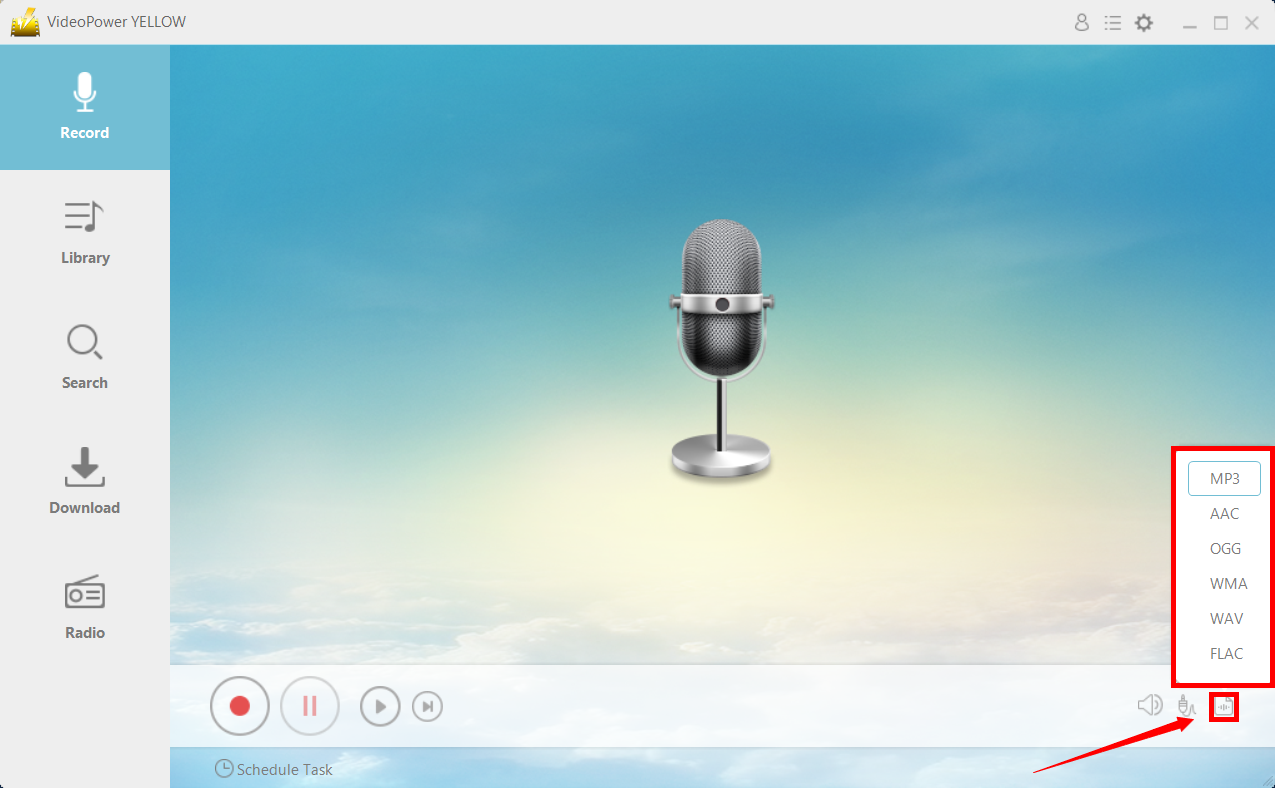
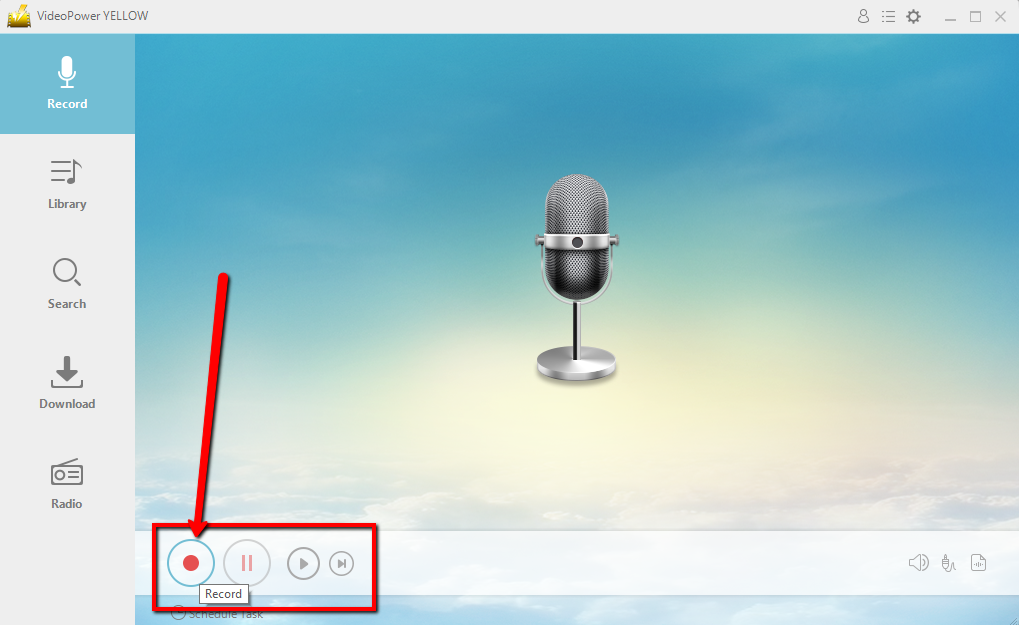
4) Record
Click the “Record” button to start recording.
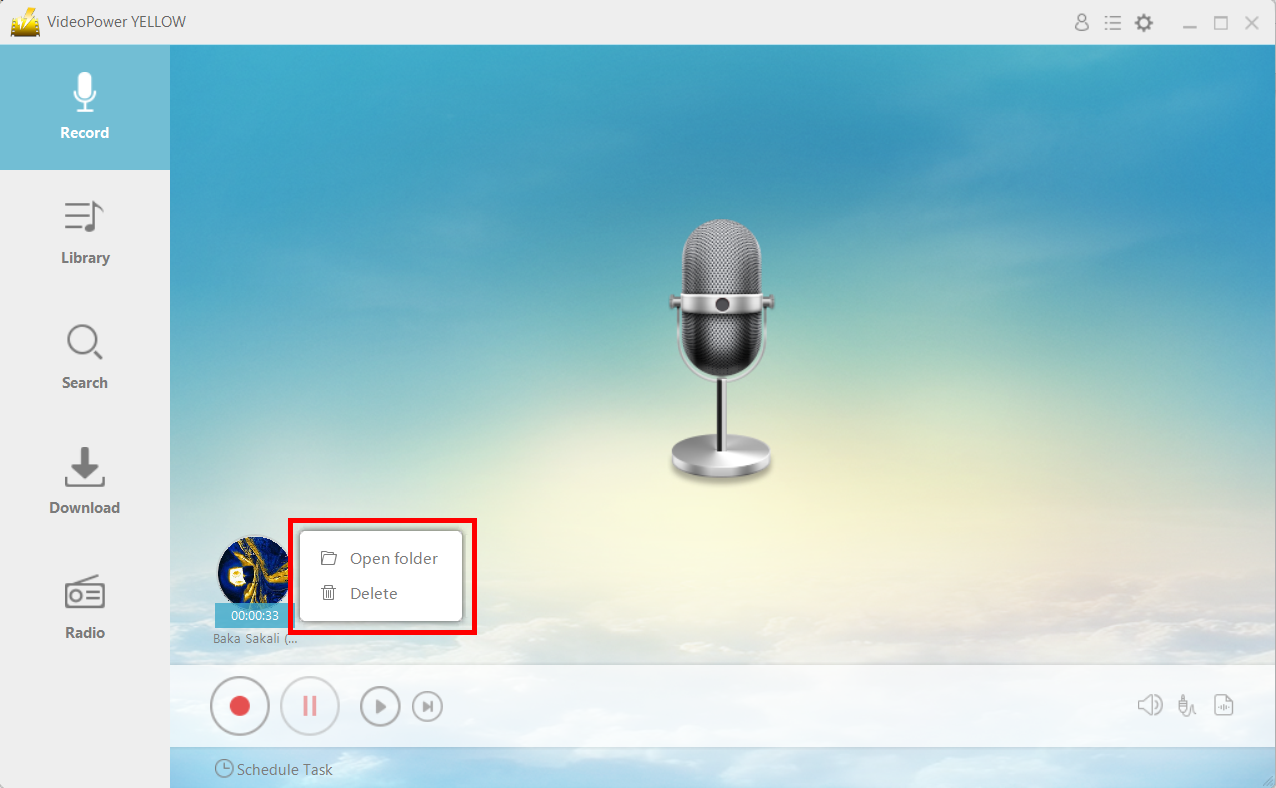
5) File location
After recording, right-click the recorded track icon and click “Open folder” to open the storage location of the recorded audio file or click “Delete” if you want to delete the file and record again.
Conclusion:
VideoPower YELLOW has a built-in library where you can find all the recorded files. After you finish the recording, just enter the list to achieve more features.
It is simple to check the file or open the destination folder to locate the audio on the PC right away.
Once recorded, you can check the quality of the music by listening to it with the built-in player before the next step. If you are satisfied with the result, simply save it to your hard drive, or you may start with a new recording over again.
ZEUS series can do everything that VideoPower series can do and more, the interface is almost the same.
Check out NOW! Start easier with more affordable prices!




ZEUS Series
VideoPower brother products, start easier with more affordable prices!
| ZEUS BUNDLE 1 Year License ⇒ $29.99 |
ZEUS BUNDLE LITE 1 Year License ⇒ $19.99 |
ZEUS RECORD LITE 1 Year License ⇒ $9.98 |
ZEUS DOWNLOAD LITE 1 Year License ⇒ $9.98 |
||
| Screen Recorder | Screen&Audio Recording | ✔ | ✔ | ✔ | |
| Duration Setting, Schedule Recording | ✔ | ||||
| Video Downloader | Paste URL to download, batch download | ✔ | ✔ | ✔ | |
| Search/download video,browser detector | ✔ | ||||
| Music Recorder | Record music and get music ID3 tag info | ✔ | ✔ | ||
| Music search/download/record, CD Ripper/Creator, Audio Editor | ✔ | ||||
| Video Editor | Edit and convert videos, create slideshow | ✔ | |||
| Screen Capture | Capture screen, image editor | ✔ | |||