











Amazon Instant Video, formerly known as Amazon Video, is an Internet video-on-demand service provided by Amazon.com in the United States. It provides rental and purchase of TV programs and movies.
Users with Amazon Prime membership can stream more than 40,000 movies and TV series free of charge. Amazon Instant Video is a great online platform to watch online videos and movies.
However, some people prefer watching offline, and sometimes they want to transfer those videos and movies to their portable devices for outdoor purposes.
In relation to this, VideoPower GREEN or ZEUS is a perfect video recording software to record Amazon Instant Videos. If you want to record your videos for offline viewing, just click the download link below to install the software.
Download this Video Recorder and try it for free!
ZEUS can do what VideoPower series can do and more with an almost similar interface.
Check out NOW! Start easier with more affordable prices!
Record the Amazon prime video
Step 1: Set Sound source and recording area
1.1 Choose a sound source
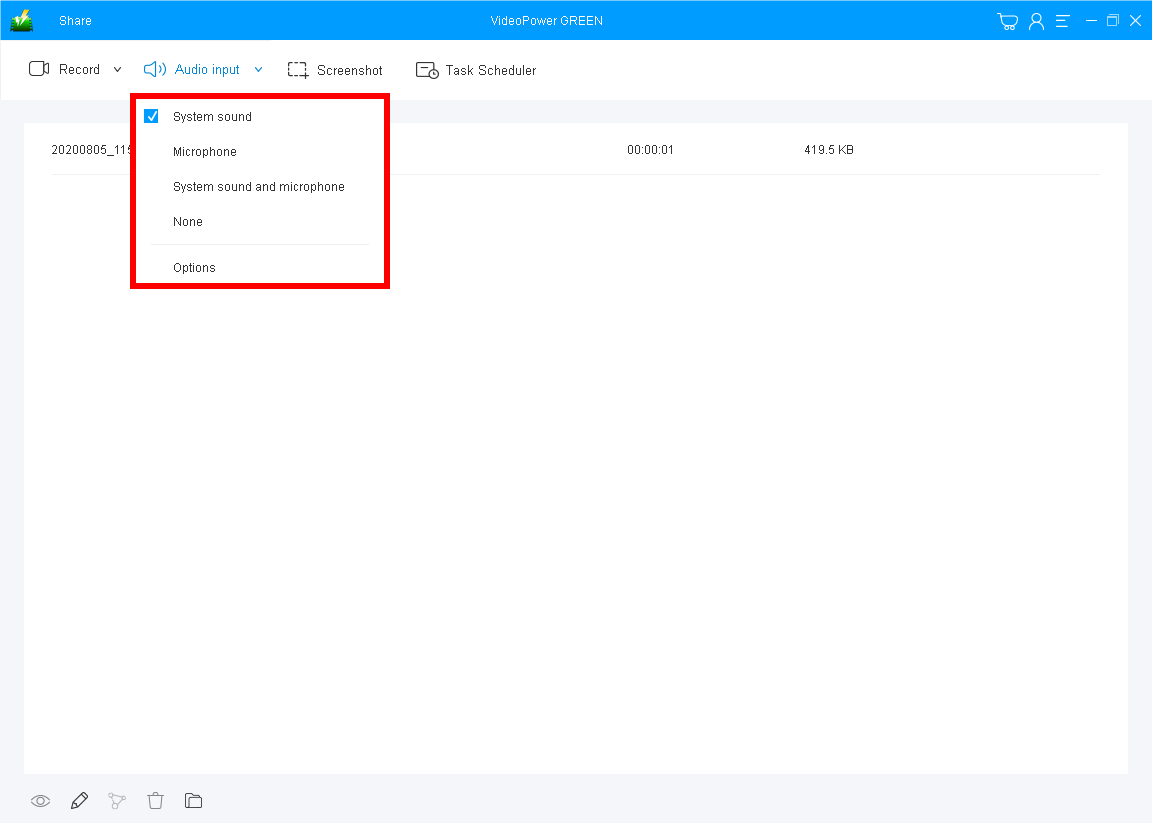
You can choose “System sound, Microphone, System sound, and microphone or None.” To record videos from amazon, you can select “System sound”.
1.2 Select a recording area.
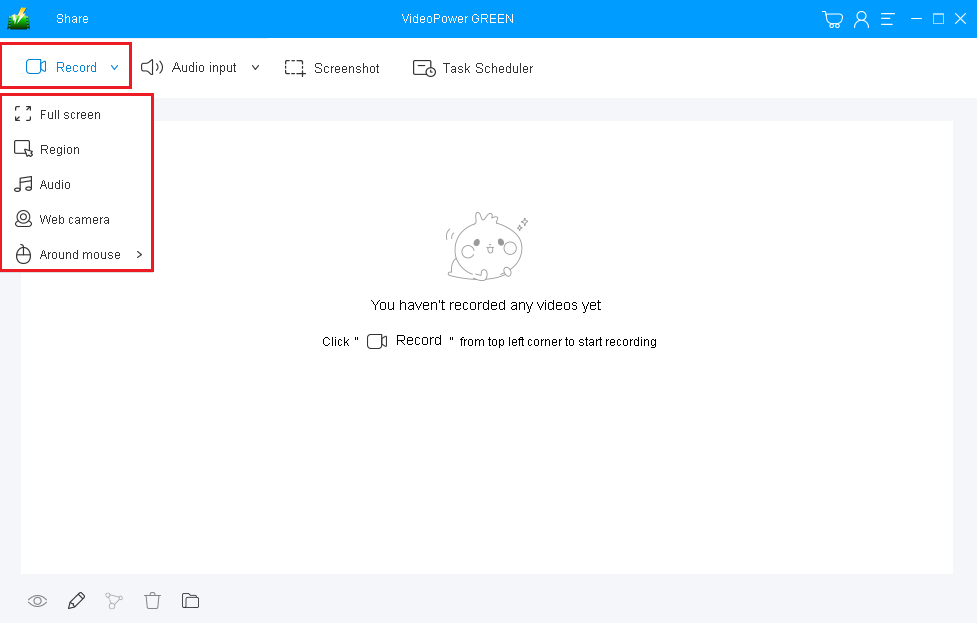
Click on the “Record” button to choose the recording mode from “Full screen, Region, Audio, Web camera, Around mouse”. To record video and movies from amazon prime, you can select “Fullscreen” or “Region”.
1.3 Start recording Amazon prime instant video
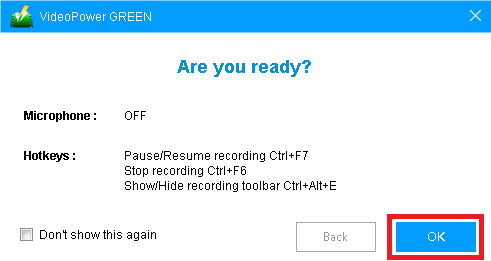
The pop-up window will ask whether you are ready to start recording, click “OK” to confirm when you are ready to record.
Step 2: Edit while recording (optional)
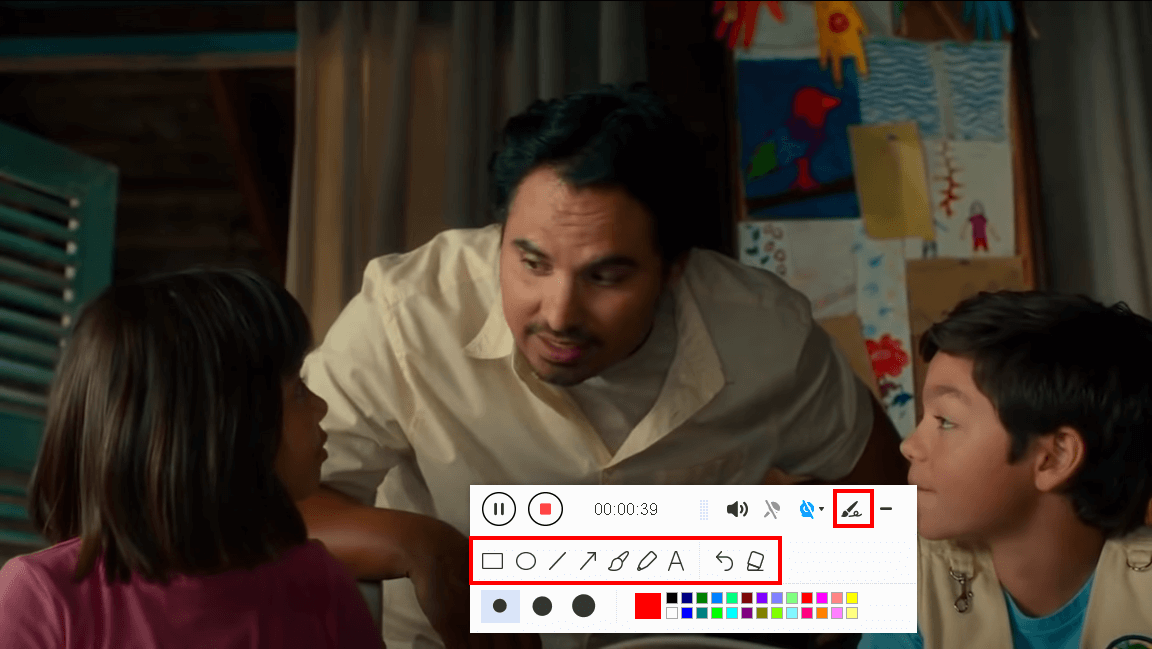
This is just an optional. While recording you can add lines, arrows, shapes, texts, highlight, blur, etc. by clicking the edit button by the toolbar.
Step 3: Check the recorded file

Click the “Stop” button to stop recording.
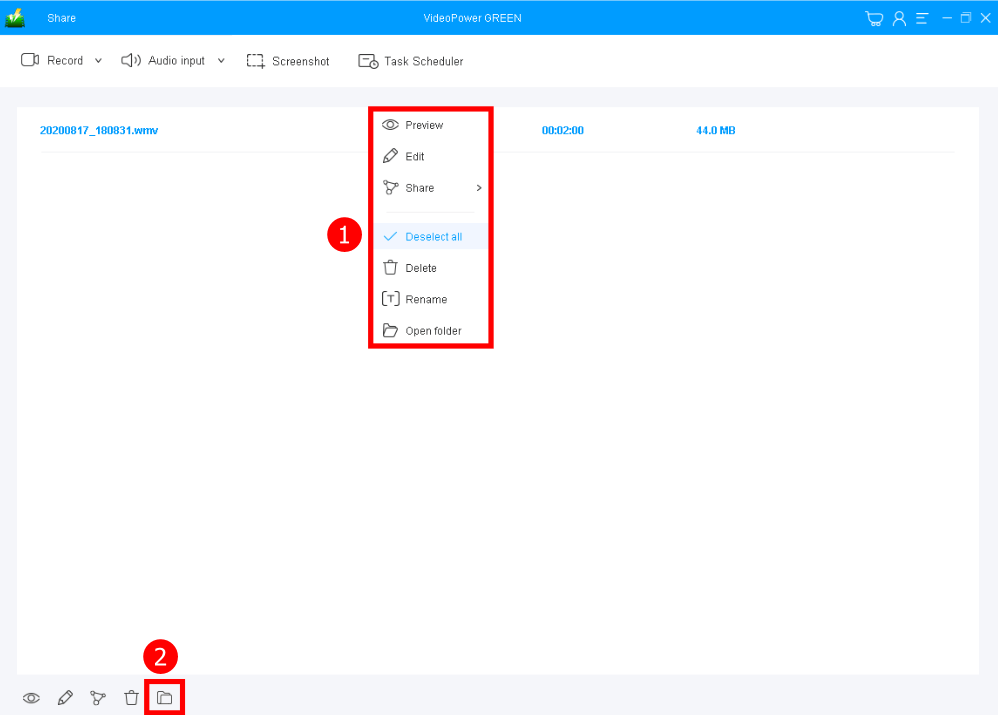
After that, the recorded amazon prime video file is already saved in the pointed output folder.
1. Your recorded file can be seen in the main interface. You can right-click the file and do more operations if you like.
2. Click the folder icon to view it in the pointed output folder.
Conclusion:
Online videos and movies are sometimes people’s comfort zones. They feel at ease, joy, accompanied, and sometimes safe when they have something they feel they can lean on. But this would be a problem in the absence of an internet connection. A screen recording tool would be the best solution for it.
VideoPower GREEN, an easy to access and trusted recording application software with a screen recording feature that is best in capturing computer activities that will help users worry less and relax more. Recording Amazon Prime Video is easier now using this software.
This product isn’t only best in recording and screen recording but it also offers its excellent editing feature that enhances video files and also a task scheduler for convenient use.
ZEUS series can do everything that VideoPower series can do and more, the interface is almost the same.
Check out NOW! Start easier with more affordable prices!




ZEUS Series
VideoPower brother products, start easier with more affordable prices!
| ZEUS BUNDLE 1 Year License ⇒ $29.99 |
ZEUS BUNDLE LITE 1 Year License ⇒ $19.99 |
ZEUS RECORD LITE 1 Year License ⇒ $9.98 |
ZEUS DOWNLOAD LITE 1 Year License ⇒ $9.98 |
||
| Screen Recorder | Screen&Audio Recording | ✔ | ✔ | ✔ | |
| Duration Setting, Schedule Recording | ✔ | ||||
| Video Downloader | Paste URL to download, batch download | ✔ | ✔ | ✔ | |
| Search/download video,browser detector | ✔ | ||||
| Music Recorder | Record music and get music ID3 tag info | ✔ | ✔ | ||
| Music search/download/record, CD Ripper/Creator, Audio Editor | ✔ | ||||
| Video Editor | Edit and convert videos, create slideshow | ✔ | |||
| Screen Capture | Capture screen, image editor | ✔ | |||