











Gaana is one of India’s largest music streaming media service platform. It provides online music listening and smart device music applications. Gaana allows users to browse thousands of playlists and save their favorite tracks and start radio stations to play songs from your personal collection.
You can listen to your favorite songs in Hindi, English, Tamil, Telugu and other 21 languages in Gaana. As convenient as Gaana is, there are still some restrictions that don’t allow users to fully enjoy the streaming platform.
Like most online music streaming platforms, Gaana does not have a download feature where you can listen to the songs offline.
For people that do not have consistent 24/7 internet connection, listening to music offline would be a problem. Using VideoPower YELLOW or ZEUS, you can download songs from Gaana.
To install the program, you must first download the software by clicking the link below.
ZEUS can do what VideoPower series can do and more with an almost similar interface.
Check out NOW! Start easier with more affordable prices!
Steps:
1. Run the program
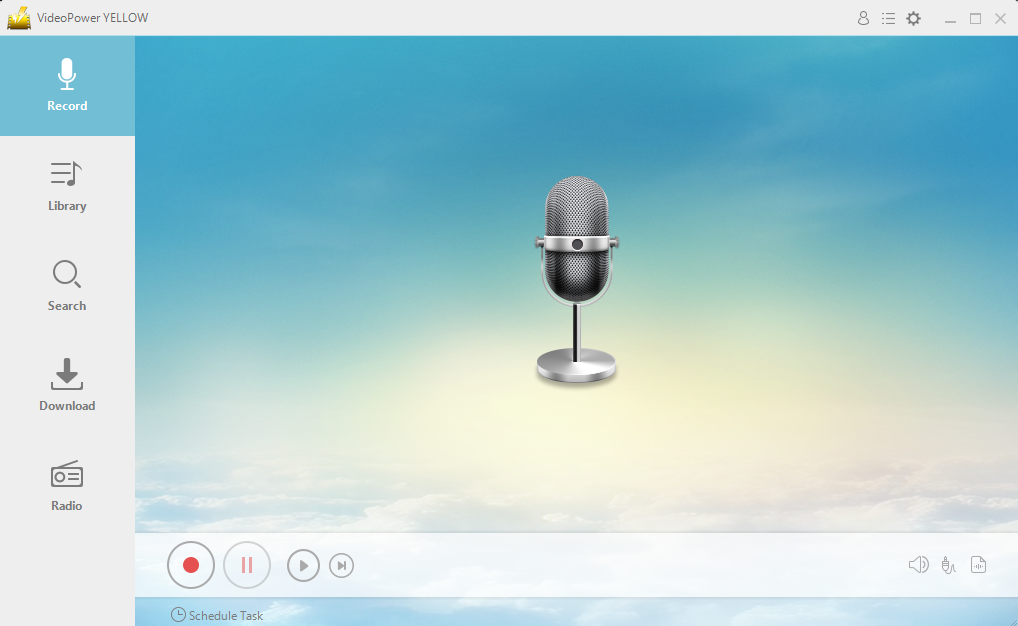
After you run the program, you will automatically be directed to the recording interface. It should look like this:
2. Set the sound source
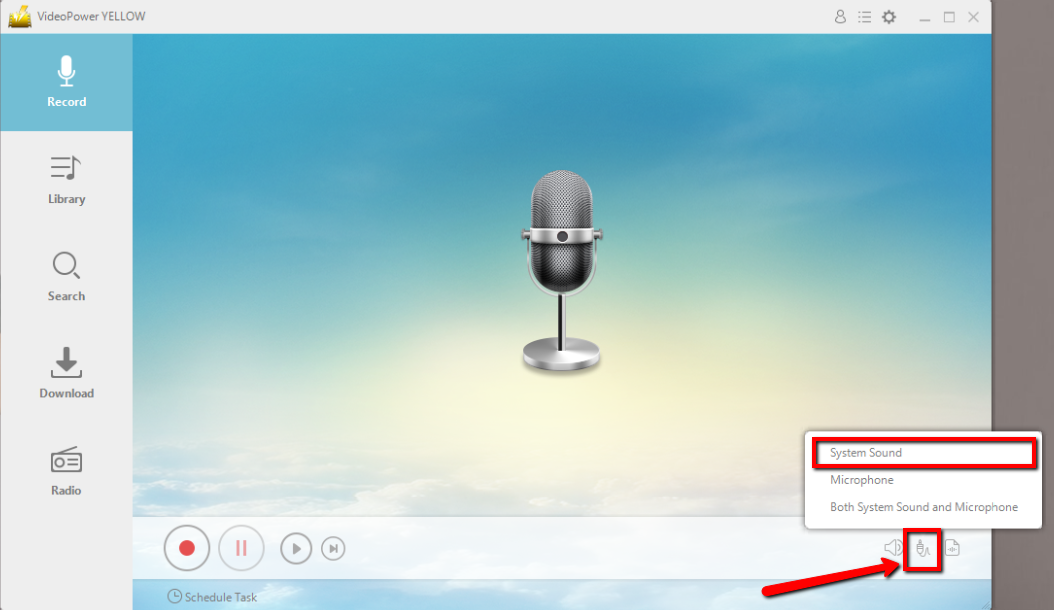
Before recording the Gaana track, make sure that the sound source is set to “System sound.” This is to ensure that the recorder will detect the internal sound from the computer.
3. Set the file format
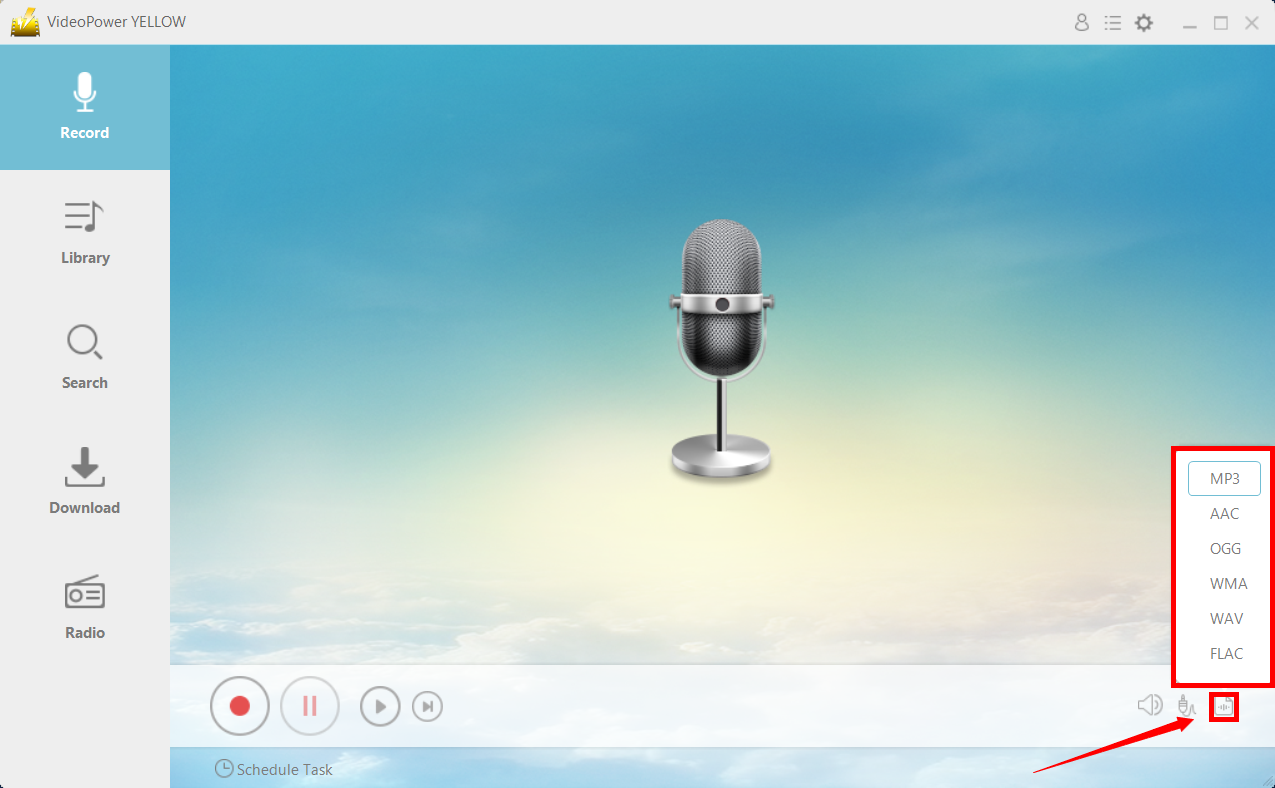
Make sure that the recording is set in the format of “MP3.” – or whatever format you deem appropriate.
4. Record
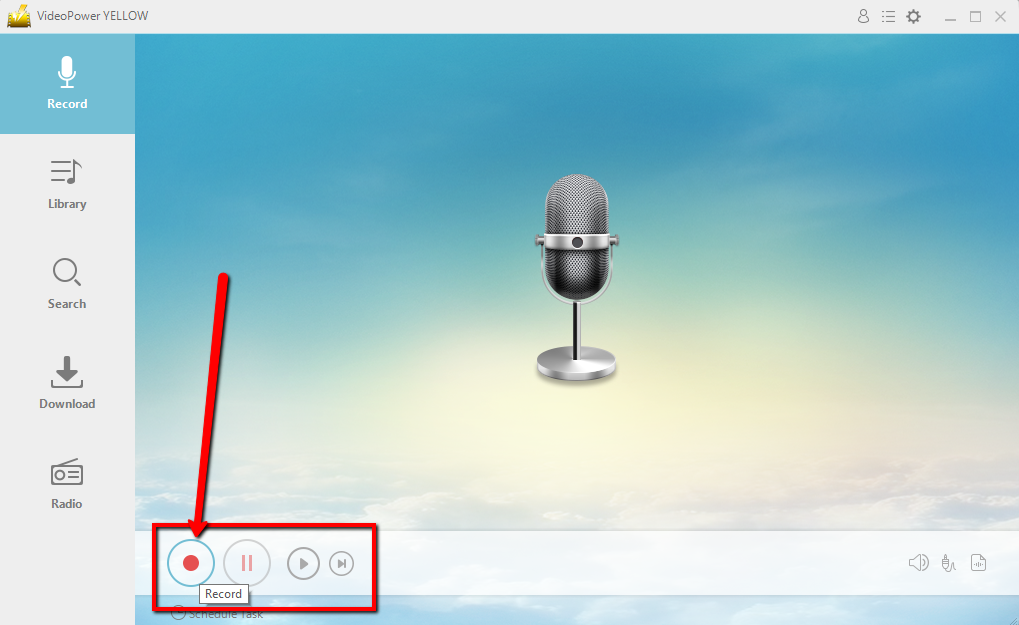
Click the “Record” button to start recording.
5. Play music
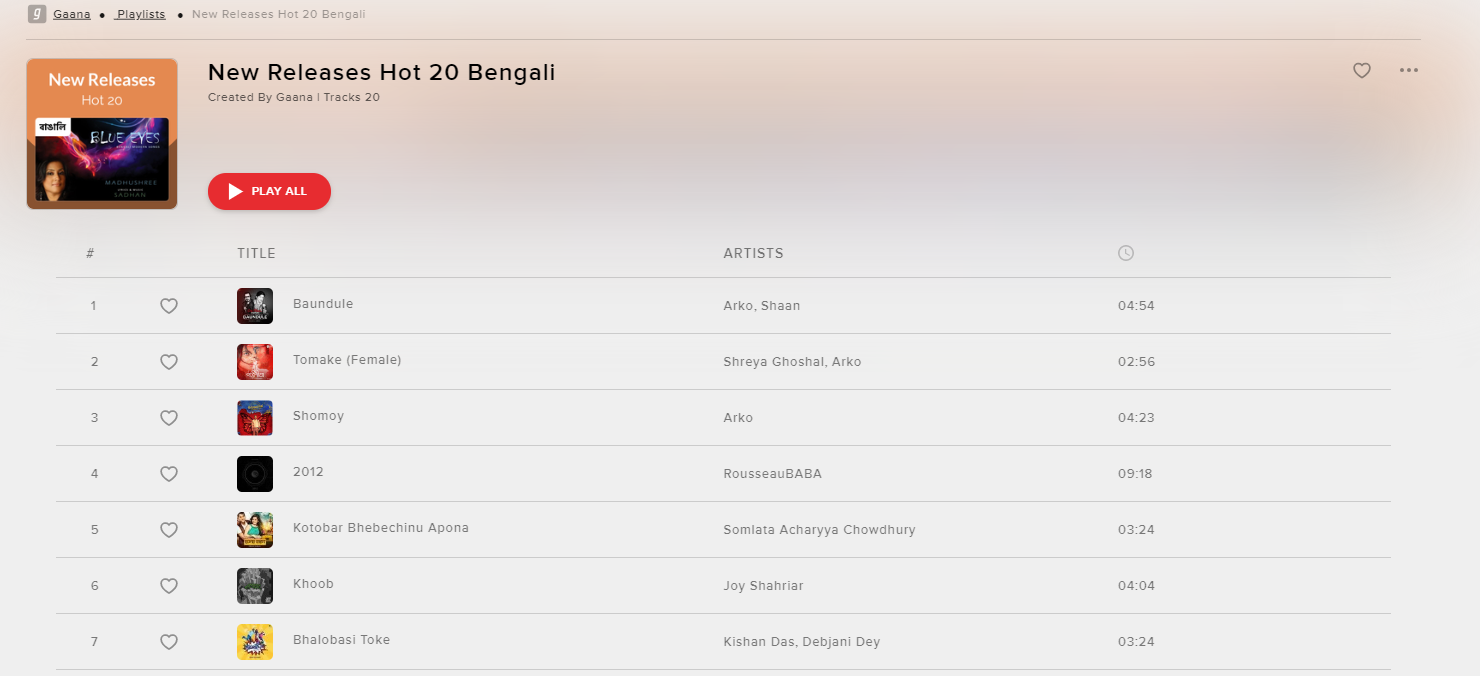
Go to the Gaana track that you want to download and play it.
6. File location
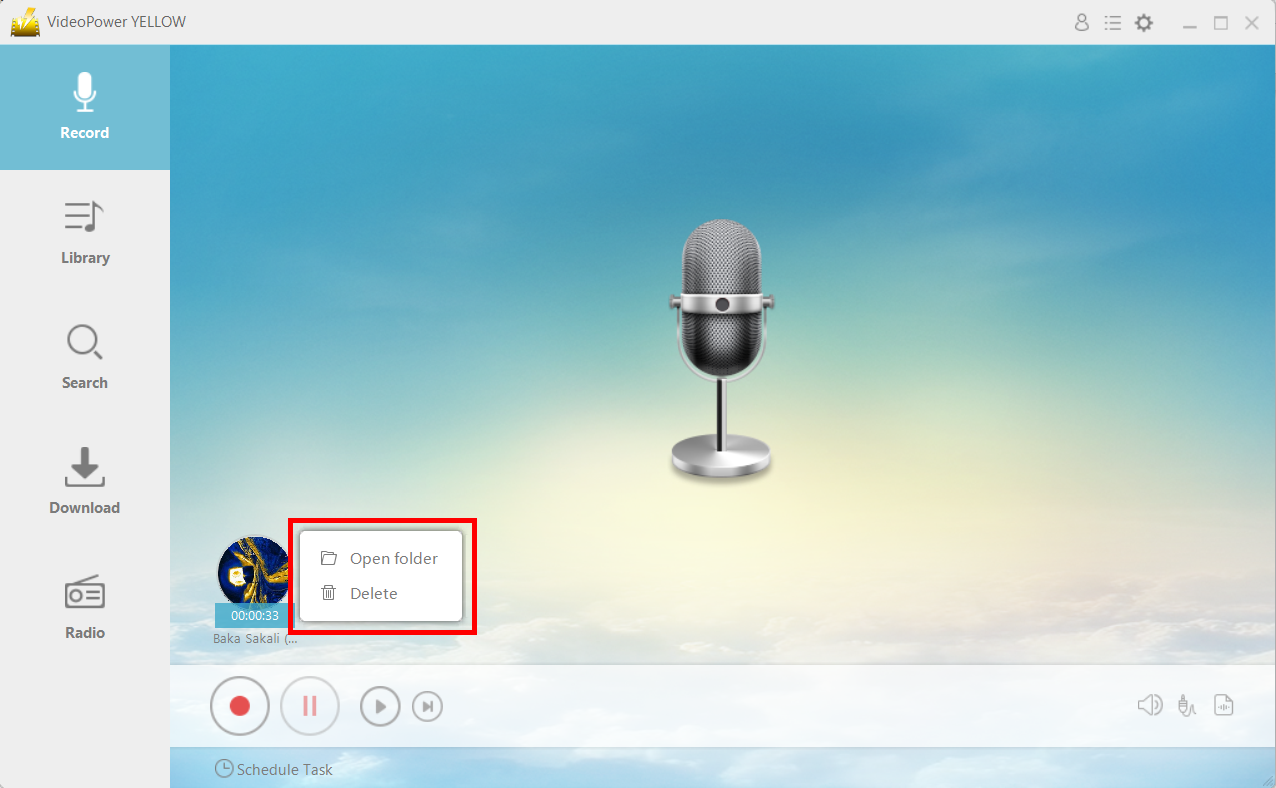
After recording, right-click the recorded track icon and click “Open folder” to open the storage location of the recorded audio file or click “Delete” if you want to delete the file and record again.
Conclusion:
For people who do not have a strong internet connection or have limited connectivity, it can be quite a hassle.
By using VideoPower YELLOW, you can solve the problem by recording the songs while you’re online and then saving them for offline listening.
After recording audio, the tool lets you rename the file for organizing it easily in your local folder. With support from the smart ID3 tag editor, you also can manage audio in a more effective way by adding artwork cover, title, artist, year, album and genre. The metadata of songs proceeded this way can also be recognized by your portable gadgets when playing on them.
ZEUS series can do everything that VideoPower series can do and more, the interface is almost the same.
Check out NOW! Start easier with more affordable prices!




ZEUS Series
VideoPower brother products, start easier with more affordable prices!
| ZEUS BUNDLE 1 Year License ⇒ $29.99 |
ZEUS BUNDLE LITE 1 Year License ⇒ $19.99 |
ZEUS RECORD LITE 1 Year License ⇒ $9.98 |
ZEUS DOWNLOAD LITE 1 Year License ⇒ $9.98 |
||
| Screen Recorder | Screen&Audio Recording | ✔ | ✔ | ✔ | |
| Duration Setting, Schedule Recording | ✔ | ||||
| Video Downloader | Paste URL to download, batch download | ✔ | ✔ | ✔ | |
| Search/download video,browser detector | ✔ | ||||
| Music Recorder | Record music and get music ID3 tag info | ✔ | ✔ | ||
| Music search/download/record, CD Ripper/Creator, Audio Editor | ✔ | ||||
| Video Editor | Edit and convert videos, create slideshow | ✔ | |||
| Screen Capture | Capture screen, image editor | ✔ | |||