











Online video-sharing sites such as YouTube do not really offer a download option for desktop despite many users opting to watch videos offline.
However, with VideoPower GREEN or ZEUS, you can record online videos from websites to solve the issue. It is a powerful and trusted recording application software with varied useful and hassle-free features that helps you record videos from different online video sites. It lets you watch videos offline anytime you want and anywhere you are.
Just download the product through the link below.
ZEUS can do what VideoPower series can do and more with an almost similar interface.
Check out NOW! Start easier with more affordable prices!
How to Record Online Videos with Audio
Step 1: Choose a recording area
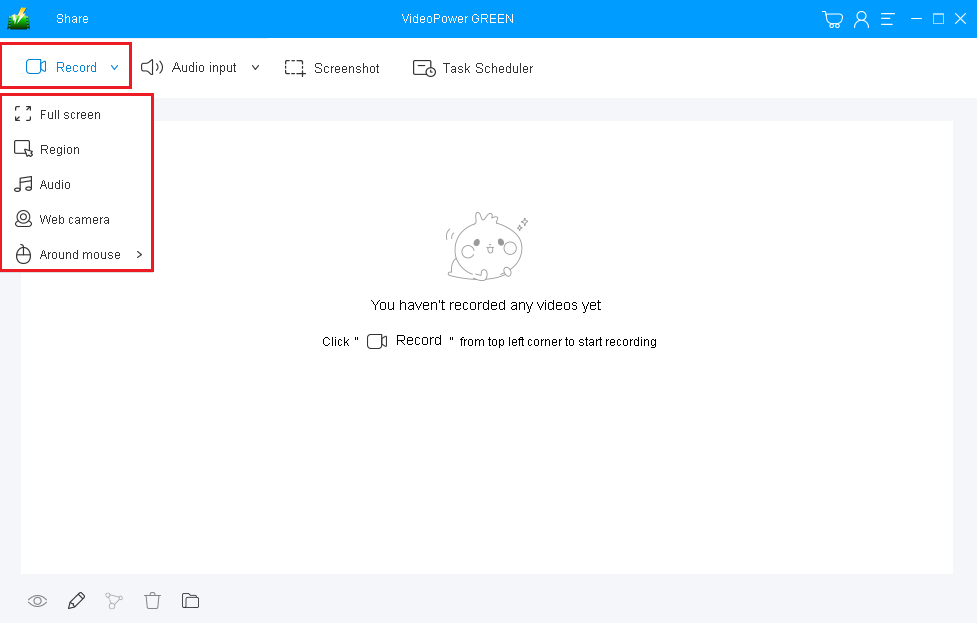
To record online video, only system sound is needed which is the default. So you can directly select the recording mode to start. Click on the “Record” drop-down button and choose “Fullscreen” to record the video playing on the computer screen.
Step 2: Record Online Videos on computer
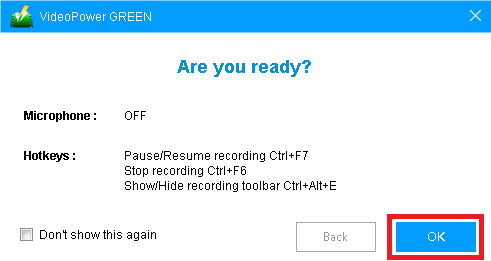
The pop-up window will appear informing you about your microphone and hotkeys. It is also a confirmation whether you are ready to start the recording. Click “OK”.

The recording will naturally start after the countdown. Using the toolbar you have control of your recording. You can pause, annotate, emphasize important details, adjust the volume, or stop the recording.

When you are done recording, click the “Stop” button to end.
Step 3: Watch the recorded video
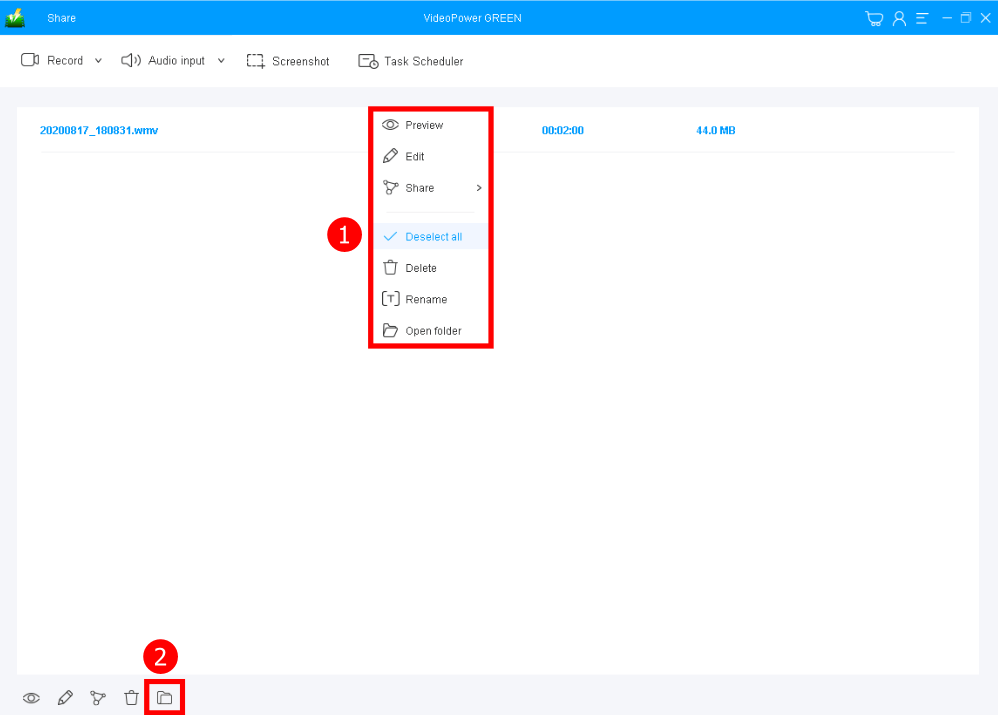
After that, you will be on the “Record” main interface. Right-click the video recorded file and select “Preview” to check and watch the video.
Conclusion:
VideoPower GREEN is a powerful and trusted recording application software that is best suited for recording online videos on Windows PC. It has a particular feature in capturing screen activities. Thus, online videos would be easily recorded for later viewing.
Moreover, this product doesn’t only record screen activities but also beautifies the recordings by using its editing feature. It can also help you save some time and effort by setting its task scheduler feature.
ZEUS series can do everything that VideoPower series can do and more, the interface is almost the same.
Check out NOW! Start easier with more affordable prices!




ZEUS Series
VideoPower brother products, start easier with more affordable prices!
| ZEUS BUNDLE 1 Year License ⇒ $29.99 |
ZEUS BUNDLE LITE 1 Year License ⇒ $19.99 |
ZEUS RECORD LITE 1 Year License ⇒ $9.98 |
ZEUS DOWNLOAD LITE 1 Year License ⇒ $9.98 |
||
| Screen Recorder | Screen&Audio Recording | ✔ | ✔ | ✔ | |
| Duration Setting, Schedule Recording | ✔ | ||||
| Video Downloader | Paste URL to download, batch download | ✔ | ✔ | ✔ | |
| Search/download video,browser detector | ✔ | ||||
| Music Recorder | Record music and get music ID3 tag info | ✔ | ✔ | ||
| Music search/download/record, CD Ripper/Creator, Audio Editor | ✔ | ||||
| Video Editor | Edit and convert videos, create slideshow | ✔ | |||
| Screen Capture | Capture screen, image editor | ✔ | |||