











Saavn contains famous songs, classical songs, and popular songs from Bollywood movies in India. The platform is designed with excellent user experience and supports computer, tablet, and mobile applications.
Saavn is an online Indian music platform. Like most streaming websites, it does not provide a download feature for its songs – most likely to ensure that traffic is consistent. So what to do if you want to listen to the music tracks even when you’re offline?
VideoPower YELLOW has the capability to record Saavn music without quality loss so you can enjoy Saavn premium music for offline listening. This software has a built-in music player so can instantly playback all recorded Saavn tracks. For easier music file management, this software is equipped with an ID3 tags identifier which tries to identify the music recorded and automatically add the ID3 tags once recognized such as the title, album cover art, artist, year, genre, etc.
ZEUS can do what VideoPower series can do and more with an almost similar interface.
Check out NOW! Start easier with more affordable prices!
Guide
How to Record Saavn Music for Offline Listening
How to Record Saavn Music for Offline Listening
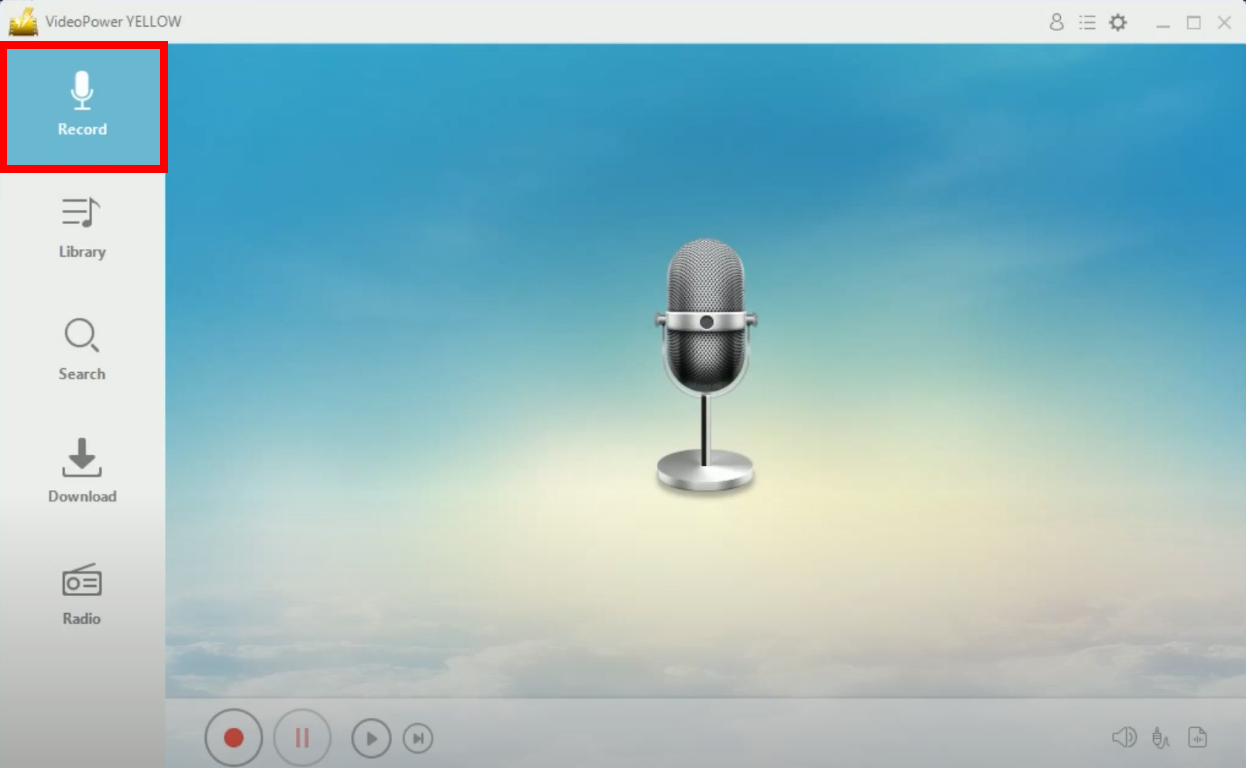
Step 1: Go to the “Record” function screen
Open the VideoPower YELLOW and click the “Record” function menu.
Step 2: Set the audio input
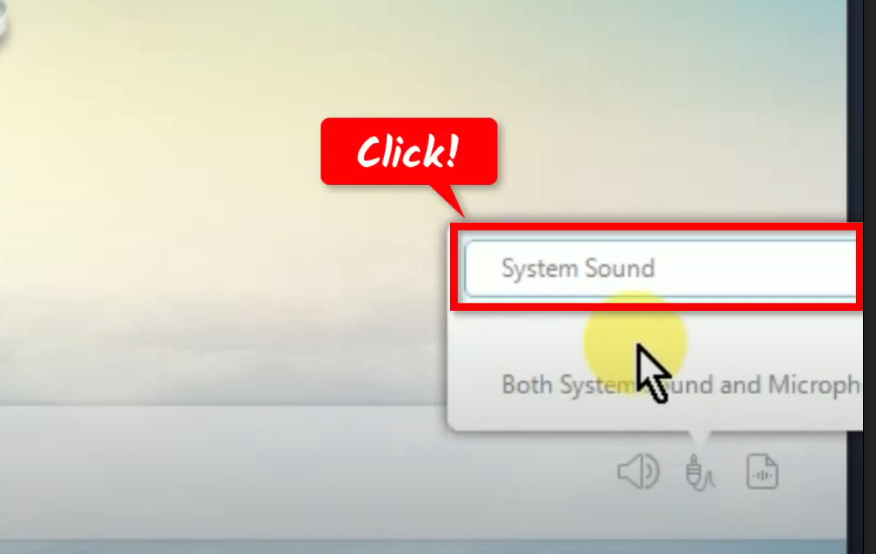
At the bottom right, click the “Audio input” icon.

A list of options will be shown. Select “System sound” from the options. This is used to avoid external noises when recording.
Step 3: Select the output format
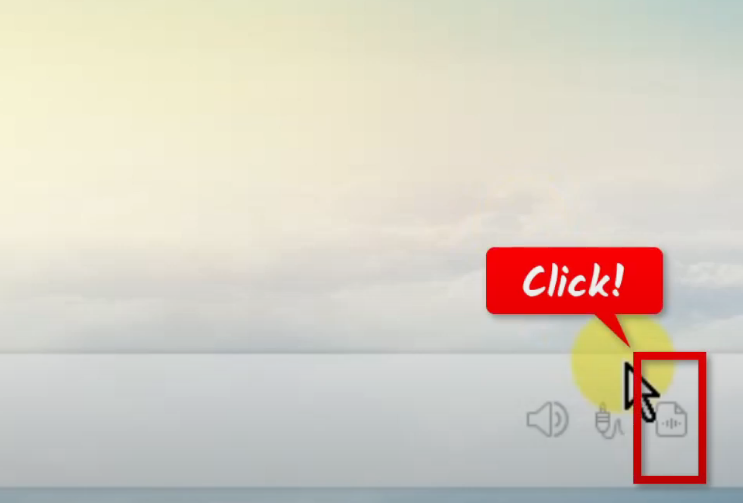
Beside the audio input, click the “Format” icon.
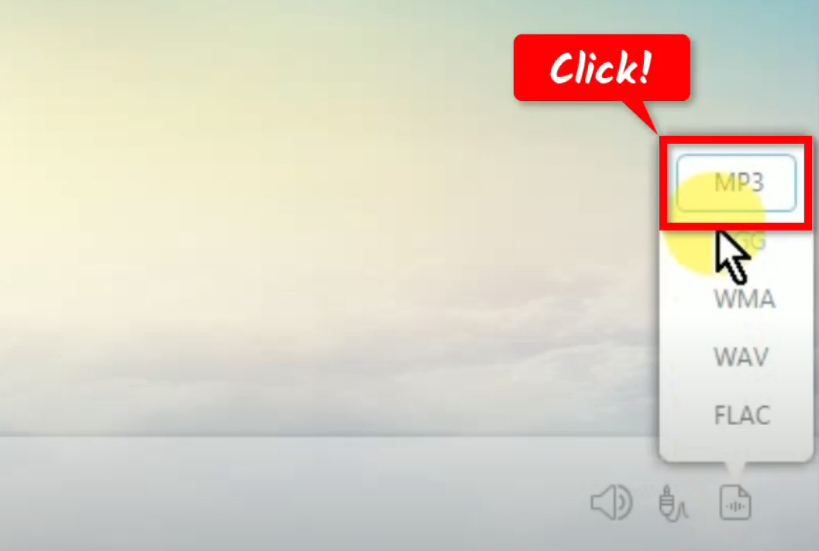
A list of available formats will be shown. Select “MP3” from the options.
Step 4: Begin the Saavn music recording
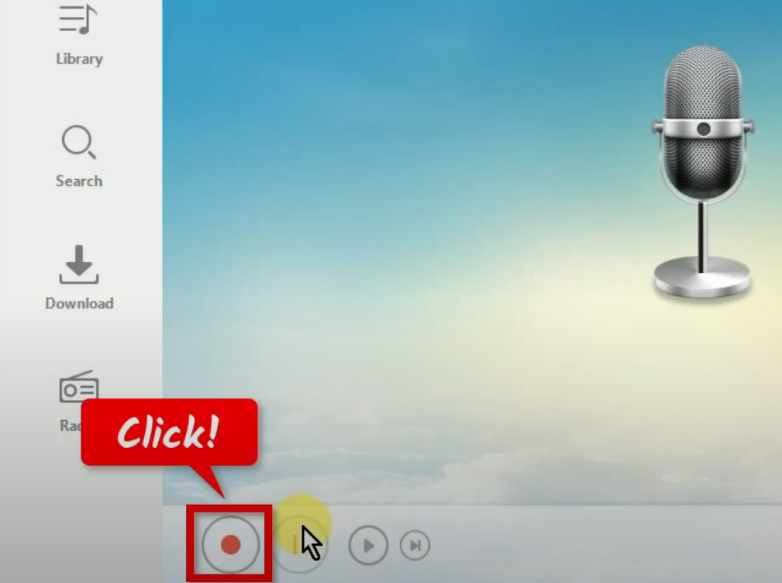
To begin the recording, click the “Record” button.
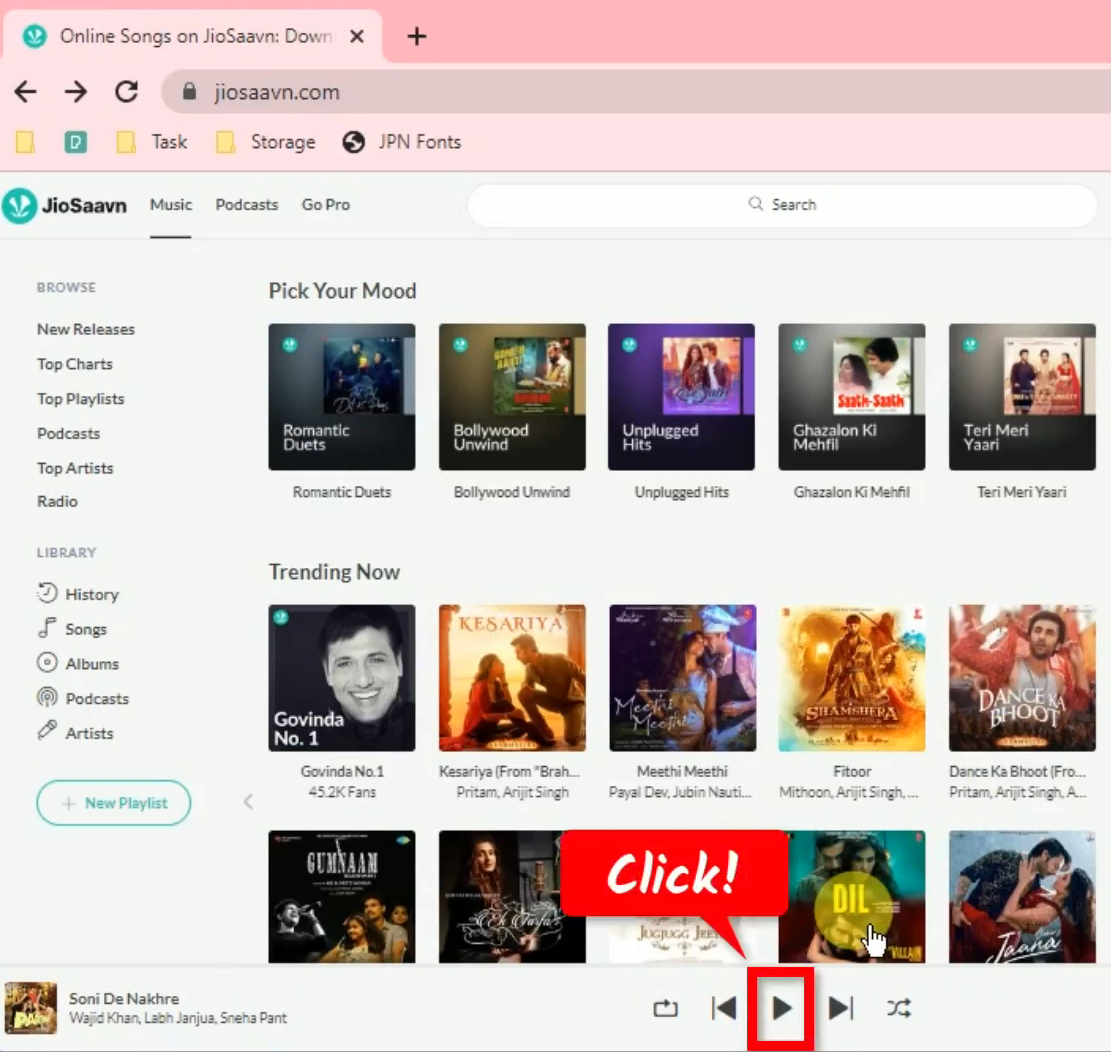
Go back to the Saavn website and play the music to have it recorded.
Step 5: Finished recording the Saavn music
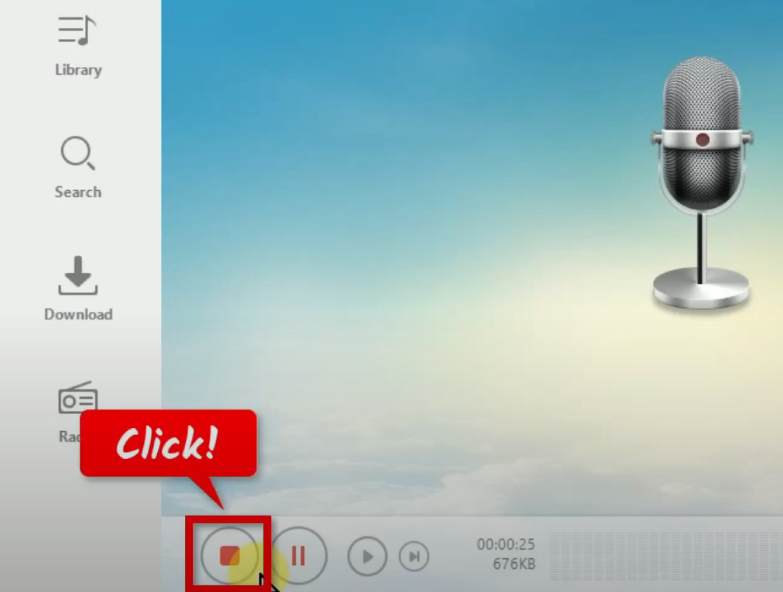
When the recording is finished, click “Stop” to end the recording.
To check the recorded file, go to the “Library” function screen.
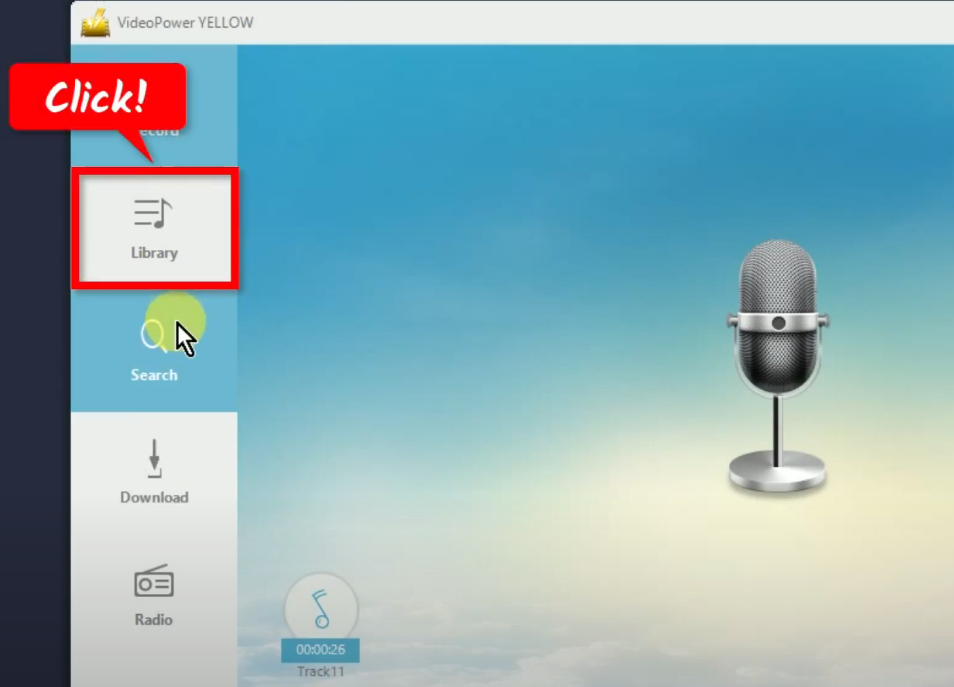
You may right-click the recorded file and select “Open folder” from the options to see the destination folder.
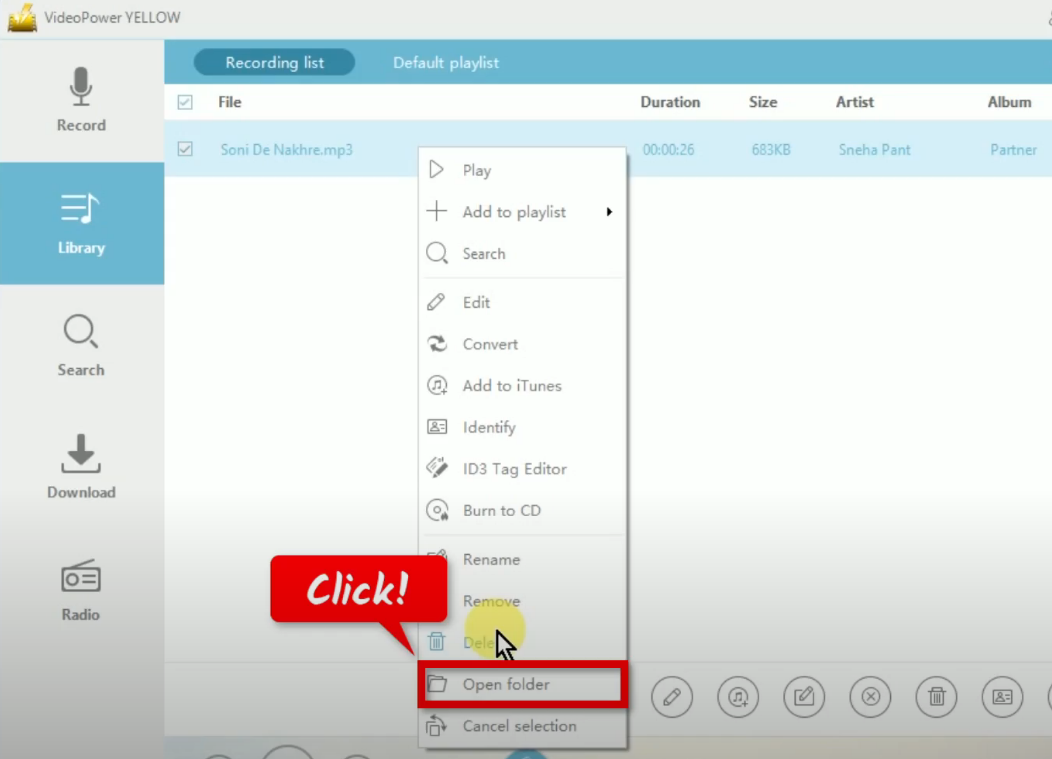
The destination folder will be opened in a new window. Double-click the recorded file to playback the music.

Conclusion:
Online streaming platforms and digital music caused a massive decline in offline consumption and sales of physical copies of music. Downloading music is slowly becoming a thing of the past. However, for people that do not have a 24/7 consistent internet connection, downloading for offline consumption is still the best option.
Using VideoPower YELLOW, you can record Saavn music in lossless quality. It supports various formats for your devices with the ID3 tags identifier function which is helpful for easier music file management. Moreover, you will get to enjoy its many additional functions such as an online video to MP3 converter, music library, and more!
ZEUS series can do everything that VideoPower series can do and more, the interface is almost the same.
Check out NOW! Start easier with more affordable prices!




ZEUS Series
VideoPower brother products, start easier with more affordable prices!
| ZEUS BUNDLE 1 Year License ⇒ $29.99 |
ZEUS BUNDLE LITE 1 Year License ⇒ $19.99 |
ZEUS RECORD LITE 1 Year License ⇒ $9.98 |
ZEUS DOWNLOAD LITE 1 Year License ⇒ $9.98 |
||
| Screen Recorder | Screen&Audio Recording | ✔ | ✔ | ✔ | |
| Duration Setting, Schedule Recording | ✔ | ||||
| Video Downloader | Paste URL to download, batch download | ✔ | ✔ | ✔ | |
| Search/download video,browser detector | ✔ | ||||
| Music Recorder | Record music and get music ID3 tag info | ✔ | ✔ | ||
| Music search/download/record, CD Ripper/Creator, Audio Editor | ✔ | ||||
| Video Editor | Edit and convert videos, create slideshow | ✔ | |||
| Screen Capture | Capture screen, image editor | ✔ | |||