











Everyone is almost or at least familiar with MP4, the presence of this file type has been very common among media files, from the common household to bigger platforms of music industries. MPEG-4 Part 14 or MP4 is commonly used to store video and audio. Like most modern formats, it allows streaming over the Internet. VOB on the other hand, short for video object is the container format in DVDs. VOB can hold video, audio, subtitles, DVD menus and navigation contents multiplexed together into a stream form. VOB usually is heavy in content compared to MP4 since it can divide video into chapters.
Rapid availability of portable gadgets with rather limited capacity to store big files, media in MP4 has been very common today, since MP4 is very convenient due to its smaller content size, this just means that VOB has a superior quality over MP4 since it doesn’t compromise content size, but the downside of VOB is that only limited amount of players can read this file type.
There are lots of media converter online or even downloadable softwares ready to convert VOB to MP4, but the question is, are heavy media consumers okay with the downgraded quality? Let’s put to test VideoPower BLUE.
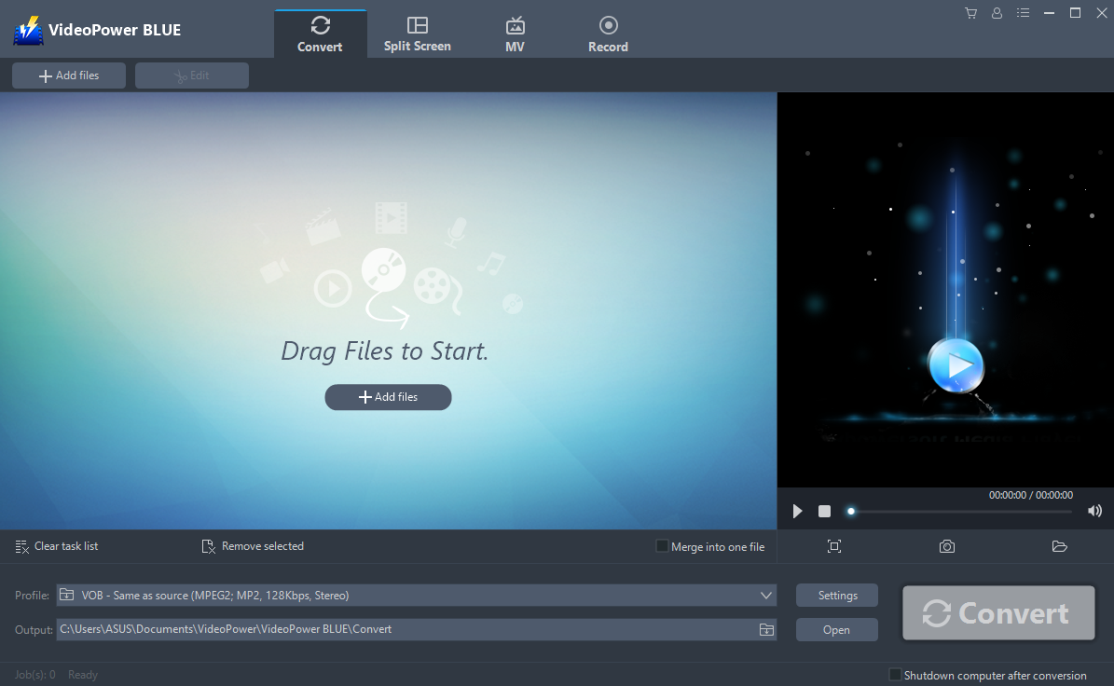
(Basic view of VideoPower BLUE)
File Transport – File downloaded in VOB can be added through dragging files from folder to the app (transferring media process highlighted in red circles). Convert button is in gray.
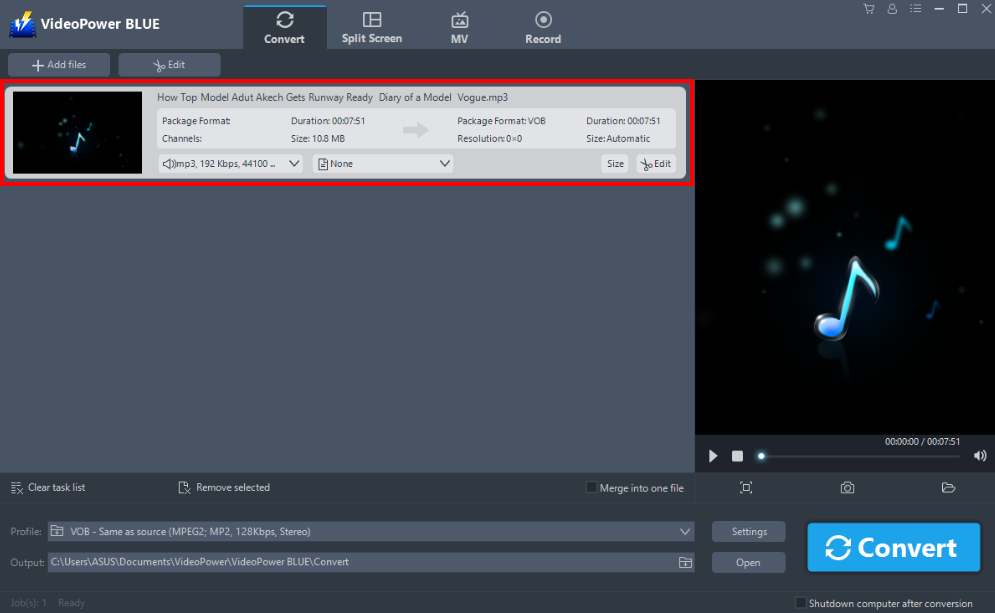
Converting list – VOB file is immediately on display ready for conversion highlighted in red. Notice that it doesn’t just display the file name but rather it does have its own specifics, and the convert button is now in blue ready for conversion.
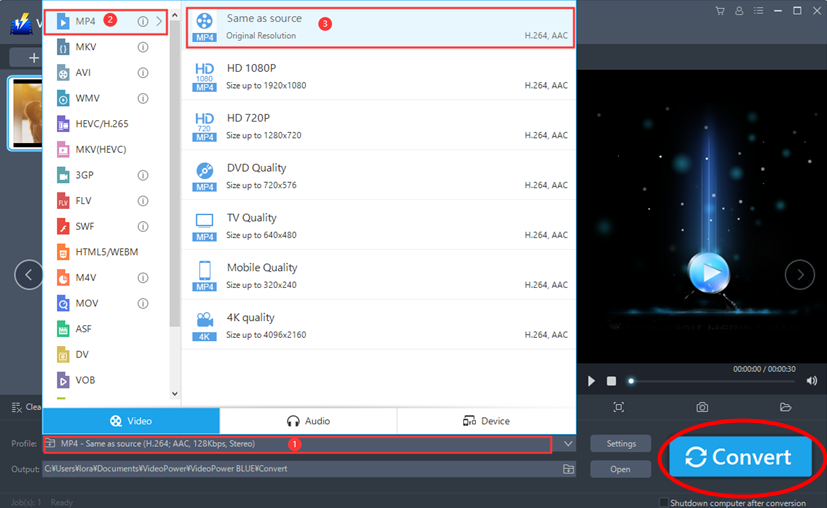
Getting started – The Profile bar right at the bottom, highlighted in red is where a variety of formats are available.

Pre Conversion – upon clicking the profile bar, a wide selection of video formats from MP4 to GIF are available, even audio formats from MP3 to FLAC. Compatibility for specific devices are also available, from specific operating systems like Apple to Android, and even independent brands like Samsung and LG are available. To a surprise, VideoPower Blue can even make customizable formats for specific smartphone units from iPhone X to Samsung Galaxy’s S6. This software is unmatched in power and versatility.
The Conversion – Online sites usually have an option of different formats, theoretically it will downgrade since VOBs are large, compressing it to MP4 will just compromise quality, since files reduced in smaller size. But with VideoPower BLUE, consumers have the option of reducing file size into a more convenient one without sacrificing the quality of the video. Maintaining the quality from its original format is already quite enough and VideoPower BLUE doesn’t just settle for enough since consumers can convert the file to a better version from high definition to even 4K (Notice the options highlighted in red). Now questions have been answered, can we convert VOBs to MP4 of the same quality? Yes, even better. Click the convert button highlighted in red to start conversion.
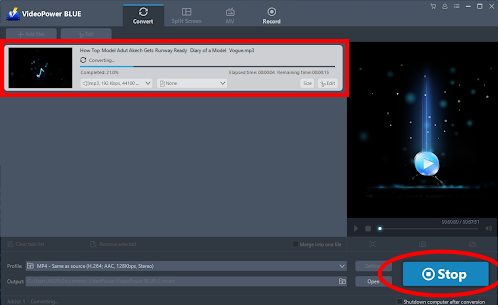
Speed – It didn’t really took a minute to convert a VOB file to MP4, since online conversion takes time, even downloading will just add up to the amount of tasks but with VideoPower BLUE, conversion isn’t really an issue. Halting conversion is also possible through clicking the stop button highlighted in red.
Post Conversion – After the conversion process, VideoPower Blue instantly delivers you to the folder where the file was exported.
The need of conversion nowadays is very important since people use media on different forms, whether it is for entertainment or projects. Whatever the use is intended for, softwares like VideoPower BLUE is essentially needed since some people prefer the convenience of having it on a more portable device, but to convert it a more superior quality like 4K has been possible, it’s even a breakthrough for some traditional conversion.




ZEUS Series
VideoPower brother products, start easier with more affordable prices!
| ZEUS BUNDLE 1 Year License ⇒ $29.99 |
ZEUS BUNDLE LITE 1 Year License ⇒ $19.99 |
ZEUS RECORD LITE 1 Year License ⇒ $9.98 |
ZEUS DOWNLOAD LITE 1 Year License ⇒ $9.98 |
||
| Screen Recorder | Screen&Audio Recording | ✔ | ✔ | ✔ | |
| Duration Setting, Schedule Recording | ✔ | ||||
| Video Downloader | Paste URL to download, batch download | ✔ | ✔ | ✔ | |
| Search/download video,browser detector | ✔ | ||||
| Music Recorder | Record music and get music ID3 tag info | ✔ | ✔ | ||
| Music search/download/record, CD Ripper/Creator, Audio Editor | ✔ | ||||
| Video Editor | Edit and convert videos, create slideshow | ✔ | |||
| Screen Capture | Capture screen, image editor | ✔ | |||