











Brief Introduction of M4A
M4A (.m4a) is a file name extension that is used as a compressed audio file in the MPEG-4 container. This file format was not popular until Apple Inc. firstly used it in iTunes and iPod for songs using either Advanced Audio Coding (AAC) or Apple Lossless (ALAC) codec to differentiate from other MPEG-4 audio files since 2007.
Supported Software/Programs
•Apple iTunes
•QuickTime Player
•Microsoft Windows Media Player
•Media Player Classic
•KSP Sound Player
•Winamp Media Player
•Roxio Creator
•NCH Swift Sound
•WavePad
M4A Format VS MP3
MP3 is also a file format used for audio-only. It is a widely used format and easy to share with your friends and family because of its great compatibility with different programs and devices.
M4A is Apple’s response to MP3, it can also achieve the same bitrate as MP3 but in higher compression. The result will be high-quality with smaller file sizes.
However, even though M4A is compatible with many devices such as audio players, nothing can reach MP3’s universal compatibility.
Best Free M4A Converter
You already have knowledge about M4A and brief information about MP3. No matter what you think is a better format, you can easily convert M4A format to MP3 or vice versa in a hassle-free way.
VideoPower BLUE or ZEUS is a free audio converter that supports different formats and devices. It is well-known for its fast conversion speed and high-quality output. It is the best tool to use in converting M4A format to WAV, MP3, AAC, FLAC and, etc.
ZEUS can do what VideoPower series can do and more with an almost similar interface.
Check out NOW! Start easier with more affordable prices!
How to Convert M4A to MP3 Format for free
Step 1: Import the file to the program
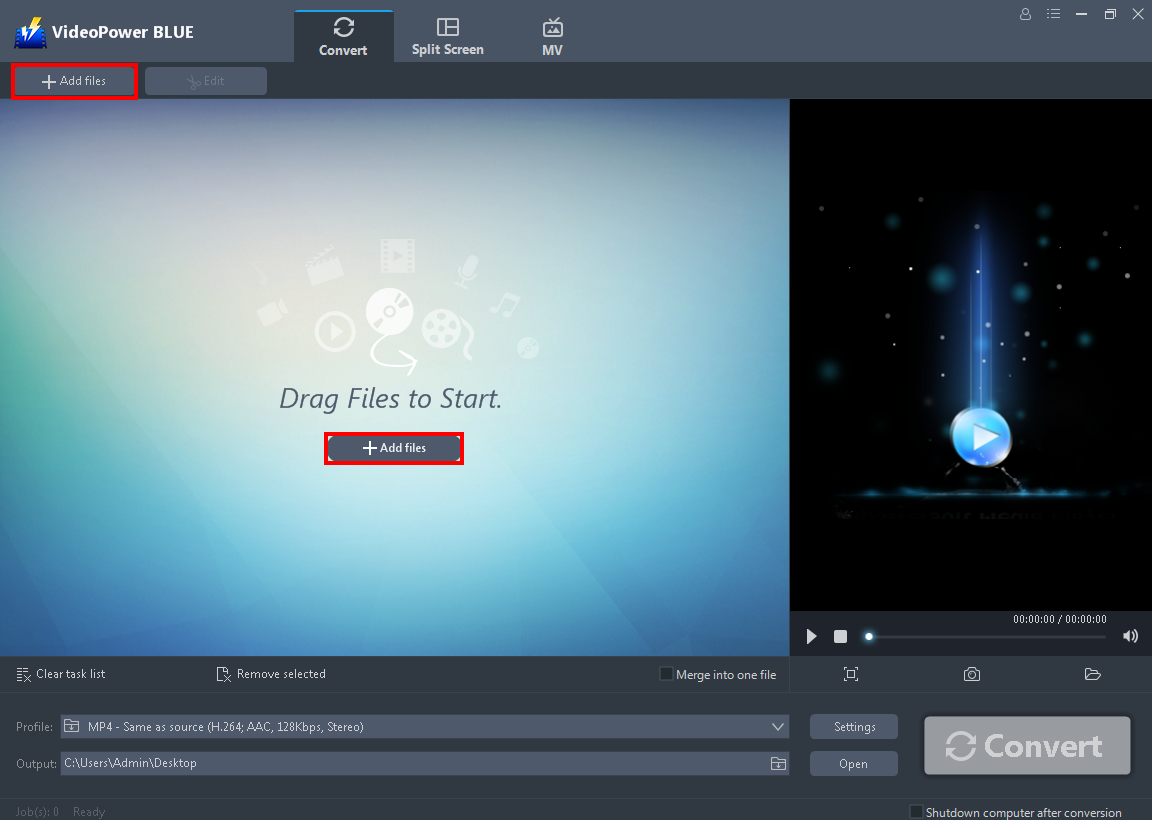
After you successfully installed the software, click to run the program. You can directly add the file by clicking the “Add files” button.
Step 2: Edit the audio file
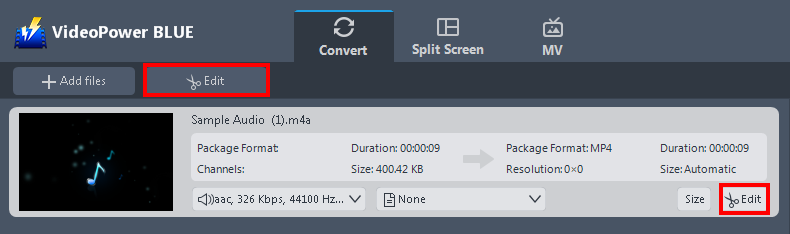
The imported audio file is displayed in the list. Click the “Edit” button on the right side of the file to open the built-in editor.
With this built-in editor, you can make the perfect modifications to your audio file before conversion. You can adjust speed and volume, trim, and cut.
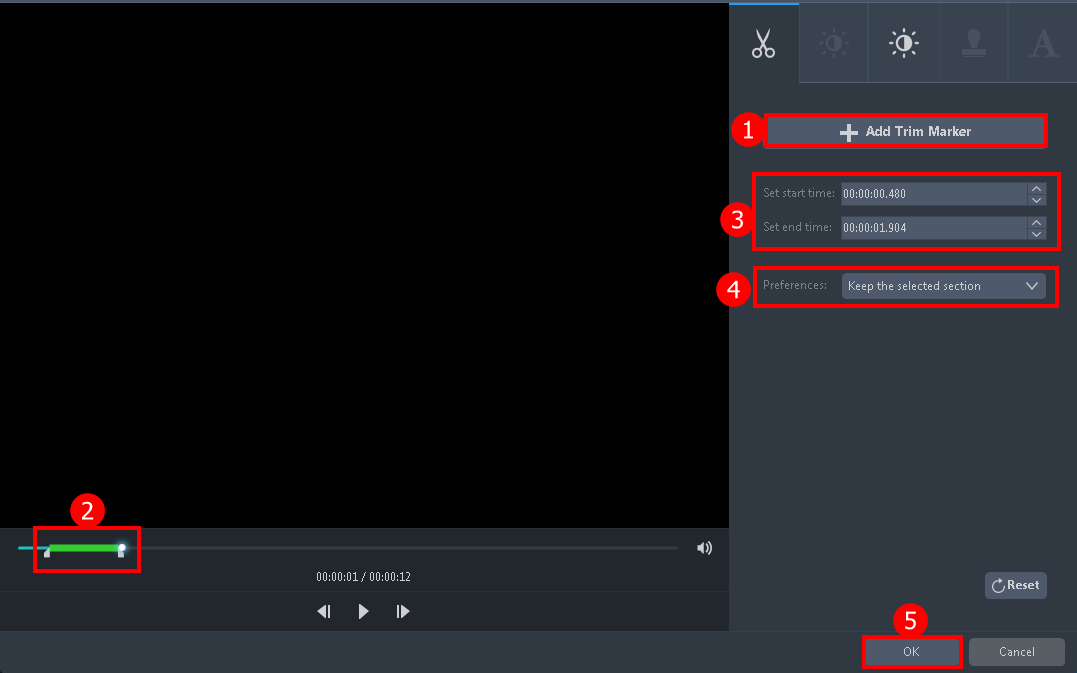
For example, you can trim the audio by following the steps below:
1. Click “Add Trim Marker” to add a trim marker to the progress bar, you can also add multiple trim markers by clicking this button multiple times.
2. Drag the slider to select the part you want to hold.
3. You can click the up or down button to set the start and end time as well.
4. You can choose to keep or delete the selected section.
5. Click “OK” to save changes.
Step 3: Convert M4A to MP3 format
3.1 Choose the output format
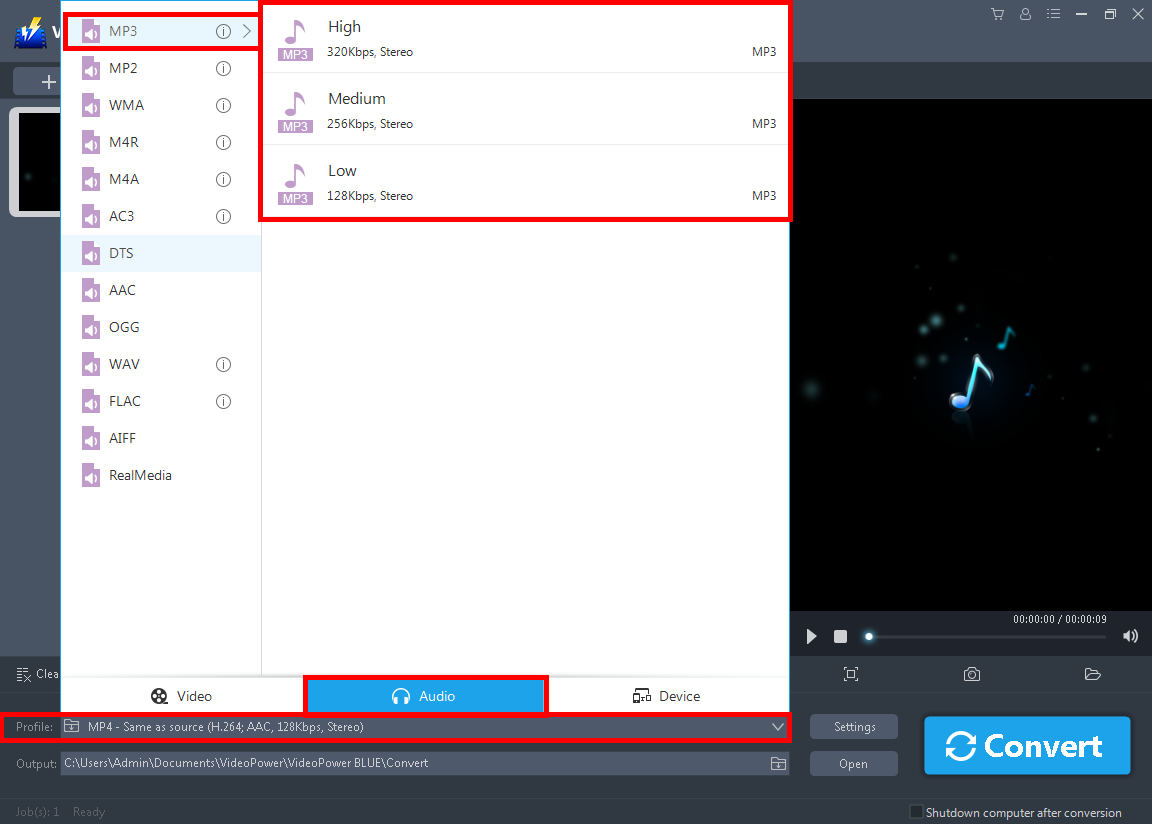
1. Click the “Profile” arrow-up menu to see the format list.
2. Navigate to the “Audio” section to choose the output format.
3. Choose the “MP3” format to the left and quality “High” or other options such as “Medium” or “Low” to the right.
3.2 Set the output folder and convert
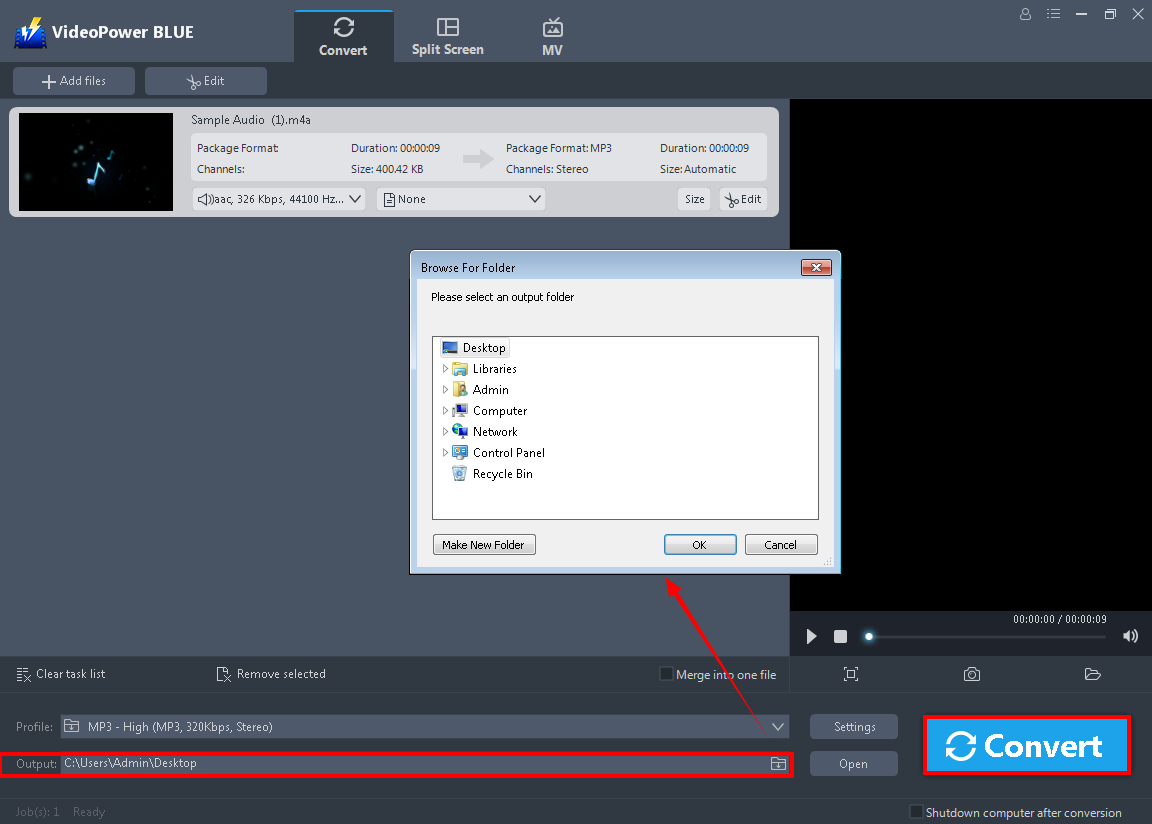
Click the “Output” button so you can set the location where you want to save the converted file. After that, hit the “Convert” button on the lowest right on its interface and the conversion will naturally start.
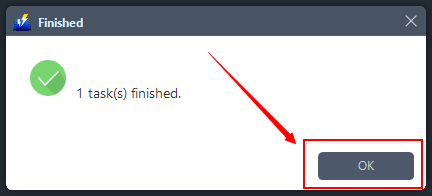
Then a pop-up window from the program will appear, informing you that the conversion is complete. Click “OK” to open the folder of your converted MP3 audio file.
Conclusion:
M4A audio files are limited to iTunes, iPods, and other Apple devices. So converting it to a much more compatible file format is necessary if you are not a user of those devices.
Free audio converter VideoPower BLUE not only supports the conversion including M4A format files but it also has incredible features such as slideshow maker, basic video, and audio editing such as effects, watermarks, subtitles, trimming and cropping.
ZEUS series can do everything that VideoPower series can do and more, the interface is almost the same.
Check out NOW! Start easier with more affordable prices!




ZEUS Series
VideoPower brother products, start easier with more affordable prices!
| ZEUS BUNDLE 1 Year License ⇒ $29.99 |
ZEUS BUNDLE LITE 1 Year License ⇒ $19.99 |
ZEUS RECORD LITE 1 Year License ⇒ $9.98 |
ZEUS DOWNLOAD LITE 1 Year License ⇒ $9.98 |
||
| Screen Recorder | Screen&Audio Recording | ✔ | ✔ | ✔ | |
| Duration Setting, Schedule Recording | ✔ | ||||
| Video Downloader | Paste URL to download, batch download | ✔ | ✔ | ✔ | |
| Search/download video,browser detector | ✔ | ||||
| Music Recorder | Record music and get music ID3 tag info | ✔ | ✔ | ||
| Music search/download/record, CD Ripper/Creator, Audio Editor | ✔ | ||||
| Video Editor | Edit and convert videos, create slideshow | ✔ | |||
| Screen Capture | Capture screen, image editor | ✔ | |||