











MP3 is the most common audio format on the internet, it occupies most of the mainstream market. MP3 has lossy music.
WAV is an audio file format developed by IBM and Microsoft. It is used to save the audio information resources of the Windows platform. It is widely supported by the Windows platform and its applications. So converting MP3 to WAV, lossless music is a good choice.
Here we will give you tips on how to convert MP3 to WAV on Windows PC.
VideoPower BLUE or ZEUS is a powerful tool that can convert MP3 to WAV for free. It is a friendly user and easy to use the software. You can easily convert audio and video with ease.
Also, this software has multiple functions such as basic video editing, slideshow creation, and audio and video conversion.
ZEUS can do what VideoPower series can do and more with an almost similar interface.
Check out NOW! Start easier with more affordable prices!
Convert MP3 to WAV Via VideoPower BLUE
Step 1: Add the MP3 audio file
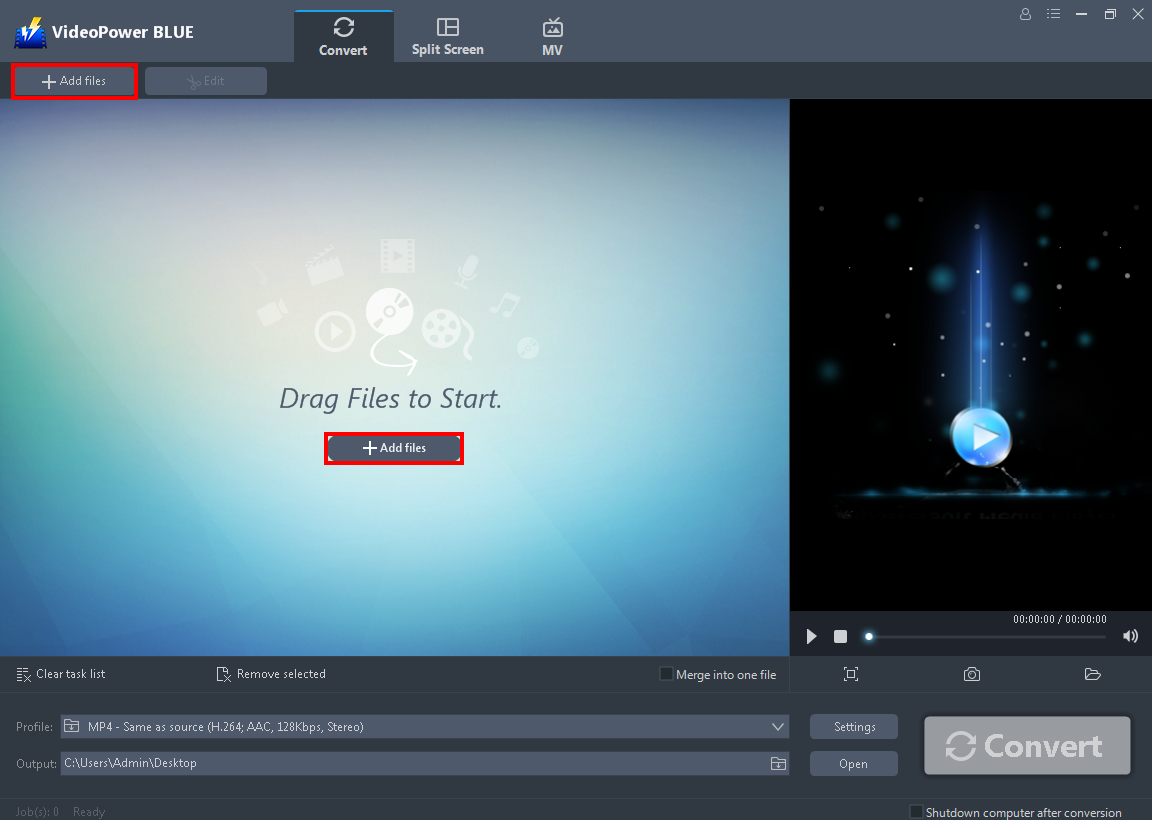
Launch VideoPower BLUE. Directly import the audio file to the software by clicking the “+ Add files” button or by drag-and-drop the file.
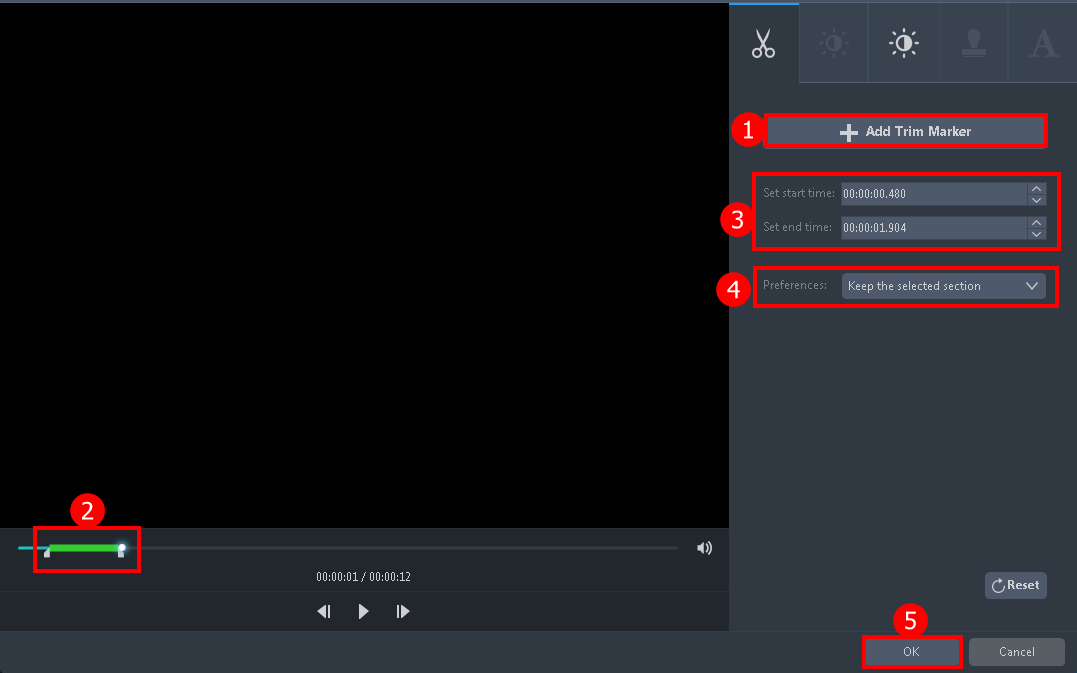
Step 2: Edit the MP3 audio before converting
Note: This step is optional. If users opt to edit the file before conversion then follow through this step. If users do not wish to edit the audio, they may go directly to Step 3.
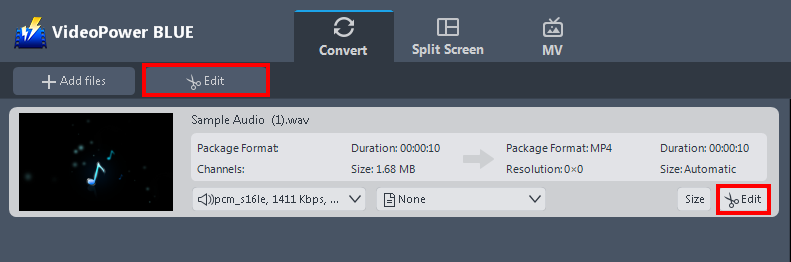
The imported audio file is displayed in the list. Click the “Edit” button on the right side of the file to open the built-in audio editor.
Step 3: Select output format for conversion
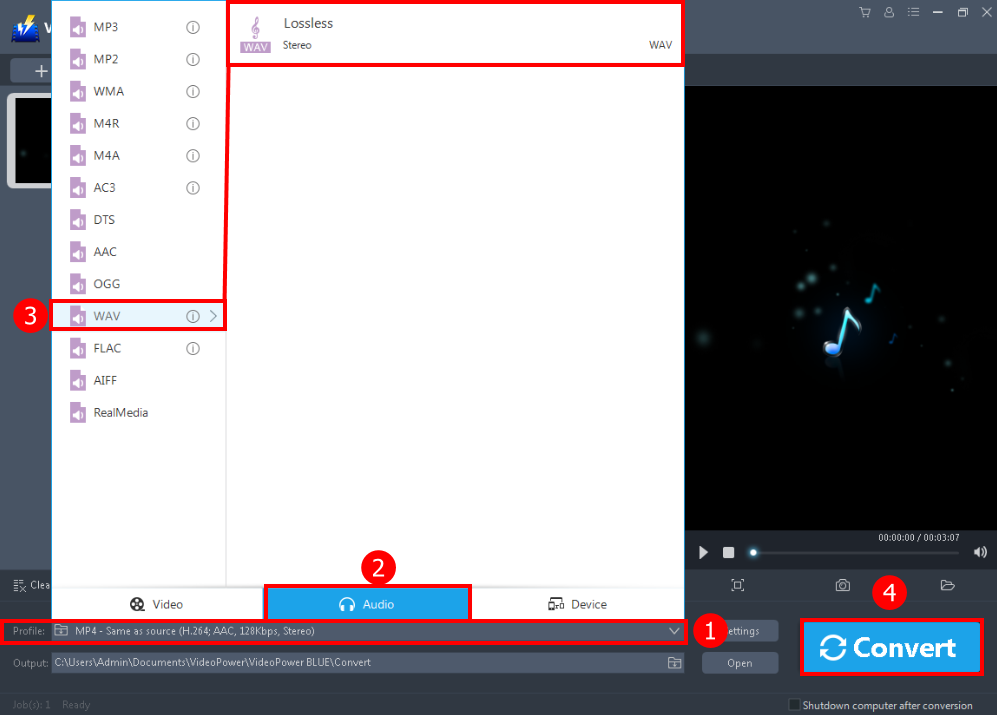
1. Click the “Profile” drop-down button.
2. Navigate to “Audio” to see all the audio formats.
3. Select the “WAV” format and the quality “Lossless”
4. Then click the big “Convert” button to save the file.
A pop-up window from the program will appear informing you that the conversion is complete. Click “OK” to open the folder of your saved converted audio files.
Conclusion:
Saving space on your hard disk might be necessary for you or you’d like to listen to your favorite music on your iPod or Mac, whatever the reason is, it’s better to convert MP3 files to the WAV format.
The best way to do that is with VideoPower BLUE. It’s fast and flexible with a built-in video editor that will enable you to edit slideshows or videos, apply watermarks, effects, and other basic video editing options such as trimming or cropping. Moreover, it has a split-screen tool for your photos and videos.
ZEUS series can do everything that VideoPower series can do and more, the interface is almost the same.
Check out NOW! Start easier with more affordable prices!




ZEUS Series
VideoPower brother products, start easier with more affordable prices!
| ZEUS BUNDLE 1 Year License ⇒ $29.99 |
ZEUS BUNDLE LITE 1 Year License ⇒ $19.99 |
ZEUS RECORD LITE 1 Year License ⇒ $9.98 |
ZEUS DOWNLOAD LITE 1 Year License ⇒ $9.98 |
||
| Screen Recorder | Screen&Audio Recording | ✔ | ✔ | ✔ | |
| Duration Setting, Schedule Recording | ✔ | ||||
| Video Downloader | Paste URL to download, batch download | ✔ | ✔ | ✔ | |
| Search/download video,browser detector | ✔ | ||||
| Music Recorder | Record music and get music ID3 tag info | ✔ | ✔ | ||
| Music search/download/record, CD Ripper/Creator, Audio Editor | ✔ | ||||
| Video Editor | Edit and convert videos, create slideshow | ✔ | |||
| Screen Capture | Capture screen, image editor | ✔ | |||