











DAT is not a standard file. Many files use this extension, but the meaning of the file is different. Many data analysis software also uses this extension to save data.
So it depends on the specific software situation. DAT files, which can be defined as DATA by extension, are data files. These files are not absolutely defined. For example, the DAT files on VCD discs can be opened with some video players.
However, it’s not easy to open a DAT file since most of the players don’t support it. If you need to open the DAT file, you’d better convert it to MP4 format.
MP4 is widely used to package video and audio streams, subtitles, and metadata. It is more common since it supports a wider range of media players and compatibility issues are limited.
VideoPower BLUE or ZEUS is a very useful video editing software bundled with a variety of features such as screen recording, capture, and conversion. This software can convert DAT to MP4 as easy as a breeze.
You can try to use the software for free by downloading its trial version below.
ZEUS can do what VideoPower series can do and more with an almost similar interface.
Check out NOW! Start easier with more affordable prices!
Step 1: Add the DAT file to convert it to MP4
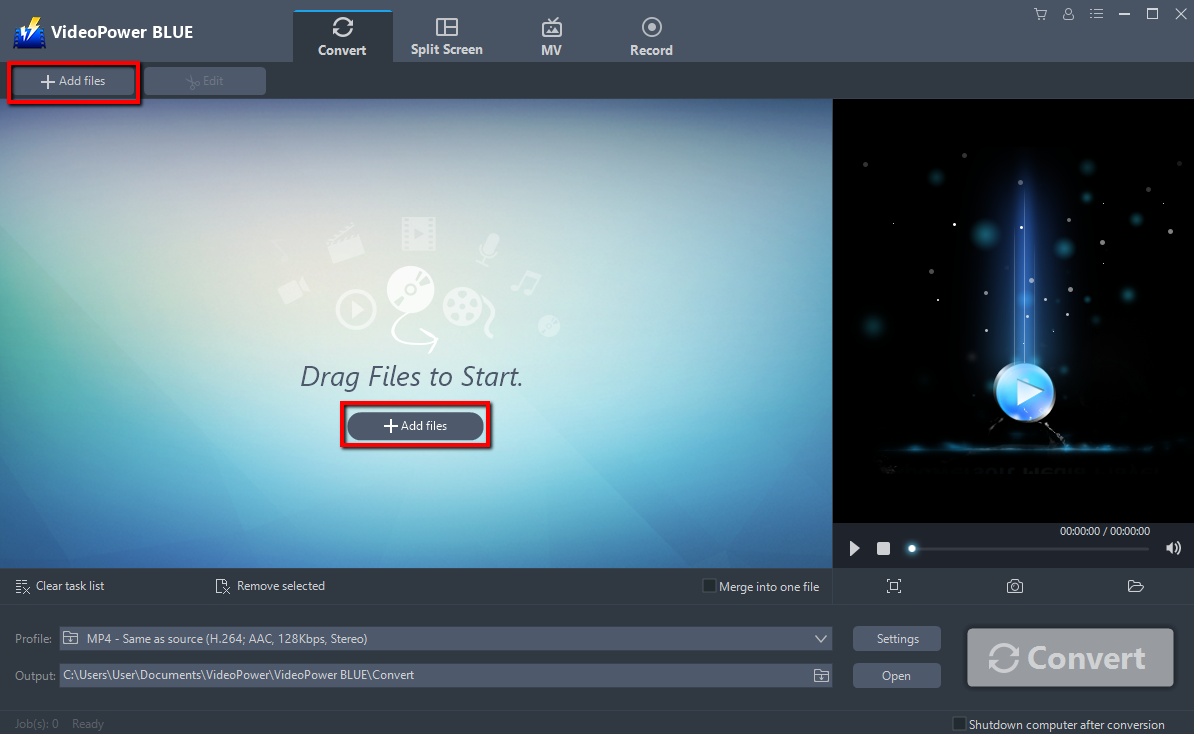
Run VideoPower BLUE if you have installed it successfully on your PC. Add your DAT file into the program that you want to convert. The program supports multiple tasks. Click the “Add files” button to select one or more files from your PC, or directly drag-and-drop the selected files to the interface.
Step 2: Edit the DAT file before conversion
If you want to edit the DAT file before converting it to MP4, just follow the instructions below.
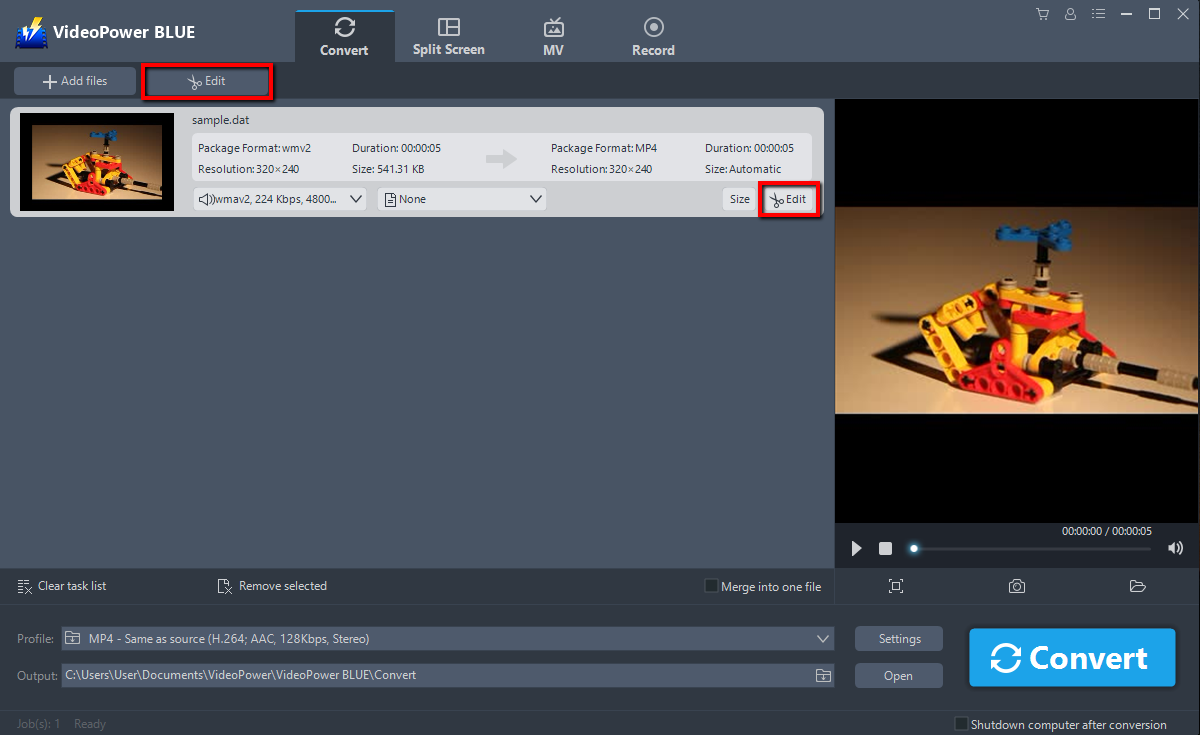
Click the “Edit” button at the right side of the added DAT file to enter the Edit window so you can design your video now.
Step 3: Convert DAT to MP4 format
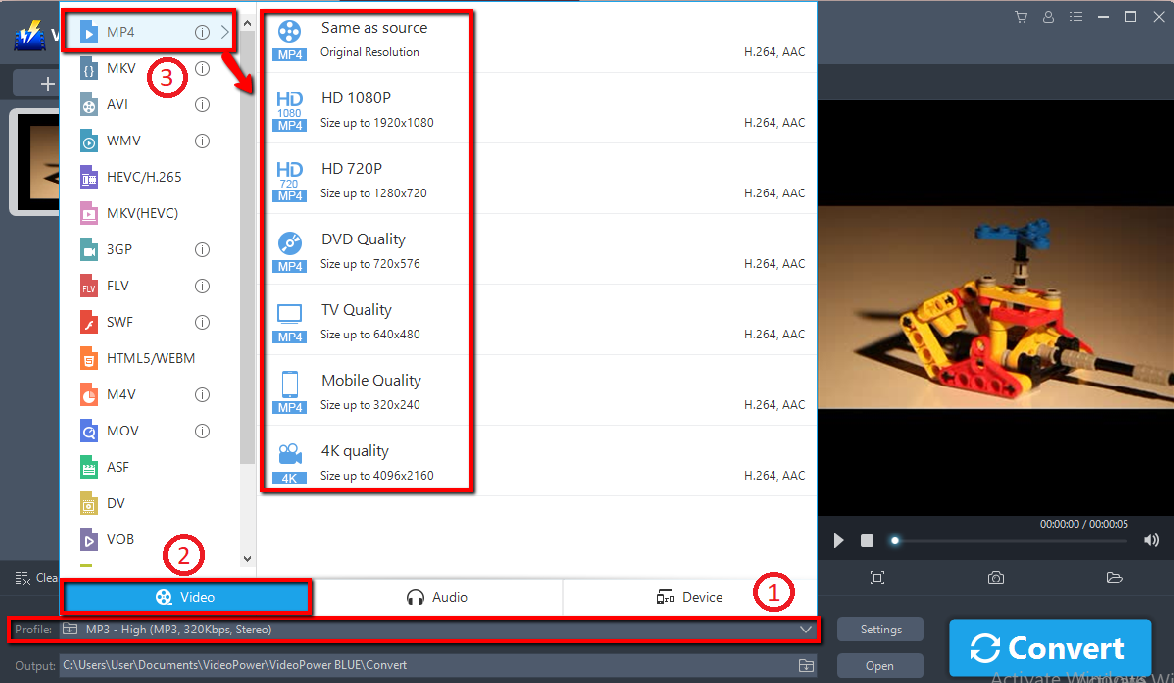
1) Click the “Profile” bar.
2) Choose “Video”.
3) Set the format to “MP4 – Same as source, HD 1080, HD 720, DVD Quality, TV Quality, Mobile Quality, or 4K Quality”.
Note: even if the default is MP4, you can set your video quality the way you want.
Change some effects on your video:
1) Speed – Speed up, slow down, the tempo of your video.
2) Volume – Set sound level.
3) Contrast – Change or adjust the difference in lightness, brightness and/or hue.
4) Brightness – Where you can adjust how lightness or darkness you want your video.
5) Saturation – Adjust the intensity of color in an image.

Note: The edited video will be saved as a new file, and the original file still exists without anything changed.
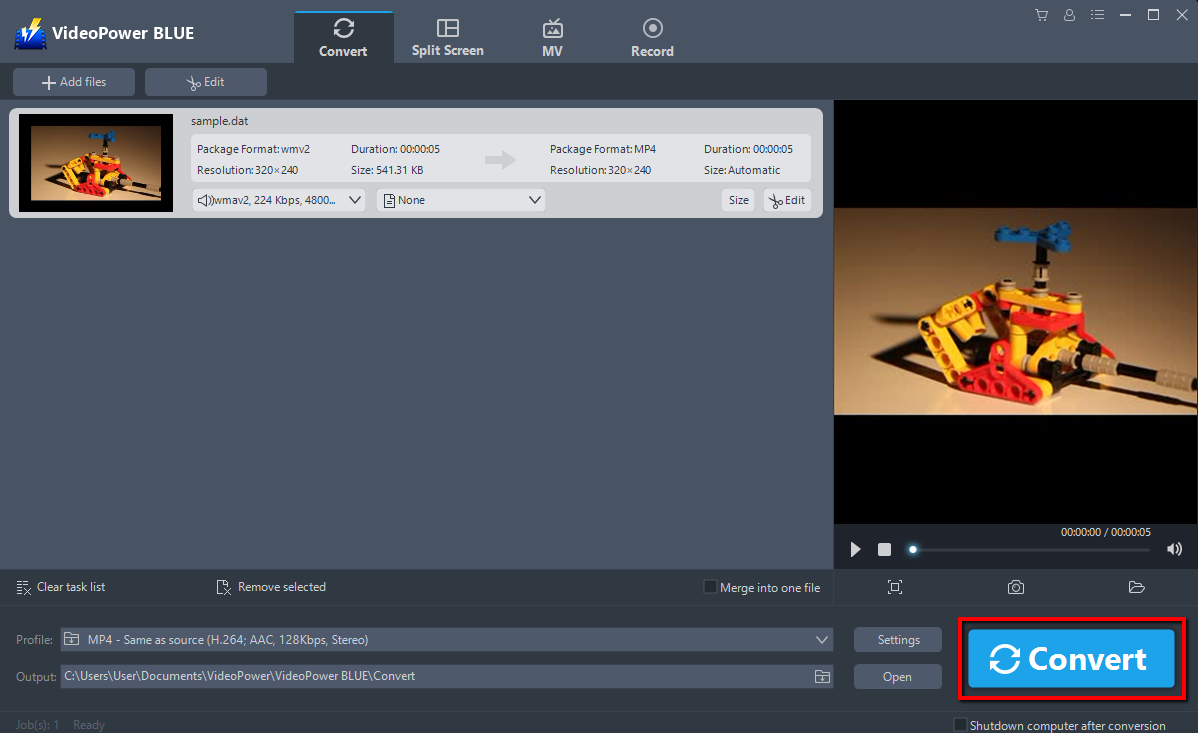
After setting the output location, click the “Convert” button, then the software will start to convert and save the edited video in MP4 format.
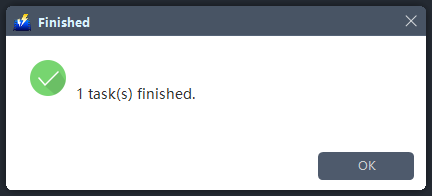
The program will pop up a window to inform you once the conversion is completed. Click “OK” to open the folder of your saved converted MP4 files.
Conclusion:
VideoPower BLUE is a powerful converter that supports any file conversion, like DAT file to an MP4 file format.
This software has a with video editing function, enables adding subtitles, apply watermarks, make MV, split-screen videos and record screen activity in many different ways, whether you’re offline or online.
Moreover, it supports high definition videos and directly converts files to make them readable by portable media gadgets such as the iPhone, Samsung, Android smartphones, PSP and many other devices.
ZEUS series can do everything that VideoPower series can do and more, the interface is almost the same.
Check out NOW! Start easier with more affordable prices!
convert dat to mp4 online, convert dat to mp4 online free, convert dat to mp4 mac, convert dat to mp4 using vlc, convert dat to mp4 windows media player, convert dat to mp4 ubuntu, convert dat to mp4 software free download, convert dat to mp4 free




ZEUS Series
VideoPower brother products, start easier with more affordable prices!
| ZEUS BUNDLE 1 Year License ⇒ $29.99 |
ZEUS BUNDLE LITE 1 Year License ⇒ $19.99 |
ZEUS RECORD LITE 1 Year License ⇒ $9.98 |
ZEUS DOWNLOAD LITE 1 Year License ⇒ $9.98 |
||
| Screen Recorder | Screen&Audio Recording | ✔ | ✔ | ✔ | |
| Duration Setting, Schedule Recording | ✔ | ||||
| Video Downloader | Paste URL to download, batch download | ✔ | ✔ | ✔ | |
| Search/download video,browser detector | ✔ | ||||
| Music Recorder | Record music and get music ID3 tag info | ✔ | ✔ | ||
| Music search/download/record, CD Ripper/Creator, Audio Editor | ✔ | ||||
| Video Editor | Edit and convert videos, create slideshow | ✔ | |||
| Screen Capture | Capture screen, image editor | ✔ | |||