











VideoPower BLUE is one of the products of VideoPower which mainly focuses on Video Editing & Converting, Video Collage Making, SlideShow Making, and Screen Recording. This application is best if you want to do different video editing with good video quality output. The application offers many free beautiful themes, filters, and styles to choose from that will showcase the creative part of you. The application helps you create videos like a pro. To make most out of the application, it is important to meet the system requirements.
System Requirements:
OS: Windows 10/8.1/8/7 (32/64 bit)
CPU: 1 GHz or Higher
Memory: 1GB or more (4GB or more recommended)
Hard disk space: 15GB or more recommended
Graphics: NVIDIA GeForce 9 Series/AMD (ATI) HD 4000/Intel HD Graphics 2500 or later recommended
Network: Internet connection required
Others: net. Framework 4.0 or later required (automatic installation if insufficient). Direct X 9.0c or later required.
Price: They now have a special offer from $64 down to $45 for a lifetime License. Payment can be done via Paypal or Card.
Product Features:
Video Editor/Converter
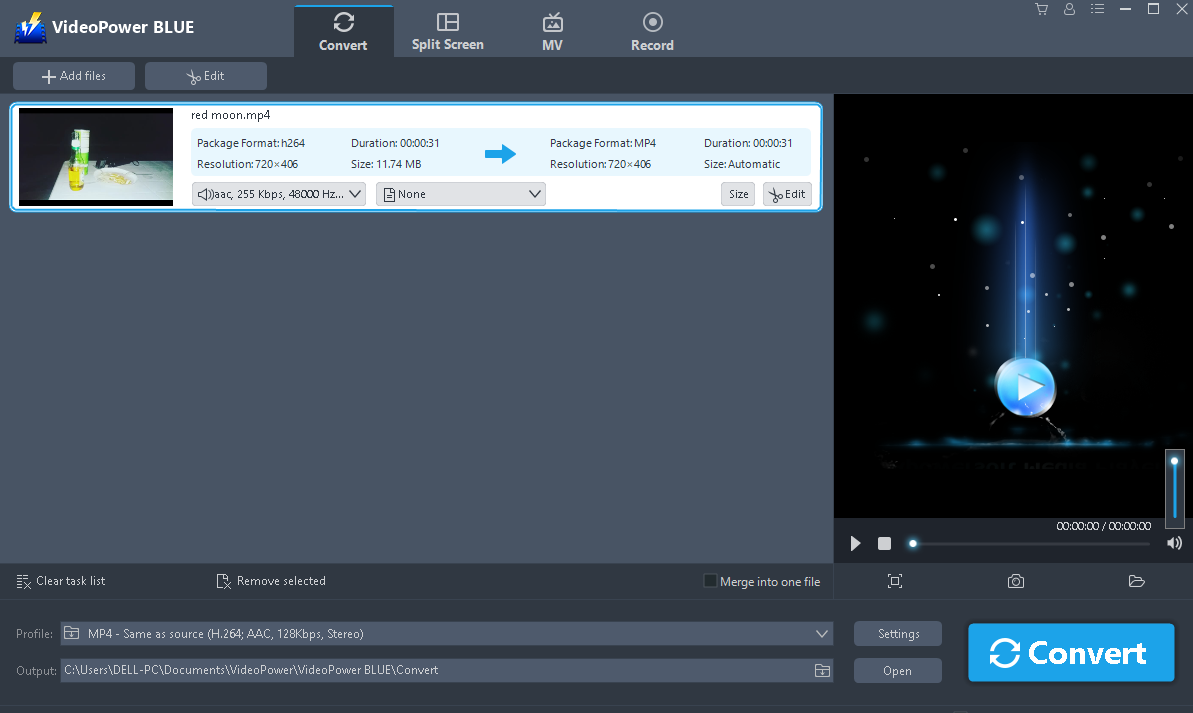
The main function of this feature is video format conversion.There are a lot of Video Editor applications available online but it is rare to see a video converter where you can convert and edit the video at the same time. I love how smooth the editing is. Usually, it will take a lot of rendering time to apply any edits for the video. This feature allows you to trim & cut your video, crop, rotate, add a subtitle file, adjust video effects, add watermark, and what I love most is how easy it is to synchronize the video and music when unmatched.
Video Collage Maker (Split Screen)
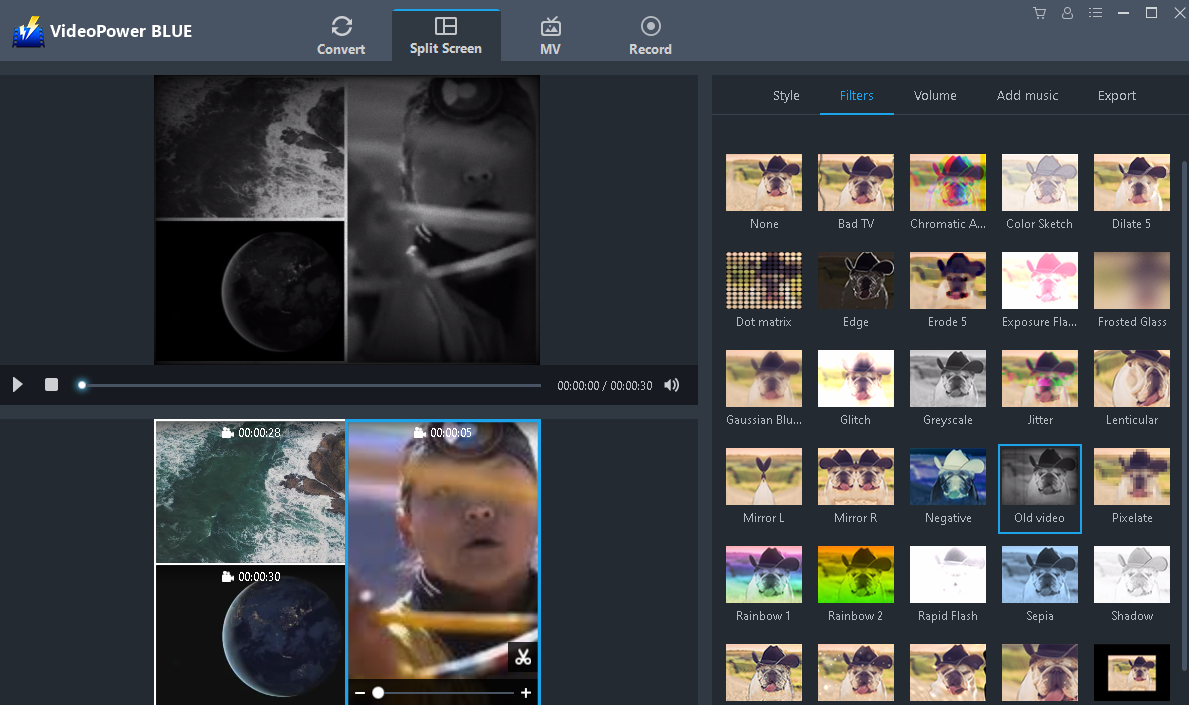
VideoPower BLUE has a feature called Split Screen which is a video collage maker that allows you to put together multiple videos in one (1) frame making it a collage. This feature also allows you to add borders, add music, and adjust the volume. It offers a lot of free beautiful filters making your video edits look like a pro.
SlideShow Maker (MV)
This feature is a SlideShow Maker which is called MV. It allows you to put videos and pictures together making a good SlideShow. It has built in themes that are free to use making your videos look very good. Who would have thought that editing videos would be this fun and easy? You can easily create fancy videos to impress your friends or even on business presentations.

Screen Recorder
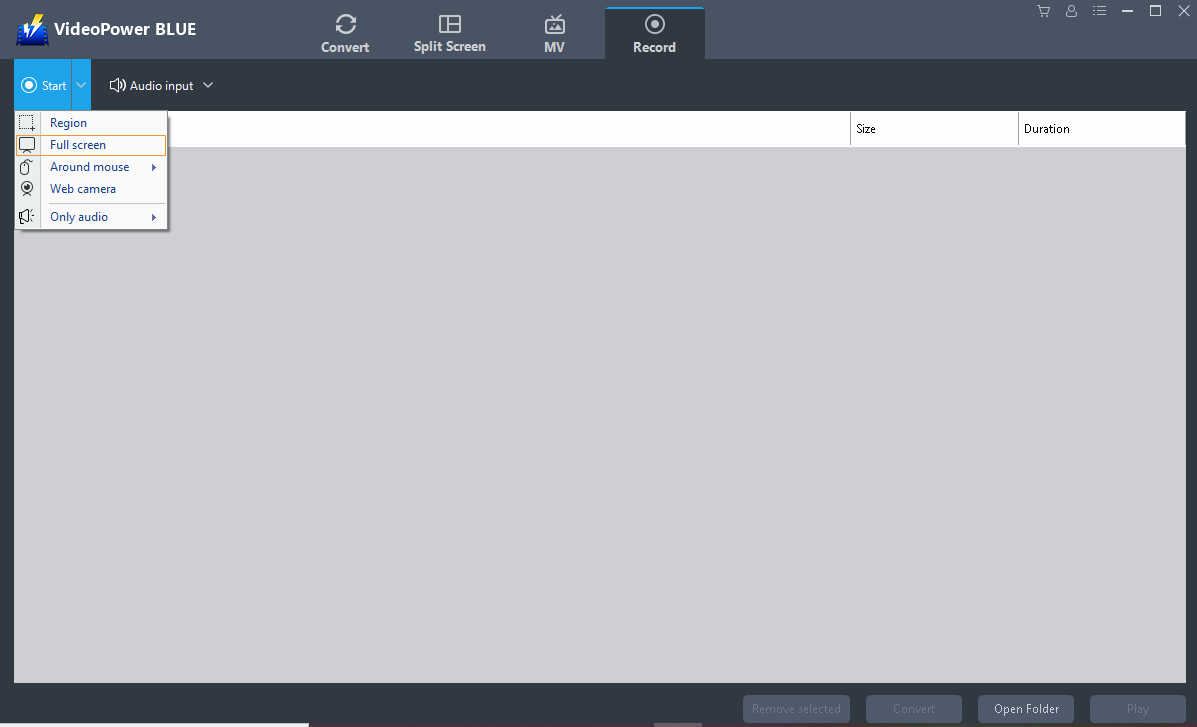
The main function of this feature is to do screencast recording. What is special about this feature is that it allows you to do recordings while adding some edits. You can add shape, texts, and colors while recording. It has five (5) modes available for the recording such as Full screen, by Region, Audio only, with Web Camera, and around Mouse. For audio input, you have an option to use the System only, use your Microphone, both System and Microphone, or none. What I love most is the wide range of output formats it supports.
Advantages:
- User Friendly
- Good output quality
- Wide audio and video output format support
- Free beautiful themes and styles
- Smooth transitions for every video edits
Disadvantages:
- The application crashed sometimes.
- Need to maximize functions like add integrations to video uploading sites or social media sites.
Conclusion:
Although I wanted to see more from this product, it is still undeniably amazing how good the video quality VideoPower BLUE has and the wide range of video output formats it supports. Its fancy themes and styles makes the video edits very easy and fun. I highly recommend this for social media video presentations and even on business presentations.




ZEUS Series
VideoPower brother products, start easier with more affordable prices!
| ZEUS BUNDLE 1 Year License ⇒ $29.99 |
ZEUS BUNDLE LITE 1 Year License ⇒ $19.99 |
ZEUS RECORD LITE 1 Year License ⇒ $9.98 |
ZEUS DOWNLOAD LITE 1 Year License ⇒ $9.98 |
||
| Screen Recorder | Screen&Audio Recording | ✔ | ✔ | ✔ | |
| Duration Setting, Schedule Recording | ✔ | ||||
| Video Downloader | Paste URL to download, batch download | ✔ | ✔ | ✔ | |
| Search/download video,browser detector | ✔ | ||||
| Music Recorder | Record music and get music ID3 tag info | ✔ | ✔ | ||
| Music search/download/record, CD Ripper/Creator, Audio Editor | ✔ | ||||
| Video Editor | Edit and convert videos, create slideshow | ✔ | |||
| Screen Capture | Capture screen, image editor | ✔ | |||