











As we enter the new age of digital entertainment. Media editing Softwares has become an indispensable tool as people connect globally. A bunch of wonderful methods of video creation is also introduced in the crowd, and the distinct editing applications, also take part in the struggle along with their exclusive attributes that they present to the public. Choosing the right tool to suit your style is always a deciding factor.
While those applications increasingly complicate their functions, some computer users find it difficult to operate them on their computers, and video experts constantly leap from one application to another as they search for convenience. In this review, I introduce the VideoPower BLUE with its user-friendly, simple interface, latest amazing features, and smooth editing experience that it can give.
VideoPower BLUE: Easy editing experience
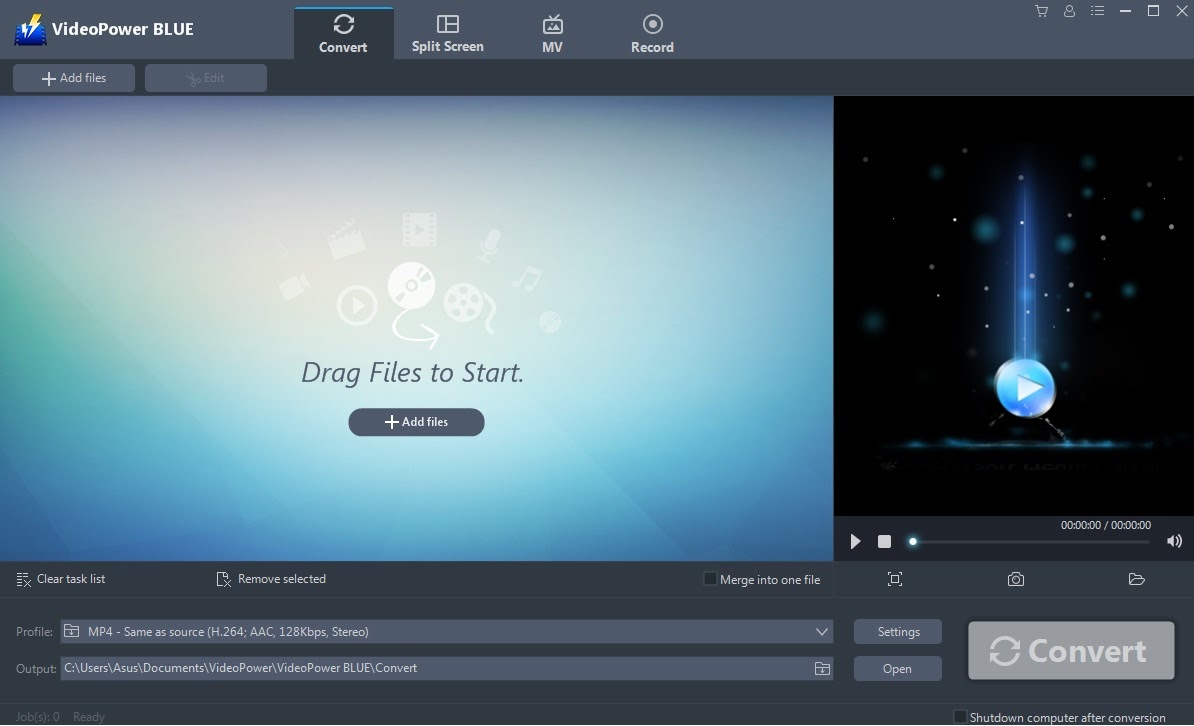
Product Details and Features:
Low specs Computer editing Software for Windows
Requirements: OS: Windows 10 / 8.1 / 8 / 7 (32 / 64bit) | CPU: 1GHz or higher | Memory: 4GB or more | Hard disk space: 15GB or more | Graphics: NVIDIA GeForce 9 Series / AMD (ATI) HD 4000 / Intel HD Graphics 2500 or later
Features:
-
- Video Converter
- Video editor
- Video and Photo Collage
- Slideshow Maker
- Screen and Audio Recorder
Special Offer: $64 $45
Check the website for more
Video Converter
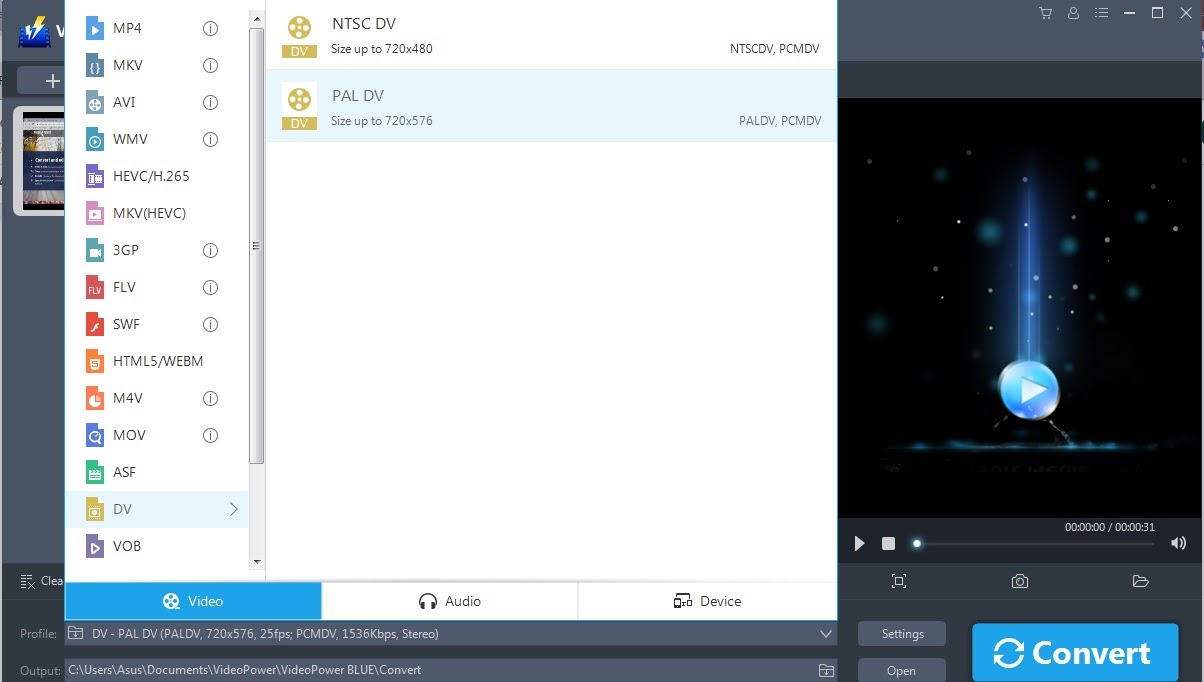
This function is not always available to most editing software since most of those focus mainly on the editing features. Converting is very essential to visual media providers as they center on entertainment and marketing. However, viewers using different gadgets are coming from random places around the globe. And sometimes, the video format doesn’t work on other devices. Converting is a way for those authors to make their video work to all devices as much as possible. ‘VideoPower BLUE’ has more than 15 different videos and audio formats to choose from. Publishing your video in any device is now possible with the help of this digital application.
Video Editor
Video makers differ from skill level and purpose. The common editing software these days are extremely complex and only skilled ones are capable of operating. Yet people at some point will still need to edit videos one way or another for their personal reasons. The video editing function of ‘Videopower blue’ is for everyone, whether you’re an aspiring director or not due to its simple to comprehend editing window. Unlike a typical overwhelming editing tool with a collection of unknown functions, this tool only has the necessary basics that you need like cropping, adjusting, putting effects, watermarking, and putting subtitles. Your editing experience will now be as smooth as ever before.

Video and Photo collage
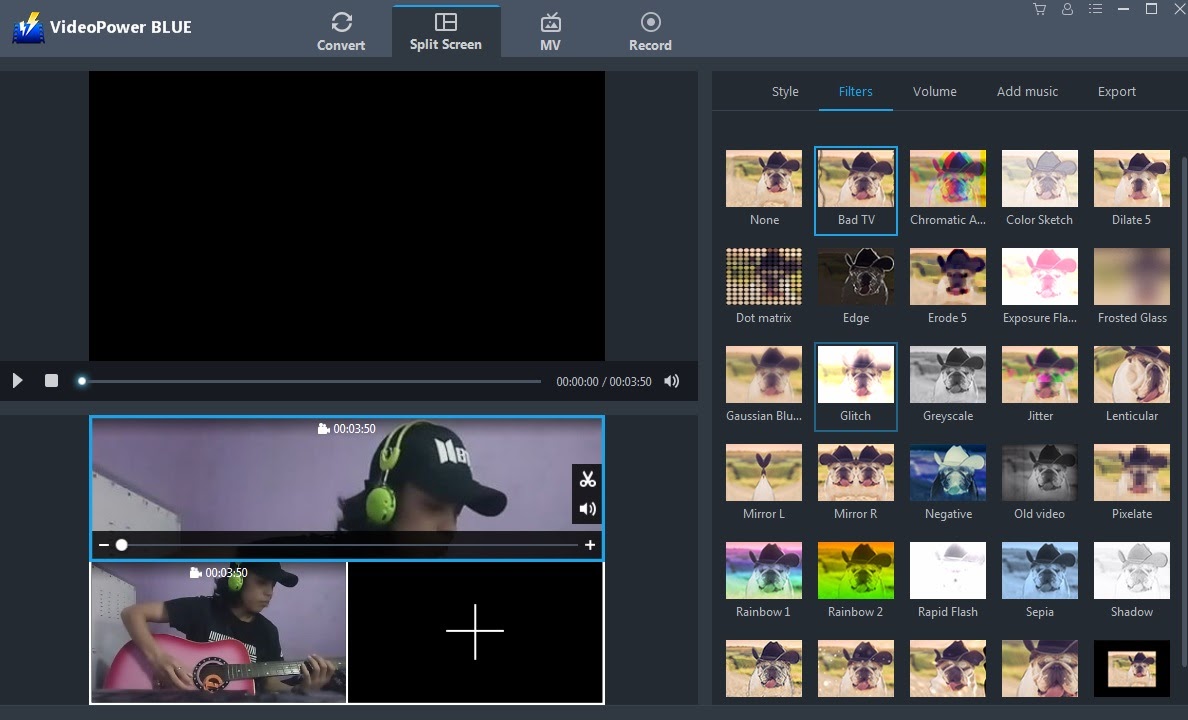
A collage is an artistic method of collecting numerous pieces of art into one, and his whole new level of masterpiece brings attraction to people’s curiosity. Netizens are trying their best to incorporate the said artistic method to the best of their ability, just to make their presence more engaging online. Through the use of advanced digital software, the goal is clearly achievable. However, it takes multiple computer applications just to simply achieve this objective. With the use of the application mentioned in this article, you can truly do a collage in a breeze. The editing window offers a variety of animation to offer in a way that can be easily followed even for beginners.
Slideshow maker
This media creation focuses mainly on series of image presentations via digital portrayal showcasing interest along with the artistic value. This attractive display is oftentimes accompanied by interesting background music and subtitles for a theme and knowledge reinforcement. This method is also very popular with video makers since it’s really efficient in grabbing the audience’s interest if flawlessly done. This application marked its name as one of the best in this field. It has a preset theme that you can choose from depending on the mood of preference. You don’t see the tune you are looking for? That’s not a difficulty either, you are granted the ability to transport your files which bursts you through from any limitations. You might think that it’s another slideshow creating software, but that’s not the case since this app can also use video for the slides like no other.

Screen and Audio Recorder
In my previous article, I mentioned several reasons why people record their screen and audio activities on their computers. To summarize, they simply do those for monitoring, sharing, and instructional video production. Most screen capturing applications record the complete screen actions that cut your privacy. Therefore, the company also included the benefit to only record part of the screen that is meant to be recorded. It’s as simple as it might claim but this function is a travail to find. Since most people crop their videos to increase privacy on their content using whatever means available. To solve this problem, Golden Fortune Co., created this amazing for the public. To be honest, this application is absolutely generous enough to offer a camera, audio, and advance screen recording feature altogether as one of no accounts which are worth trying.

Advantages
-
- Low computer specs requirement.
- Many video formats
- New collage Feature
- Video and animation editing tools
- Advance and flexible recording options
Disadvantages
-
-
- Audio input detection delay
- Cannot mute the theme audio on animation maker
- Collage editing doesn’t have a trim function needs to do it separately
- Conversion is limited to one file format at a time. Cannot convert 2 separate file type at the same time
-
CONCLUSION
As we unite globally that had never been before, more people also engage in patronizing and creating digital entertainment media. But most of the software available at the end still needs updates to agree on its user’s level of skill. Upon experiencing the quality of this product, the result might not be a comparable creation to a professionally made one. However, the experience is smooth sailing that everyone could try. Lots of netizens are interested in media production at some point, but the current digital applications deprive them of experiencing it due to the complexity of those software’s functions, making them miss their trail in the middle of their adventure. Encountering the aid of Videopower firsthand, I felt that it really unlocks the door of possibility to provide an opportunity to aspiring artists among the crowd. This application may not be able to provide an expert result, but it can offer a good and stable starting foundation in the field of artistic creation.




ZEUS Series
VideoPower brother products, start easier with more affordable prices!
| ZEUS BUNDLE 1 Year License ⇒ $29.99 |
ZEUS BUNDLE LITE 1 Year License ⇒ $19.99 |
ZEUS RECORD LITE 1 Year License ⇒ $9.98 |
ZEUS DOWNLOAD LITE 1 Year License ⇒ $9.98 |
||
| Screen Recorder | Screen&Audio Recording | ✔ | ✔ | ✔ | |
| Duration Setting, Schedule Recording | ✔ | ||||
| Video Downloader | Paste URL to download, batch download | ✔ | ✔ | ✔ | |
| Search/download video,browser detector | ✔ | ||||
| Music Recorder | Record music and get music ID3 tag info | ✔ | ✔ | ||
| Music search/download/record, CD Ripper/Creator, Audio Editor | ✔ | ||||
| Video Editor | Edit and convert videos, create slideshow | ✔ | |||
| Screen Capture | Capture screen, image editor | ✔ | |||