











YouTube is one of the largest video-sharing sites. It allows users to post, create a channel, watch videos, like, and subscribe to other channels. Almost thousands of videos and music are uploaded on YouTube daily for free streaming.
When scrolling through YouTube, you will likely come across striking videos that you want to save offline to watch later. You may use various online downloader tools to download YouTube videos. The big challenge is, how to make the downloaded video compatible with your iPad. With this, you will need a good YouTube to iPad converter like the VideoPower RED.
ZEUS can do what VideoPower series can do and more with an almost similar interface.
Check out NOW! Start easier with more affordable prices!
Guide
How to Download and Convert YouTube Videos to iPad
VideoPower RED is a multifunctional software with YouTube to iPad converter capability. It allows you to download YouTube videos and convert them to iPad-compatible format in the easiest way. No need to jump on different tools to do these tasks because VideoPower RED can do both for you!
Part 1: Download the YouTube Video
Step 1: Copy the YouTube video URL
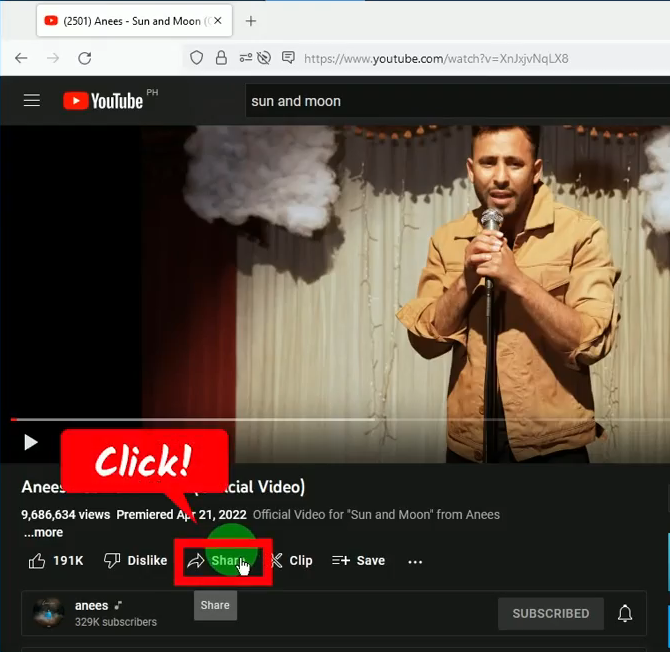
Open the YouTube video using your PC browser and click the “Share” button below the video.
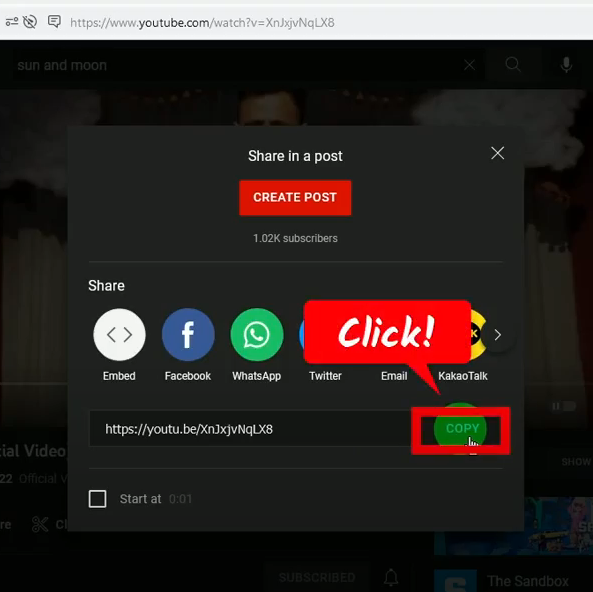
A new window will pop up. Click the “Copy” button to copy the video URL.
Step 2: Paste the copied YouTube video URL
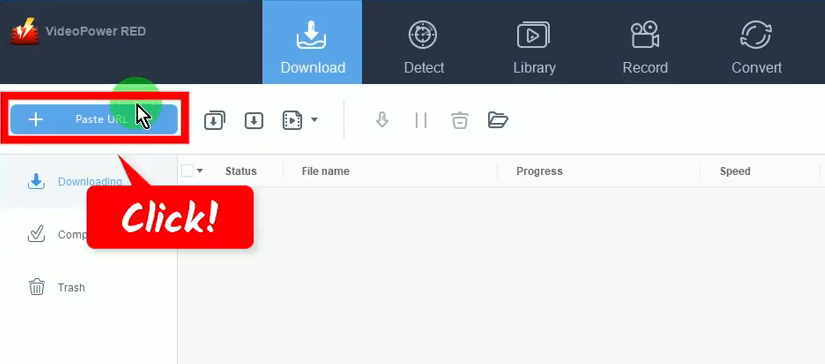
Open the VideoPower RED and click the “Paste URL” button on the “Download” function screen.
Step 3: Downloading the YouTube video
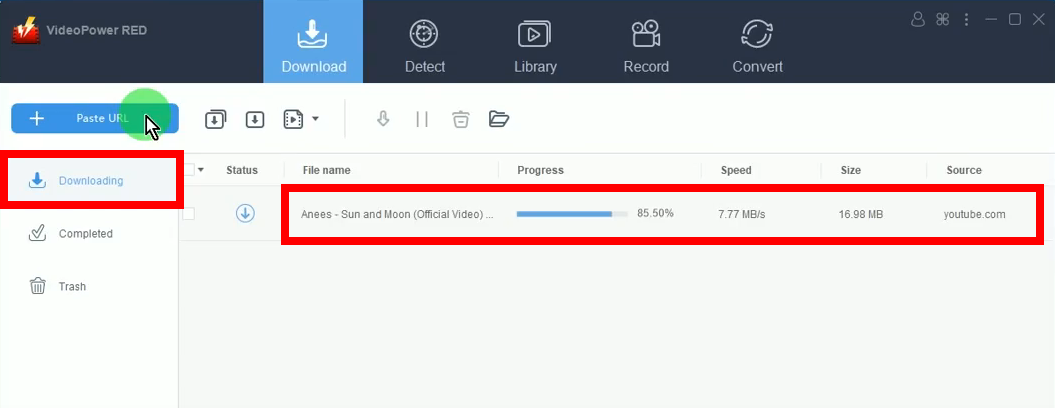
The YouTube video will be processed for downloading under the “Downloading” tab.
Step 4: YouTube video download is completed
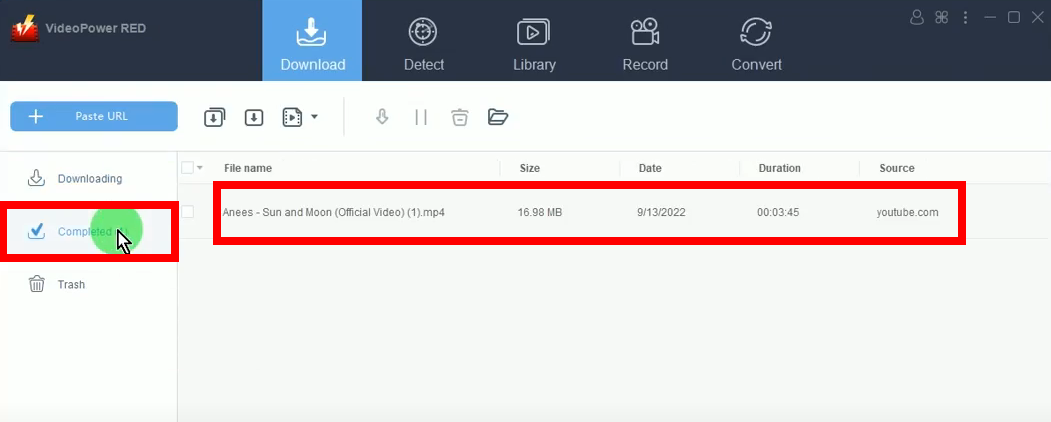
When the YouTube video download is completed, it will be moved to the “Completed” tab.
Part 2: Use the YouTube to iPad Converter
Step 1: Add the downloaded video to the “Convert” function screen
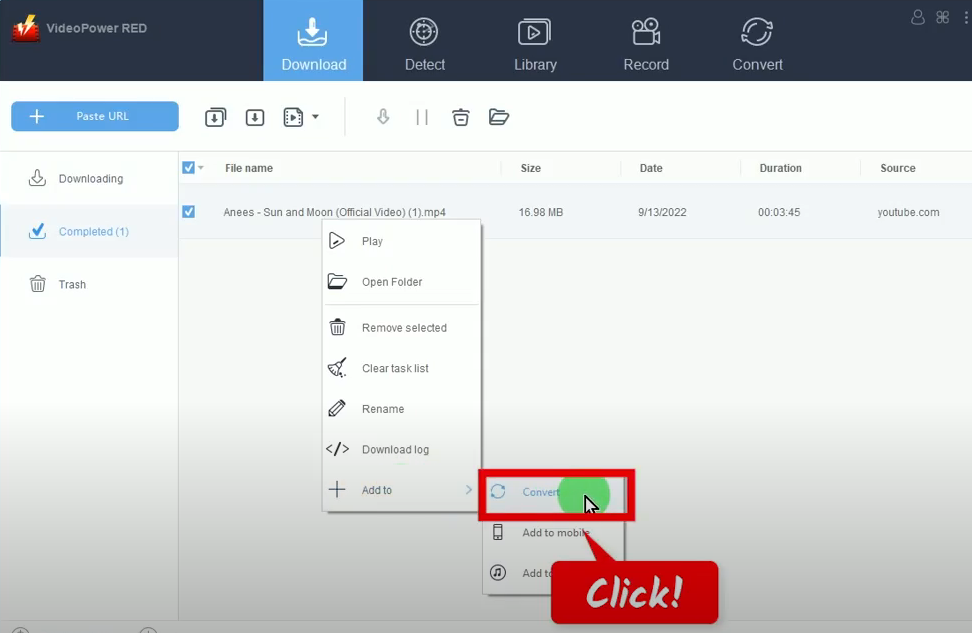
On the “Completed” tab, right-click the downloaded video file, hover over the “Add to” option, and select “Convert” from the sub-option.
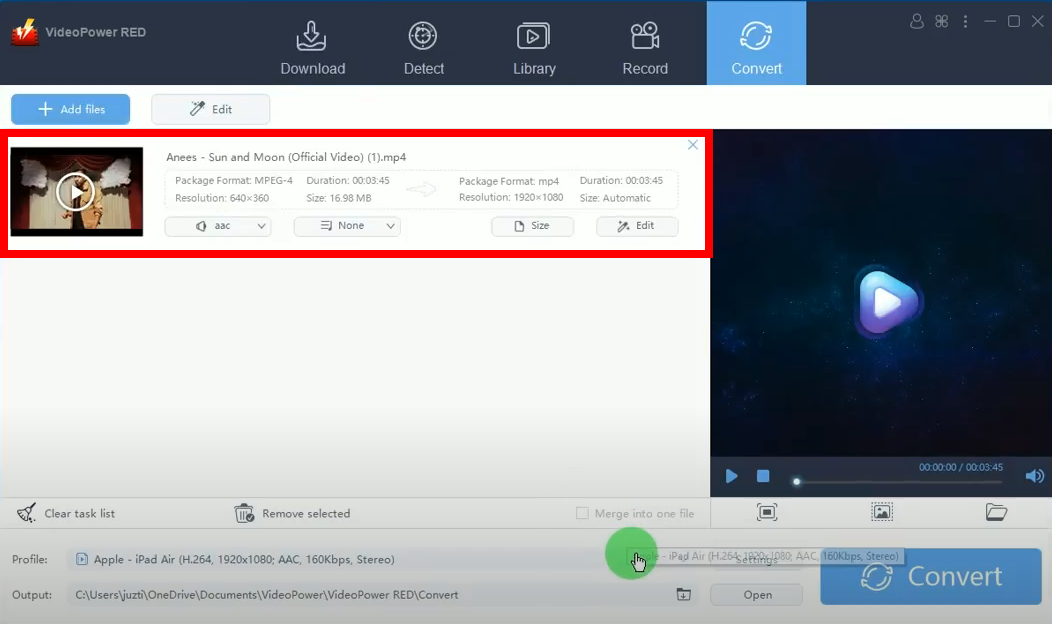
The downloaded video file will be added to the “Convert” function screen.
Step 2: Select the output format
At the bottom, click the “Profile” dropdown menu.

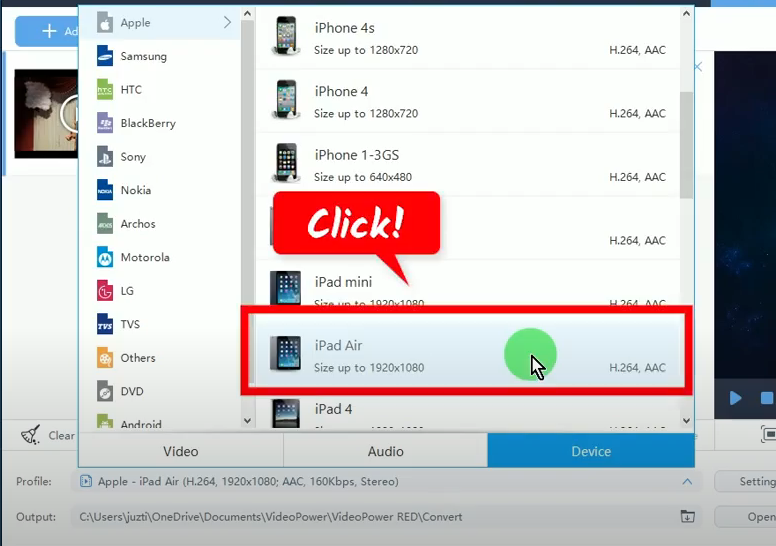
The list of available formats will be shown for your selection. To select the iPad format, click the “Device” tab, choose “Apple”, and then select your device from the options.
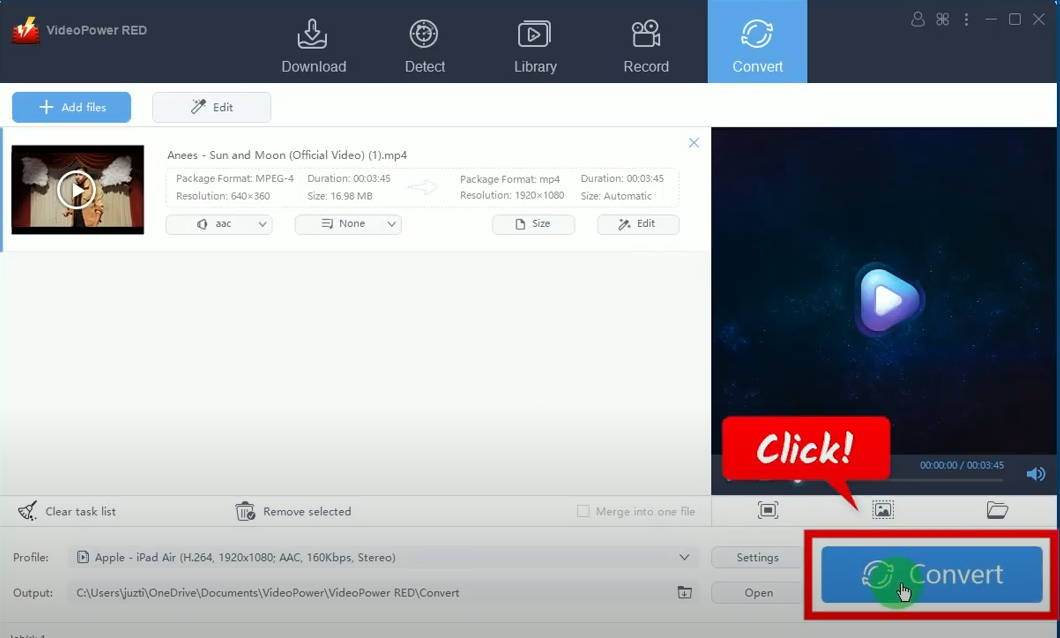
Step 3: Begin the conversion
Click the “Convert” button to begin the conversion.
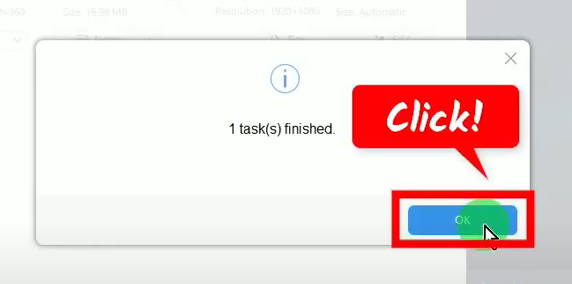
A notification will prompt confirming that the conversion is completed successfully. Click “OK” to continue.
The destination folder will be opened, Double-click the video file to preview.
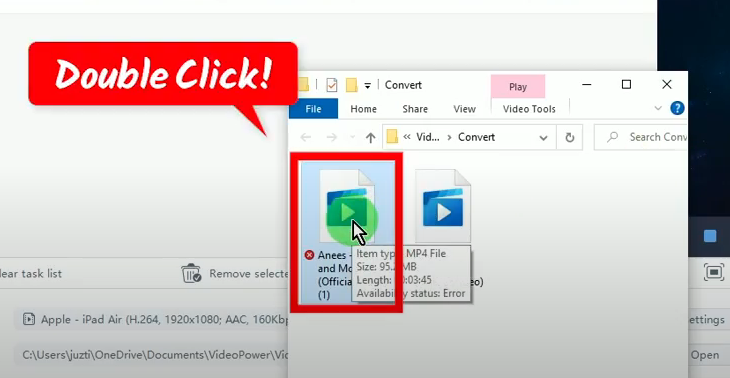
You can now transfer this converted file to your iPad and enjoy watching offline!
Conclusion:
The rapid growth of technology makes everything possible now. If you are having problems making your downloaded videos work on your iPad, then you don’t need to worry anymore. You just need to have the right YouTube to iPad converter.
The highly recommended YouTube to iPad converter is VideoPower RED. It allows you to download YouTube videos and convert them to iPad-compatible format. No need to jump around multiple applications because VideoPower RED can do both in just simple steps. Moreover, you get to enjoy its additional functions such as a video editor, video library, batch downloader, screen recorder, and so much more!
ZEUS series can do everything that VideoPower series can do and more, the interface is almost the same.
Check out NOW! Start easier with more affordable prices!




ZEUS Series
VideoPower brother products, start easier with more affordable prices!
| ZEUS BUNDLE 1 Year License ⇒ $29.99 |
ZEUS BUNDLE LITE 1 Year License ⇒ $19.99 |
ZEUS RECORD LITE 1 Year License ⇒ $9.98 |
ZEUS DOWNLOAD LITE 1 Year License ⇒ $9.98 |
||
| Screen Recorder | Screen&Audio Recording | ✔ | ✔ | ✔ | |
| Duration Setting, Schedule Recording | ✔ | ||||
| Video Downloader | Paste URL to download, batch download | ✔ | ✔ | ✔ | |
| Search/download video,browser detector | ✔ | ||||
| Music Recorder | Record music and get music ID3 tag info | ✔ | ✔ | ||
| Music search/download/record, CD Ripper/Creator, Audio Editor | ✔ | ||||
| Video Editor | Edit and convert videos, create slideshow | ✔ | |||
| Screen Capture | Capture screen, image editor | ✔ | |||