











Reddit is an American community network that is used as a news aggregation, content rating, and discussion site. Registered users can share content such as images, texts, videos, and links. All content can be voted on by other users if it’s up or down.
However, the videos on Reddit are usually embedded through links. Therefore, there is no download option available. If you wish to download videos from Reddit with audio, then you will need a good Reddit video downloader like VideoPower RED.
ZEUS can do what VideoPower series can do and more with an almost similar interface.
Check out NOW! Start easier with more affordable prices!
Guide
How to Download Videos from Reddit with Audio
VideoPower RED is one of the best Reddit video downloaders. It offers a copy-and-paste URL function that makes every download easy and fast. Alternatively, you may use its screen recording function to record the videos and save them offline. Unlike other downloader software, VideoPower RED is capable of saving video up to 4K quality. Aside from Reddit, it can also download from more than 1000+ websites. Plus many additional functions such as a built-in browser, video library, video editor, and more!
Method 1: Copy and Paste URL to Download Videos from Reddit
Step 1: Copy the Reddit video URL
Open the Reddit video that you want to download using your PC browser. To copy the video URL, right-click the video and select “Copy video URL” from the options.
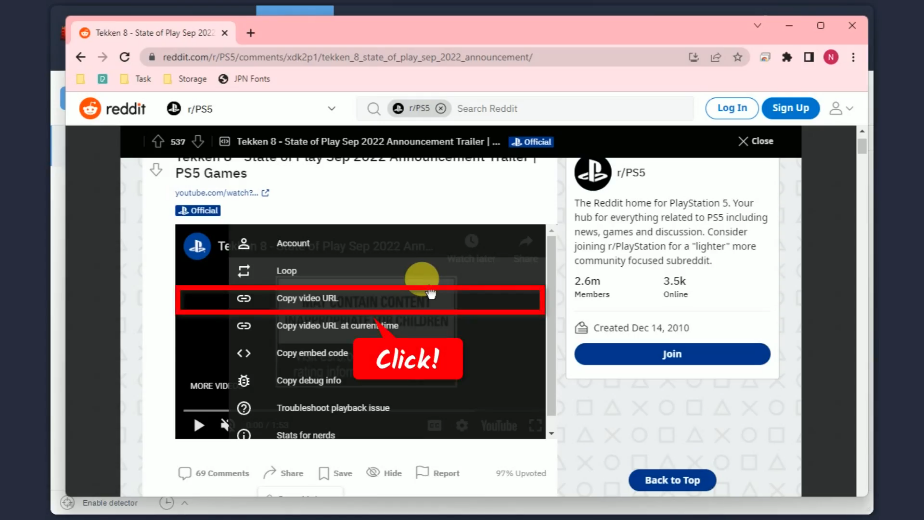
Step 2: Paste the copied URL
Open the VideoPower RED and click the “Paste URL” button.
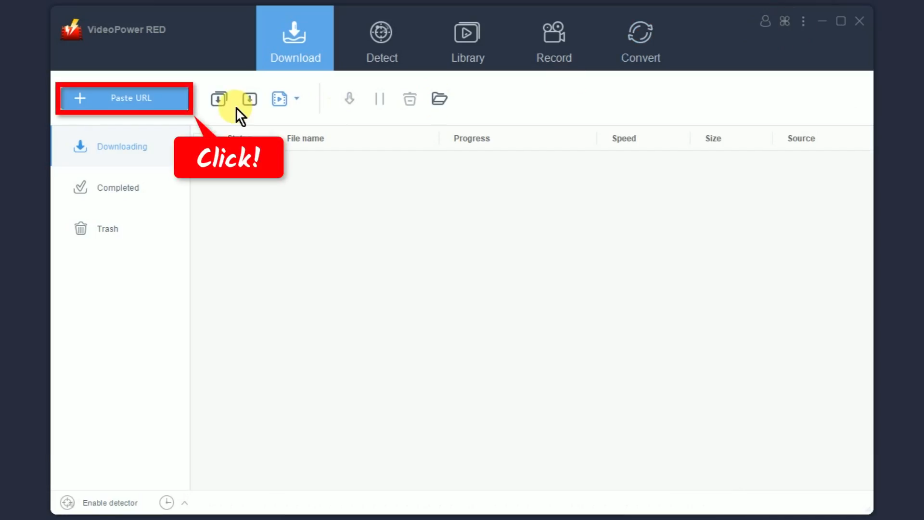
Step 3: Downloading the Reddit video
The video will be processed for download under the “Downloading” tab.
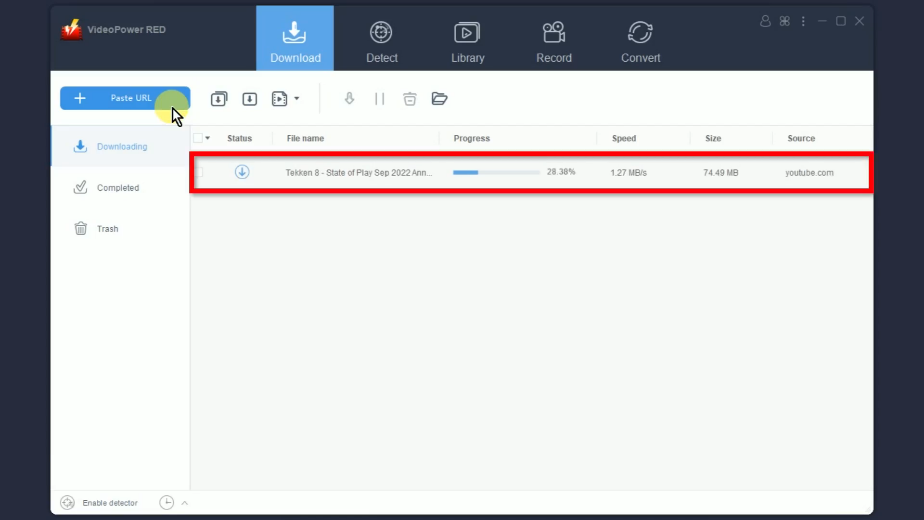
Step 4: Video download is completed
When the download is completed, it will be moved to the “Completed” tab.
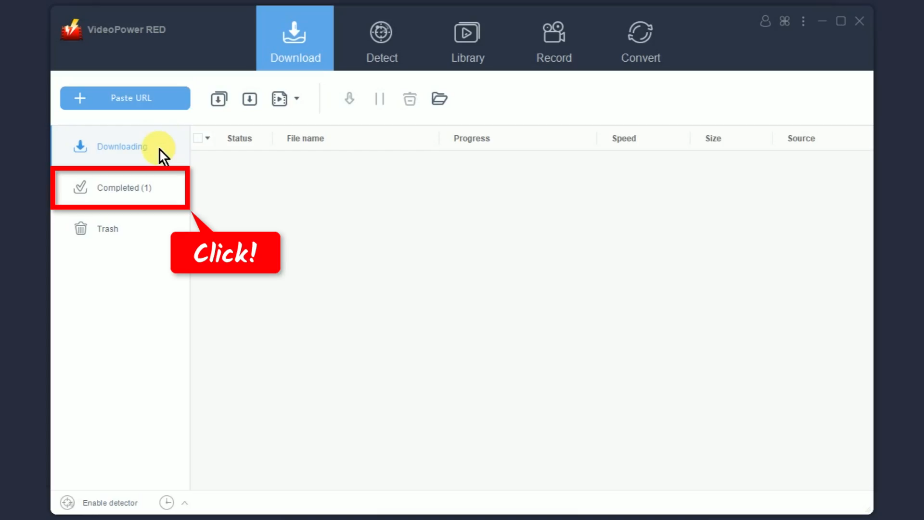
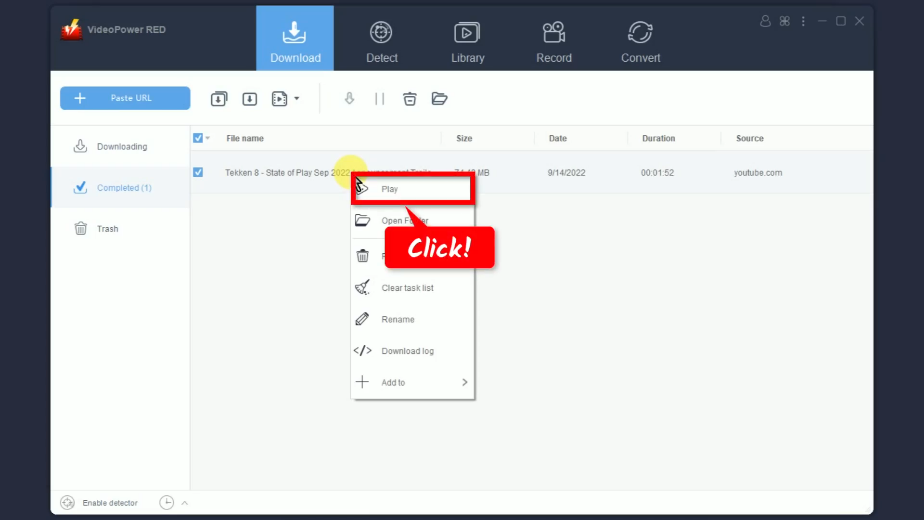
Step 5: Preview the video downloaded
Click the “Play” button to preview the video.
Method 2: Record the Videos on Reddit
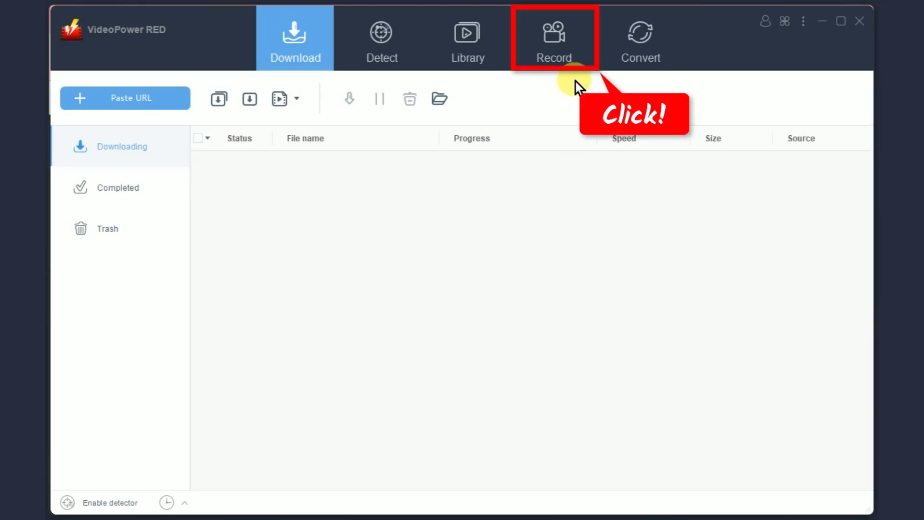
Step 1: Go to the “Record” function screen
Open the VideoPower RED and click the “Record” function menu.
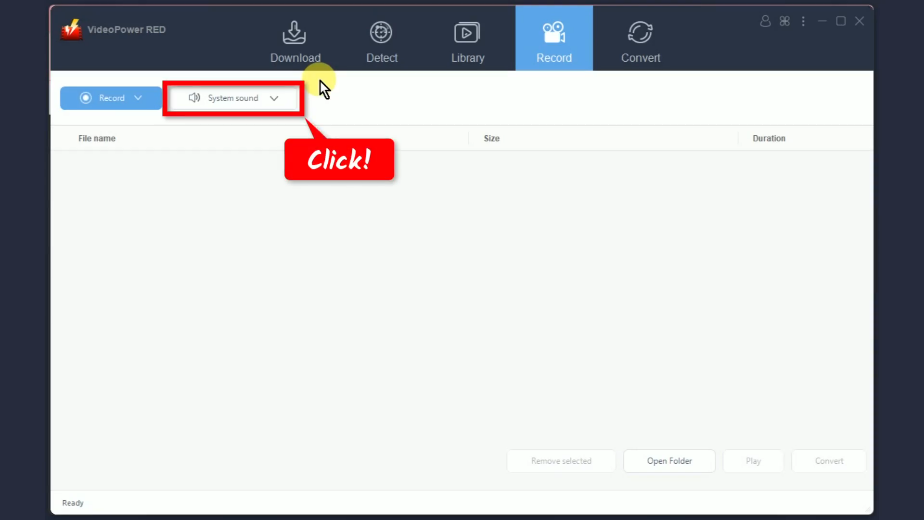
Step 2: Set the audio input
Click the “Audio input” button to select a sound source.
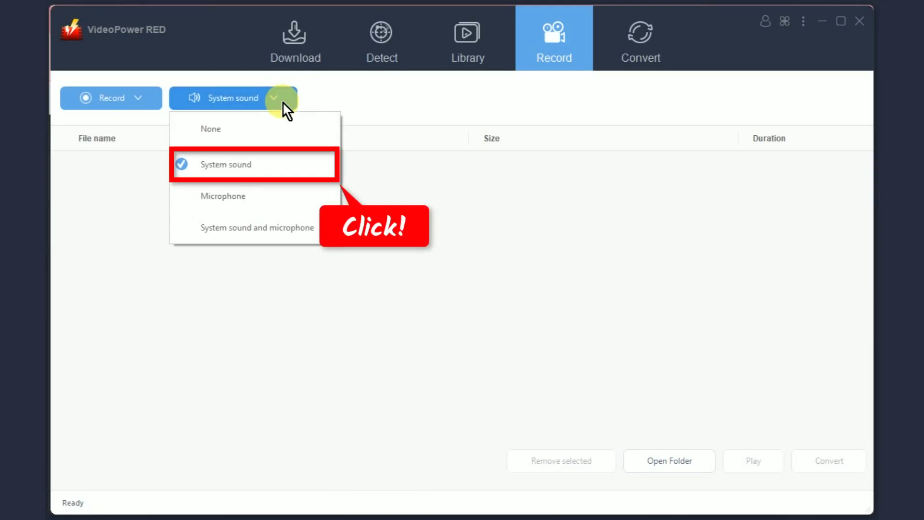
A list of options will drop down for your selection. By default, it is set to “System sound”.
Step 3: Choose a recording mode
Click the “Record” button to choose a recording mode.
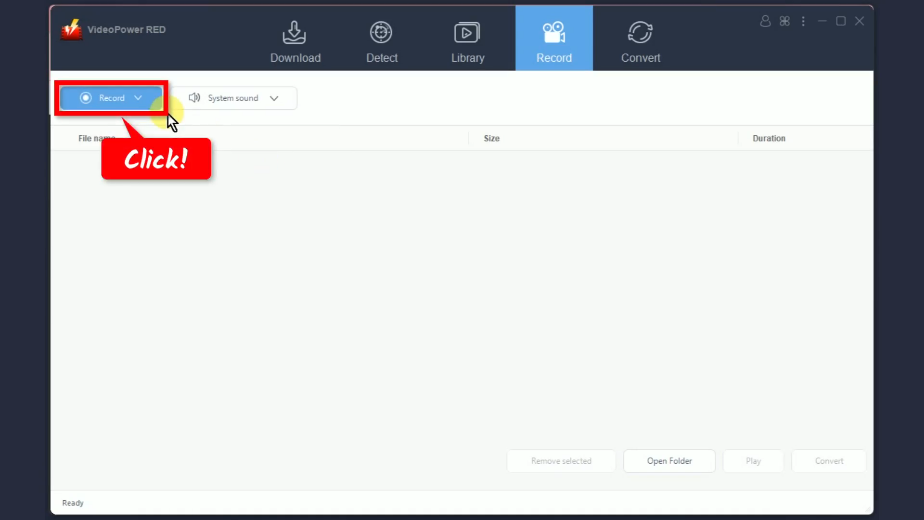
A list of options will drop down for your selection. In this example, we will set the recording mode to “Region”.

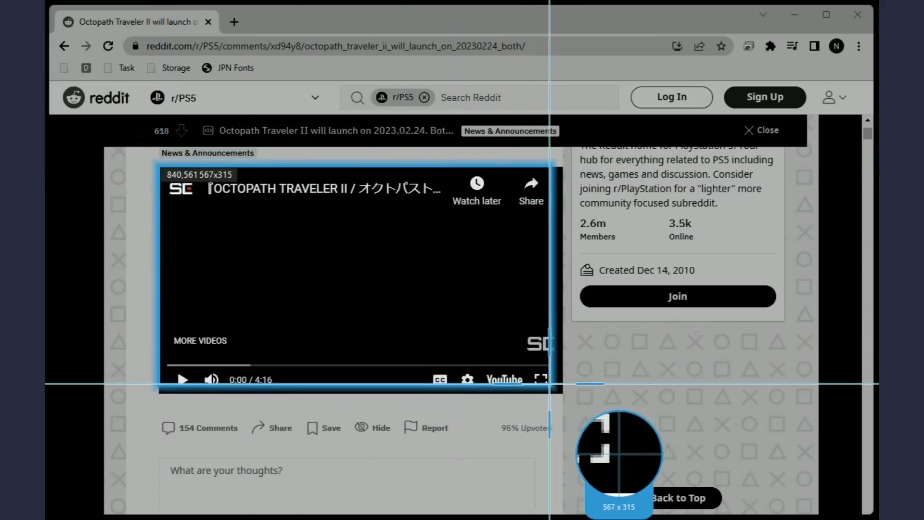
Step 4: Select a recording area
Drag the pointer to select the recording area.
Step 5: Begin the recording
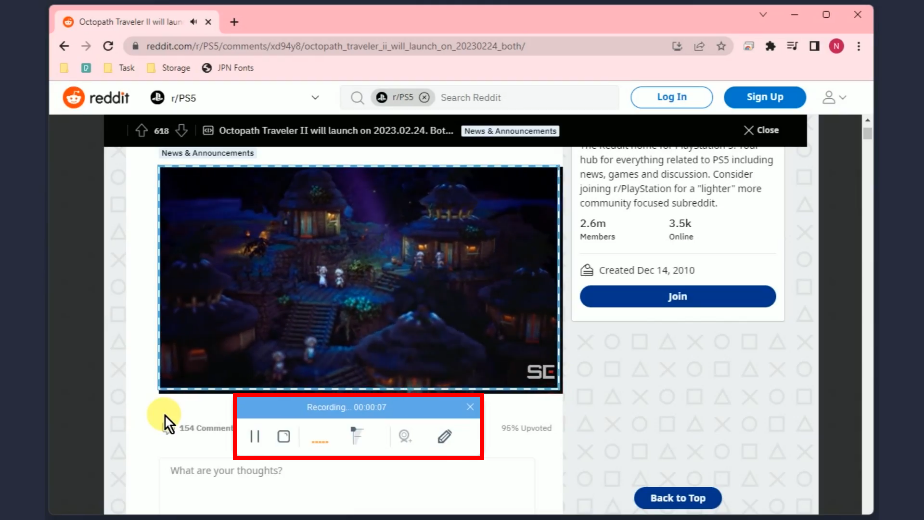
A confirmation will prompt asking if you are ready to begin. Click “OK” to proceed.

The recording toolbar will pop up which indicates that the recording has begun. Play the video to have it recorded.
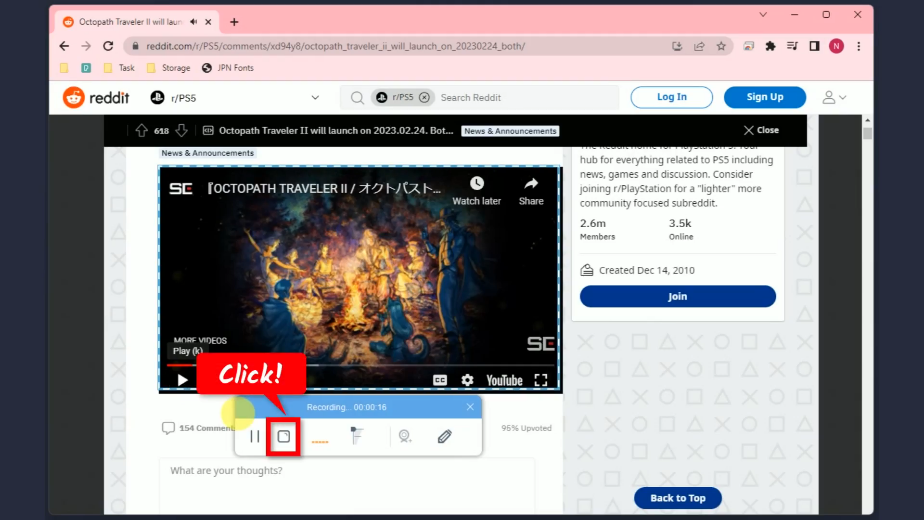
Step 6: Finished recording
When the recording is finished, click “Stop” to end the recording.
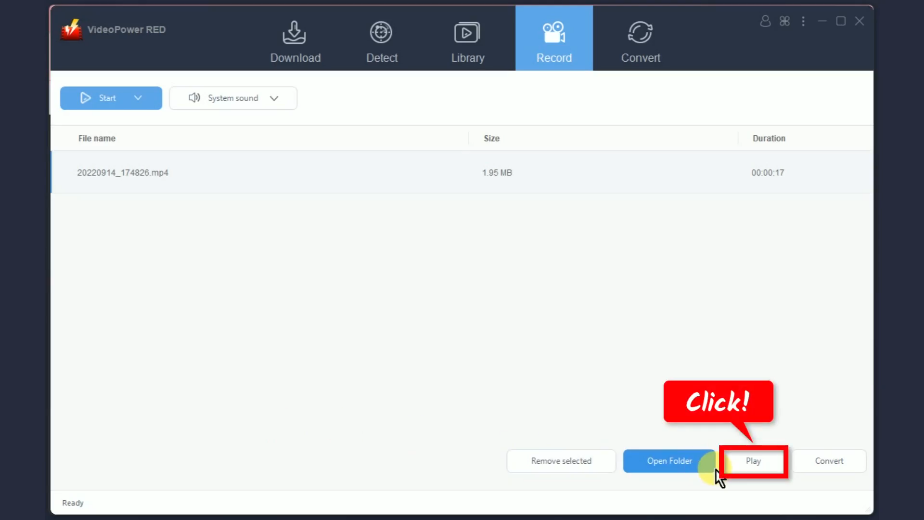
The recorded video will be added to your recording list. Right-click the recorded file and select “Play” from the options to preview.
Conclusion:
If you have any questions regarding personal, business, career, technical, etc., Reddit always has the best answers! It even includes useful videos and links for reference. If you prefer to watch it offline and share it with friends, you can download videos from Reddit using VideoPower RED.
VideoPower RED is highly recommended because of the multiple downloading options it offers such as copy-and-paste URL, auto-detection via embedded browser, batch download, and more! Aside from Reddit, it can also download from 1000+ sites with up to 4K quality. Moreover, it has many additional functions such as screen recording, video editor, converter, etc. What more do you need? Isn’t it nice how you can do so much in 1 software?
ZEUS series can do everything that VideoPower series can do and more, the interface is almost the same.
Check out NOW! Start easier with more affordable prices!




ZEUS Series
VideoPower brother products, start easier with more affordable prices!
| ZEUS BUNDLE 1 Year License ⇒ $29.99 |
ZEUS BUNDLE LITE 1 Year License ⇒ $19.99 |
ZEUS RECORD LITE 1 Year License ⇒ $9.98 |
ZEUS DOWNLOAD LITE 1 Year License ⇒ $9.98 |
||
| Screen Recorder | Screen&Audio Recording | ✔ | ✔ | ✔ | |
| Duration Setting, Schedule Recording | ✔ | ||||
| Video Downloader | Paste URL to download, batch download | ✔ | ✔ | ✔ | |
| Search/download video,browser detector | ✔ | ||||
| Music Recorder | Record music and get music ID3 tag info | ✔ | ✔ | ||
| Music search/download/record, CD Ripper/Creator, Audio Editor | ✔ | ||||
| Video Editor | Edit and convert videos, create slideshow | ✔ | |||
| Screen Capture | Capture screen, image editor | ✔ | |||