











Most video streaming websites do not offer download options for their videos. Firefox is an internet browser that does not offer a download option for videos like most browsers, too.
It is one of the best internet browsers you’ll find that is very useful in many ways. This browser can indeed help users search for the things they need and like. But, it also has limitations like some of the webpages you opened in the site don’t have a download button.
So what is the best way to download video from the Mozilla Firefox browser?
A third-party tool is recommended to download videos from the Firefox browser. With VideoPower RED video downloader, you can download any video from various websites using Firefox as your web browser.
VideoPower RED or ZEUS is a remarkable, hassle-free, trusted, and has various professional features that is the best suited third-party tool for this kind of matter.
Check out this article to learn more and click the link below to download and install the Firefox downloader app.
ZEUS can do what VideoPower series can do and more with an almost similar interface.
Check out NOW! Start easier with more affordable prices!
Method 1: Advanced Detect to Download Firefox Video
Step 1: Configure Settings
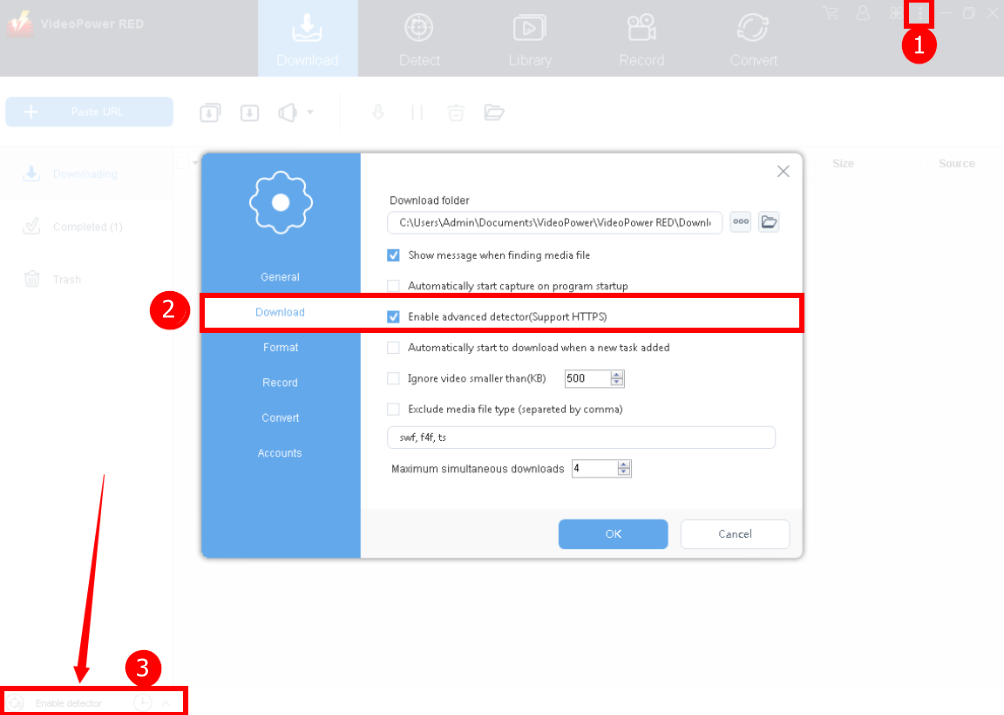
1. Once the software is launched, click the three-dot icon located on the right side of the software interface. A dropdown list of setting options will show and then select the “Settings”.
2. The settings option window will show. Click the “Download” tab and click check the “Enable advanced detector” option. Click the “OK” button to proceed.
3. Back to the main interface and then activate the detector at the left side bottom that you will see on its interface.
Step 2: Play the video
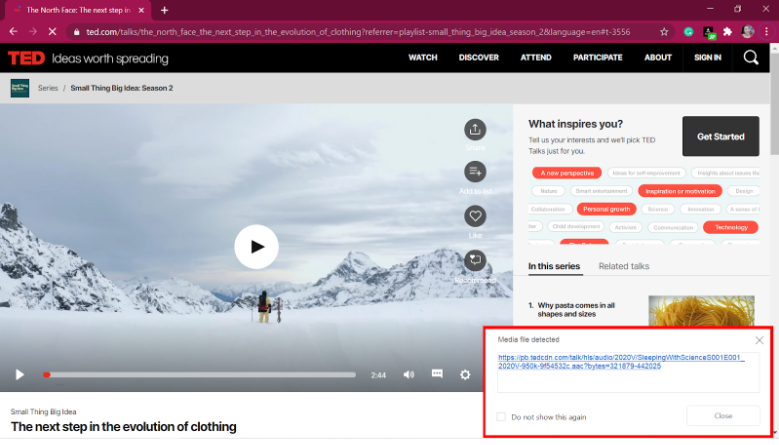
Open your Firefox and search for the website and the video you want to download. Play the video and the software will automatically detect it. The video will be added to the downloading list.
Step 3: Check the downloading and downloaded file
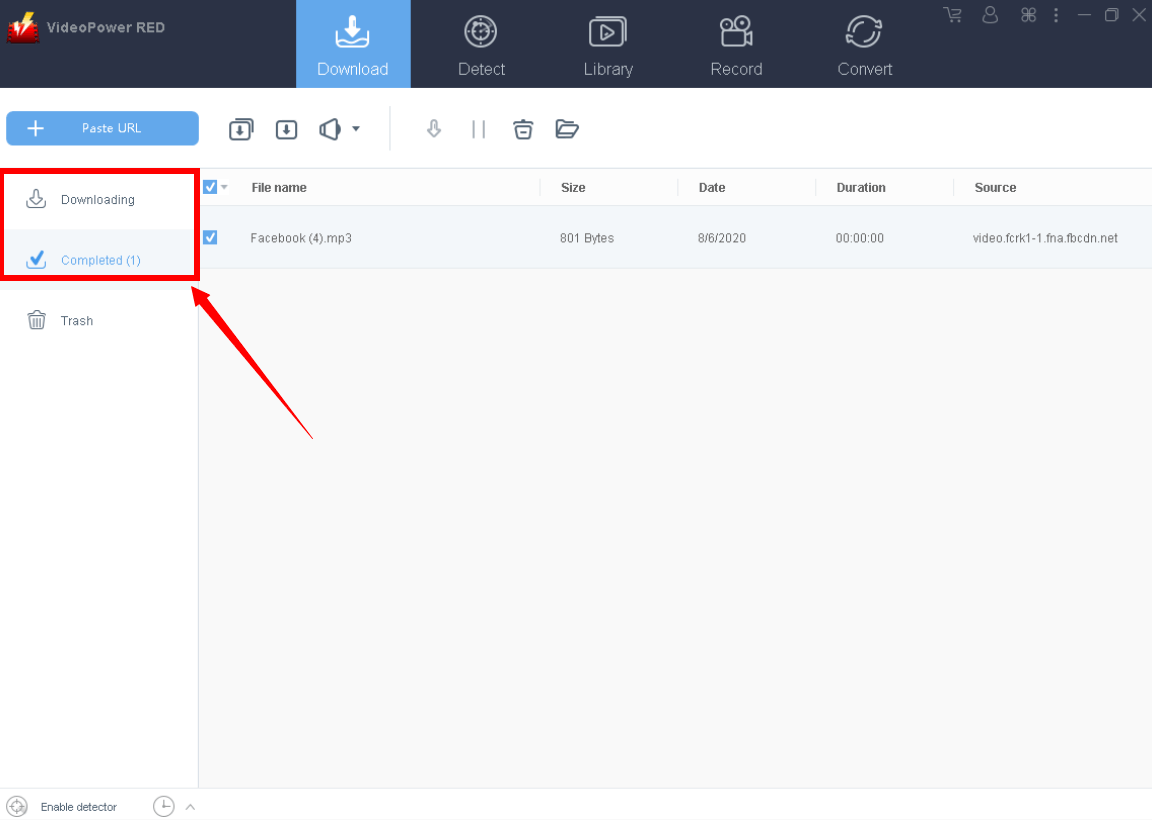
Go back to the software to check the video. Watch the downloading process on the “Downloading” tab.
Once the download is complete, the video file will be added automatically under the “Completed” tab.
Method 2: Paste the URL and Download Video from Firefox
Step 1: Copy the URL of the video
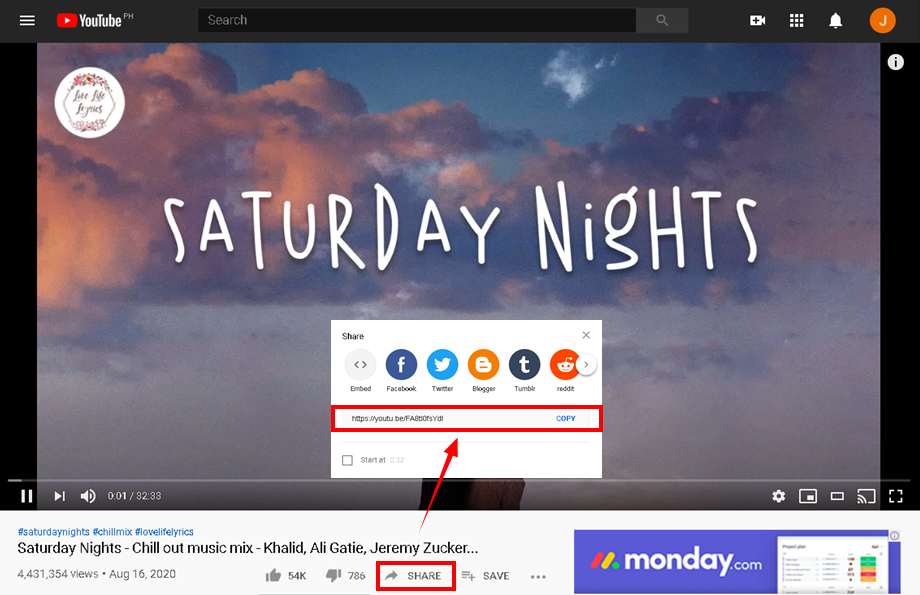
Copy the link of the video that you want to download from your Firefox browser address bar. For the YouTube video, copy from the “Share” button.
If you will get the URL of the video from a different website, just copy the present URL above.
Step 2: Paste the copied URL to download video

Then paste the copied video link into VideoPower RED by clicking the “+ Paste URL” button.
After that, you will see that the video downloading process is automatically starting.
Wait for the download to finish, and then go to the “Completed” section to find the downloaded video on the list.
Conclusion:
Internet browsers like Firefox don’t have a download button where users can use to save their desired videos for offline and later viewing. Thus, a video downloader like VideoPower RED comes to the rescue which has various functions such as downloading video from Firefox, Chrome, IE, recording screen activities, video editing, and converting.
ZEUS series can do everything that VideoPower series can do and more, the interface is almost the same.
Check out NOW! Start easier with more affordable prices!




ZEUS Series
VideoPower brother products, start easier with more affordable prices!
| ZEUS BUNDLE 1 Year License ⇒ $29.99 |
ZEUS BUNDLE LITE 1 Year License ⇒ $19.99 |
ZEUS RECORD LITE 1 Year License ⇒ $9.98 |
ZEUS DOWNLOAD LITE 1 Year License ⇒ $9.98 |
||
| Screen Recorder | Screen&Audio Recording | ✔ | ✔ | ✔ | |
| Duration Setting, Schedule Recording | ✔ | ||||
| Video Downloader | Paste URL to download, batch download | ✔ | ✔ | ✔ | |
| Search/download video,browser detector | ✔ | ||||
| Music Recorder | Record music and get music ID3 tag info | ✔ | ✔ | ||
| Music search/download/record, CD Ripper/Creator, Audio Editor | ✔ | ||||
| Video Editor | Edit and convert videos, create slideshow | ✔ | |||
| Screen Capture | Capture screen, image editor | ✔ | |||