











Dailymotion is a popular French online video streaming website with more than 100 million users every day. It lets you upload and stream videos online. There are many interesting videos that you can find in Dailymotion. High-quality music videos, movies, drama series, funny shows, and so much more! Despite its popularity, the website does not offer video downloads for offline viewing.
For many reasons, saving videos for offline viewing is more convenient than online viewing. Considering that an internet connection is needed. Now, VideoPower RED makes it easier for you to download Dailymotion videos in MP4 format.
ZEUS can do what VideoPower series can do and more with an almost similar interface.
Check out NOW! Start easier with more affordable prices!
Guide
How to Download Dailymotion Videos in MP4 Format
VideoPower RED is an amazing third-party downloader tool. It will help you download Dailymotion videos online. It’s a hassle-free and trusted video downloader that lets you download videos from Dailymotion and a thousand more different websites like YouTube, Vimeo and etc. Moreover, it is capable of downloading videos up to 8K quality with many additional features to enjoy such as a video library, converter, video editor, and more!
Method 1: Copy and Paste URL to Download Dailymotion Videos in MP4
Step 1: Copy the Dailymotion video URL
Open the Dailymotion video using your PC browser and copy its URL from the top address bar.
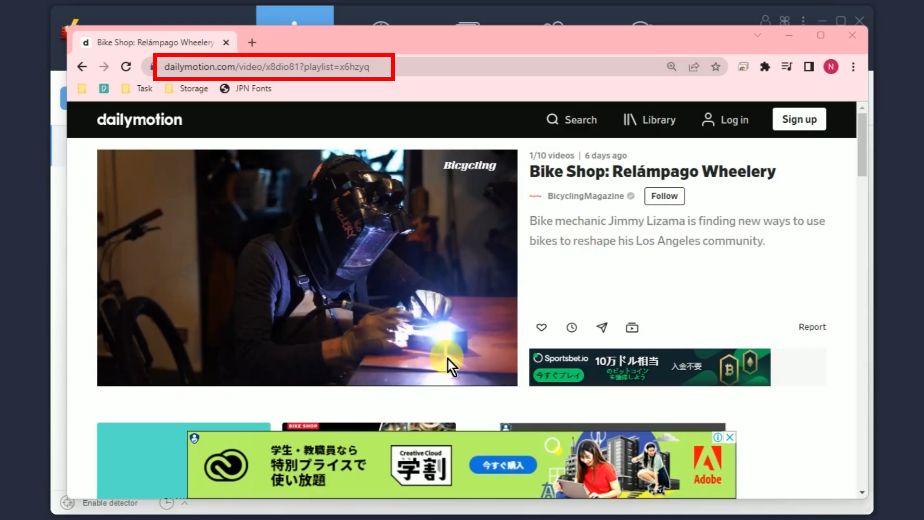
Step 2: Paste the copied URL
Open the VideoPower RED and click the “Paste URL” button to begin the download.
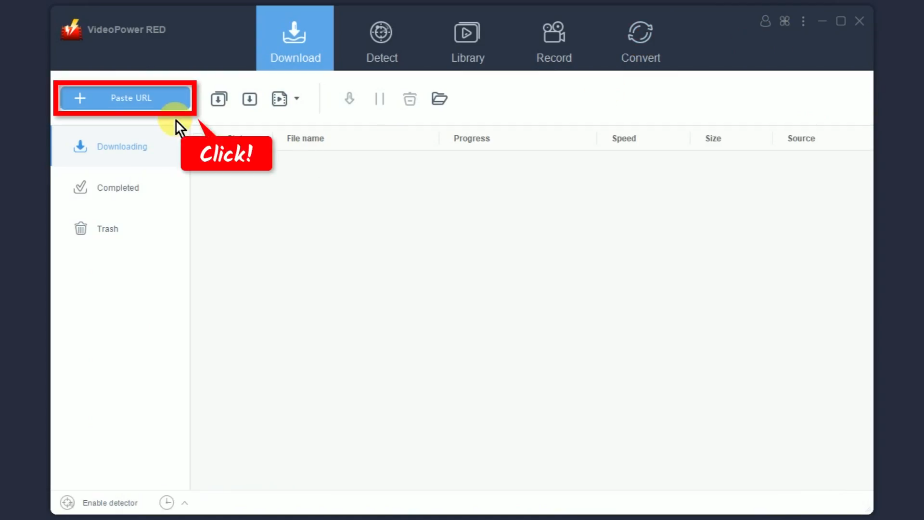
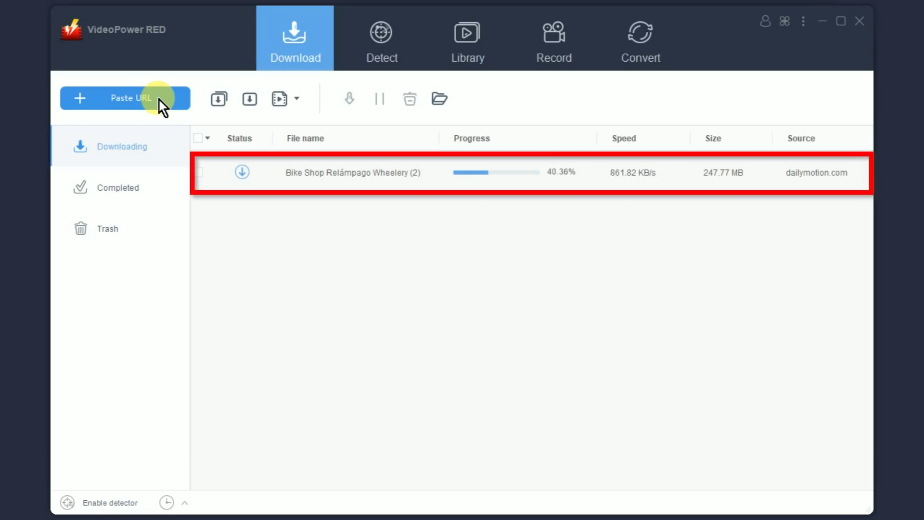
Step 3: Downloading the Dailymotion video
You can see the Dailymotion video downloading under the “Downloading” tab.
Step 4: Finished downloading the Dailymotion video
When the download is completed, it will be moved to the “Completed” tab.
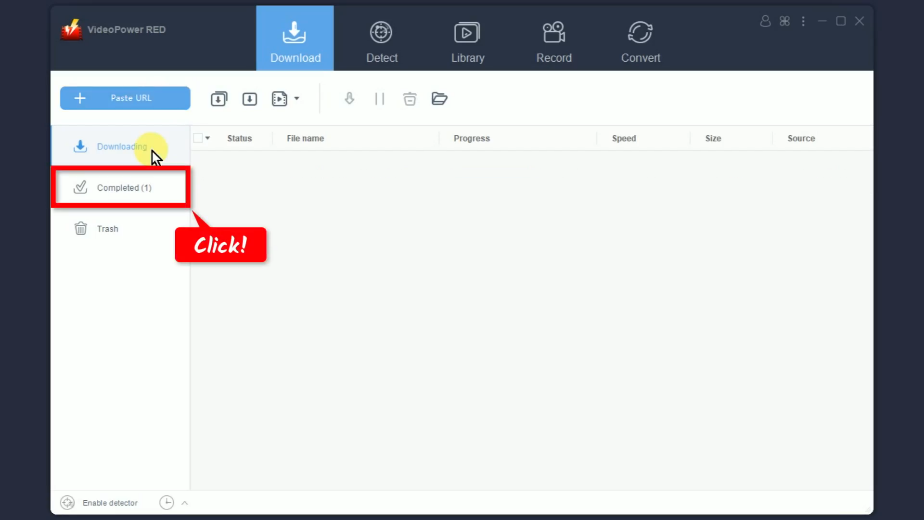
You may right-click the downloaded file to see more options or select “Play” to preview.

Method 2: Record the Dailymotion Videos
Step 1: Go to the “Record” function screen
Open the VideoPower RED and click the “Record” function menu.

Step 2: Set the audio input
Click the “audio input” button to select a sound source.
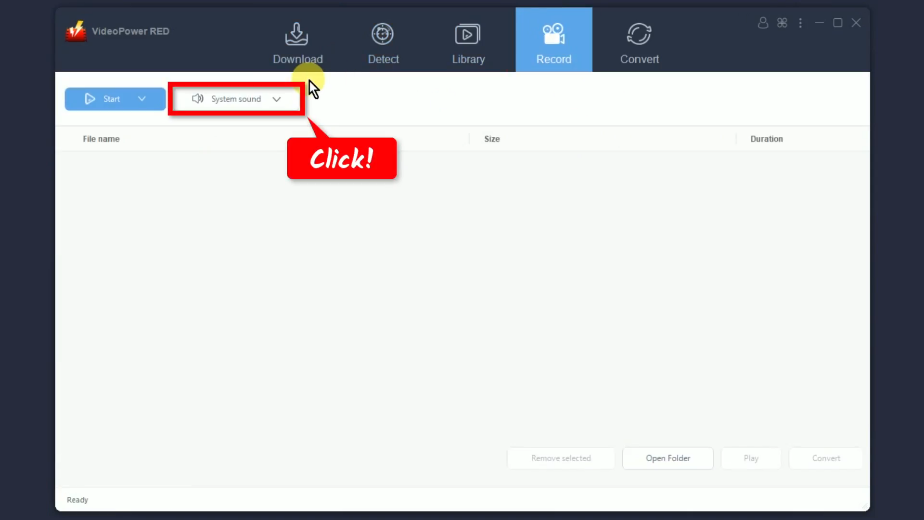
A list of options will drop down for your selection. By default, the audio input is set to “System sound”.

Step 3: Choose a recording mode
Click the “Record” button to select a recording mode.
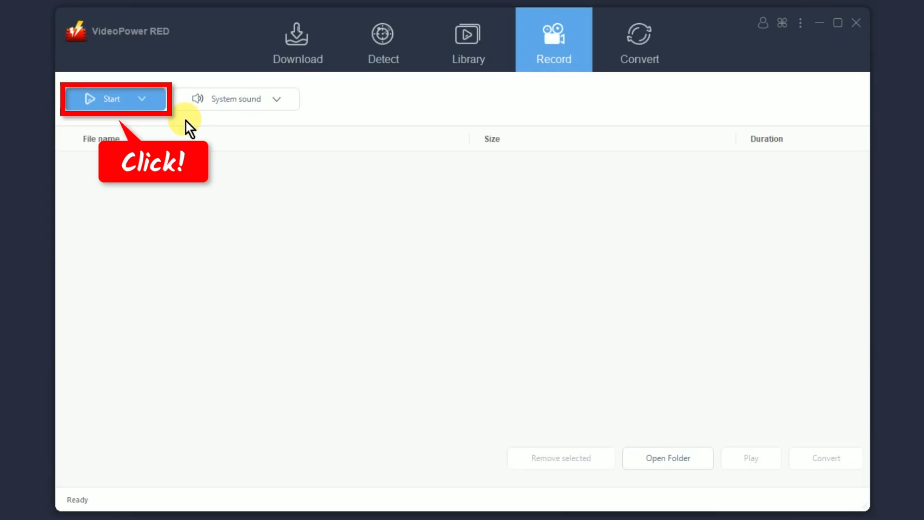
A list of all available recording modes will drop down for your selection. In this example, we will set the recording mode to “Region”.
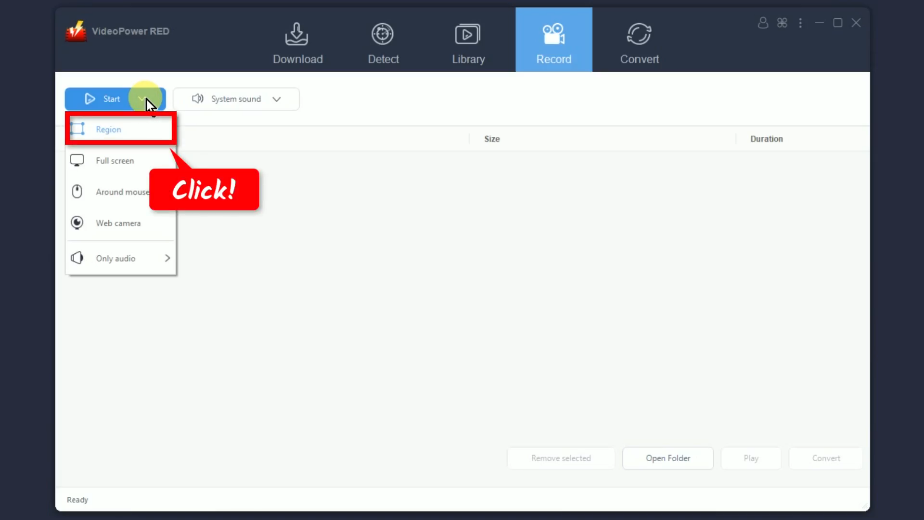
Step 4: Select a recording area
Drag the pointer to select the recording area.

Step 5: Begin the Dailymotion video recording
A confirmation will prompt asking if you are ready to begin the recording. Click “OK” to continue.
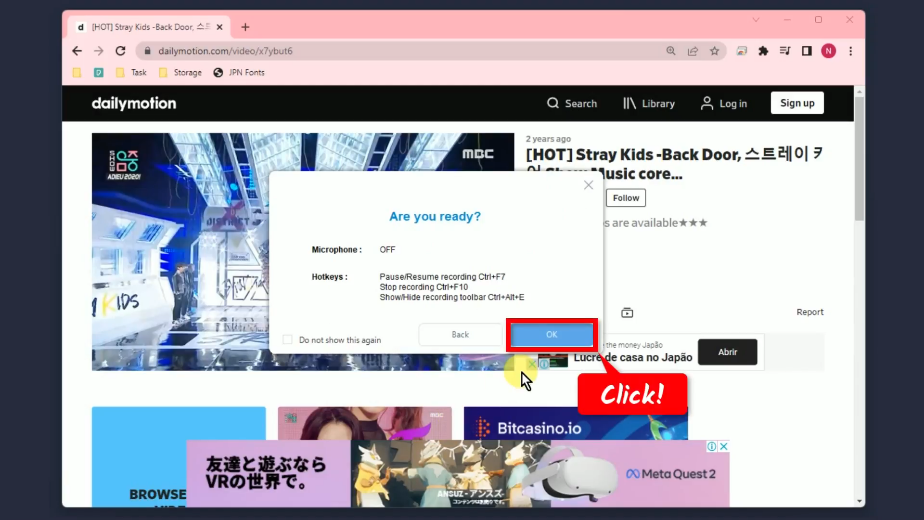
Then a 3-second countdown will pop up.
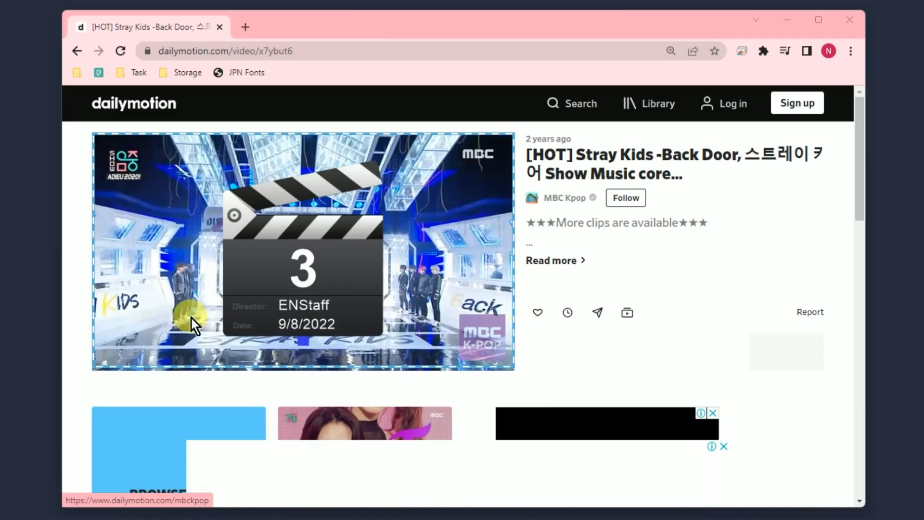
When the countdown reaches zero, the recording toolbar will pop up which indicates that the recording has begun.
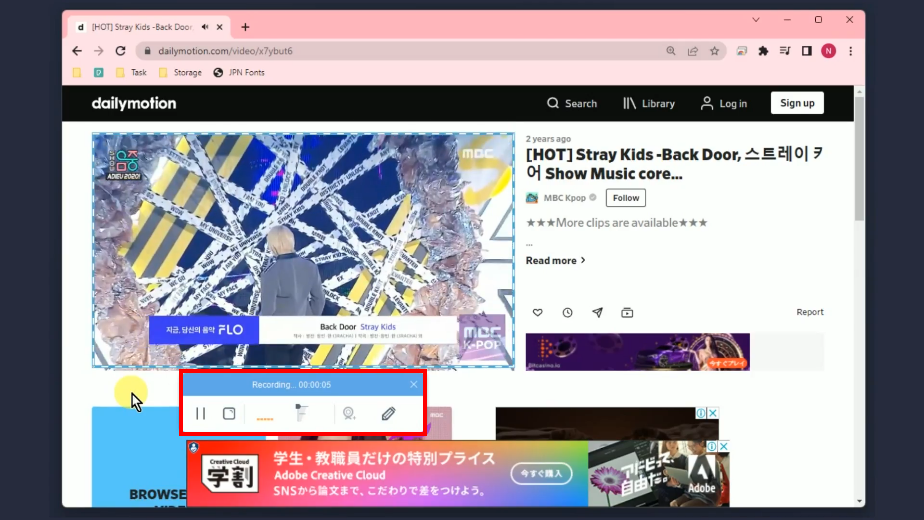
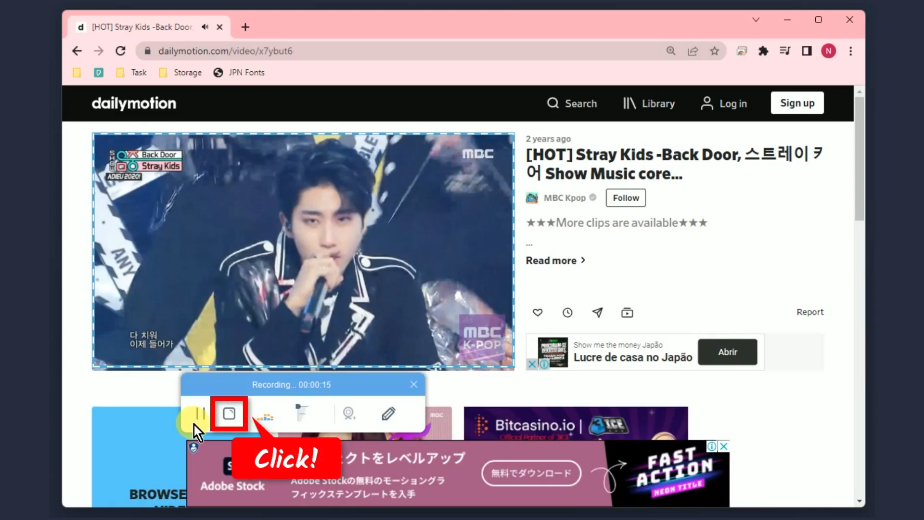
Step 6: Finished recording the Dailymotion video
When the recording is finished, click “Stop” to end the recording.
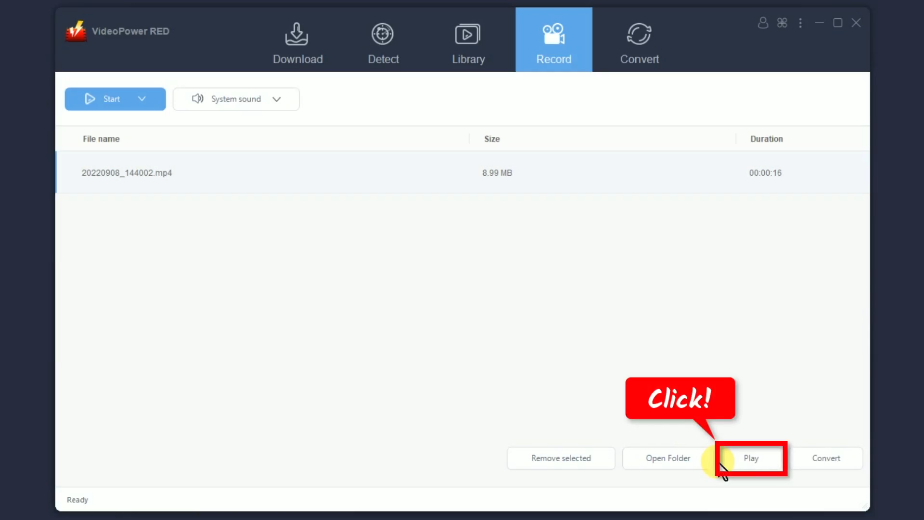
The recorded video will be added to your recording list. Select the recorded file and click “Play” to preview.
Conclusion:
One of the online video streaming websites that people most frequently visit is the Dailymotion video-sharing platform. It is popular for having a clean interface, good library layout, faster uploading system, and the videos are rarely taken down. Moreover, the diversity of its video content is satisfying. If you want to do a movie marathon, you can surely find plenty of movies to watch here.
For a more convenient way of streaming videos, you can download Dailymotion videos in MP4 format using VideoPower RED. With its user-friendly interface, high-quality output, and flexible options, downloading Dailymotion videos could never be easier.
ZEUS series can do everything that VideoPower series can do and more, the interface is almost the same.
Check out NOW! Start easier with more affordable prices!




ZEUS Series
VideoPower brother products, start easier with more affordable prices!
| ZEUS BUNDLE 1 Year License ⇒ $29.99 |
ZEUS BUNDLE LITE 1 Year License ⇒ $19.99 |
ZEUS RECORD LITE 1 Year License ⇒ $9.98 |
ZEUS DOWNLOAD LITE 1 Year License ⇒ $9.98 |
||
| Screen Recorder | Screen&Audio Recording | ✔ | ✔ | ✔ | |
| Duration Setting, Schedule Recording | ✔ | ||||
| Video Downloader | Paste URL to download, batch download | ✔ | ✔ | ✔ | |
| Search/download video,browser detector | ✔ | ||||
| Music Recorder | Record music and get music ID3 tag info | ✔ | ✔ | ||
| Music search/download/record, CD Ripper/Creator, Audio Editor | ✔ | ||||
| Video Editor | Edit and convert videos, create slideshow | ✔ | |||
| Screen Capture | Capture screen, image editor | ✔ | |||