











4K is a high-definition video resolution and is also known as a superb image quality that lets users experience super high-quality videos even on a larger screen. Most video quality such as 720p can be used on larger screens without quality loss. However, the larger the screen, the more pixelated the video will become. In 4K quality, it’s the ultra-high-definition – even with a larger screen, the video does not become pixelated.
Most people are satisfied with 270p, 360p, and full HD (1080p) video resolution as they can already show good quality videos. But then, it is different on a large screen. The larger the screen, the more pixelated the video will become. This makes these video resolutions only moderately good compared to 4k resolution.
Another challenge is downloading these 4K quality videos. Most online video streaming websites do not offer high-video-quality downloading options for offline viewing. But, with VideoPower RED – 4K video downloader, users can download 4K videos from different websites without losing its good resolution quality for later viewing purposes.
ZEUS can do what VideoPower series can do and more with an almost similar interface.
Check out NOW! Start easier with more affordable prices!
Guide
How to Download using the 4K Video Downloader
How to Download using the 4K Video Downloader
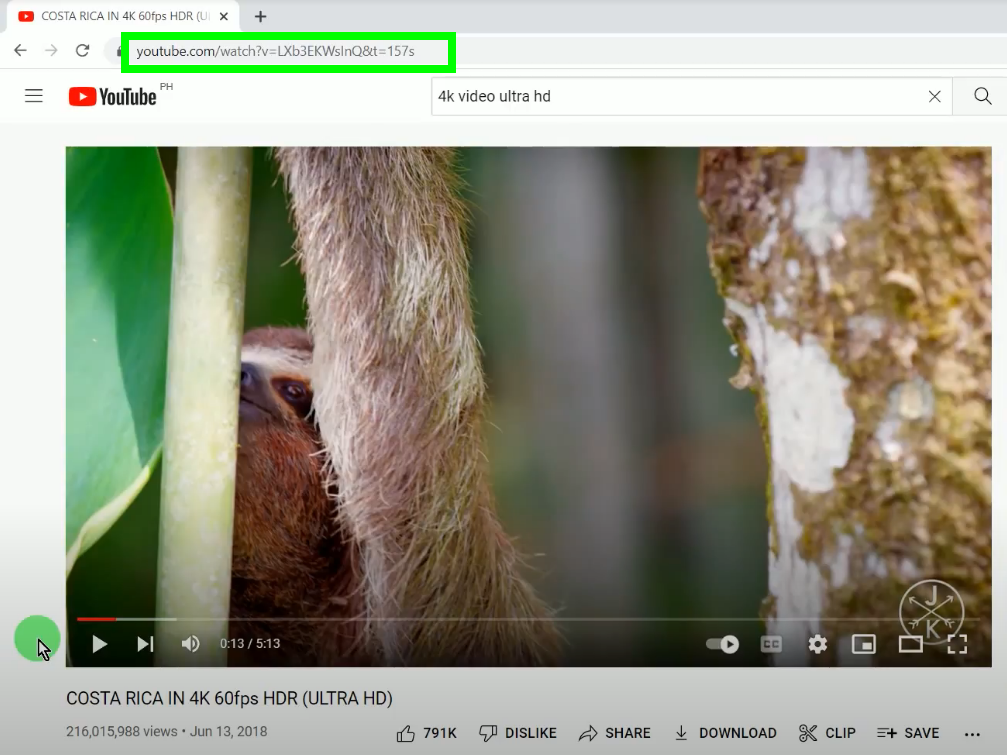
Step 1: Copy the 4K video URL
Open the 4K video on your PC browser and copy the video URL from the top address bar. To copy, you can right-click the video URL and select copy from the options or press Ctrl+C on your keyboard.
Step 2: Paste the copied 4K video URL to the Precise Download tool
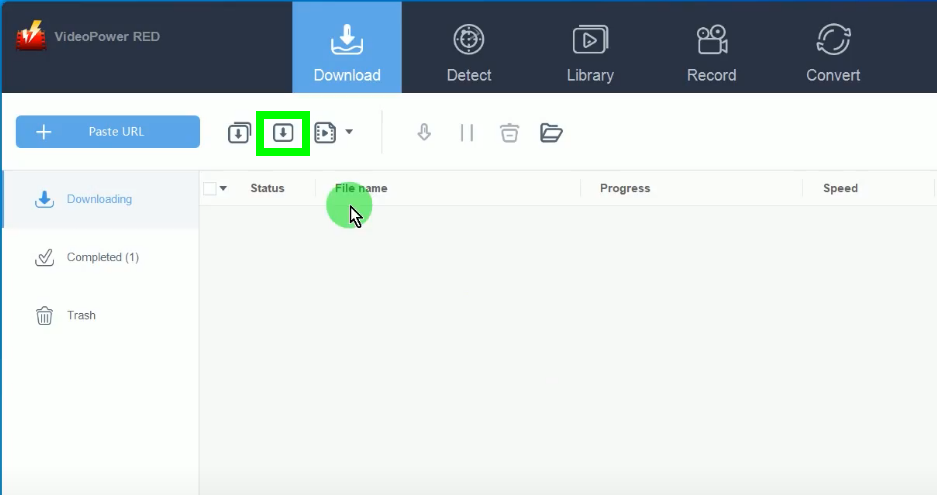
Open the VideoPower RED and click the “Precise Download” button.
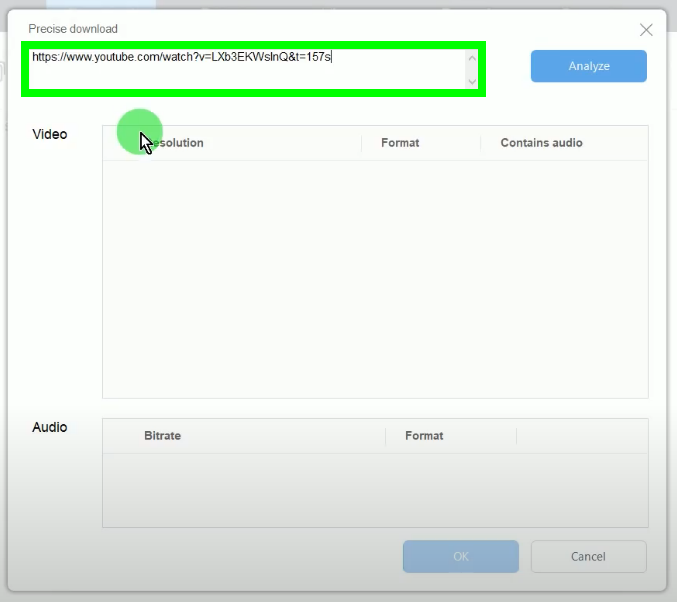
A new window will open for the precise download tool. Paste the copied 4K video URL on the box.
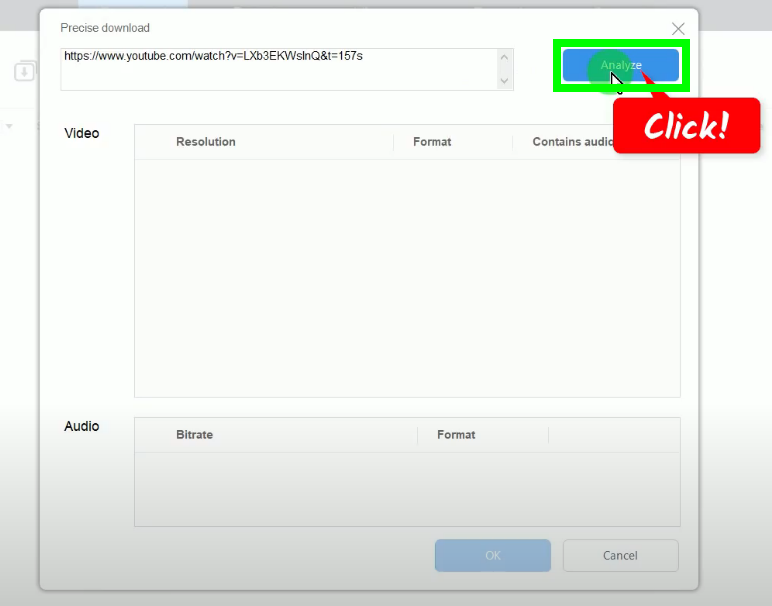
Then click the “Analyze” button.
Step 3: Select the video resolution and audio format
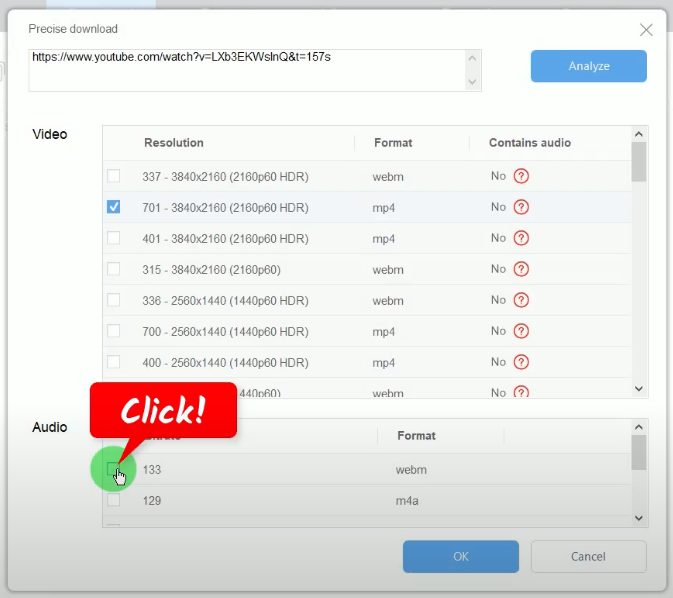
After analyzing, all available video resolutions and audio formats will be shown for your selection. In this example, we will select “701 – 3480×2160 (2160p60 HDR)” from the options.
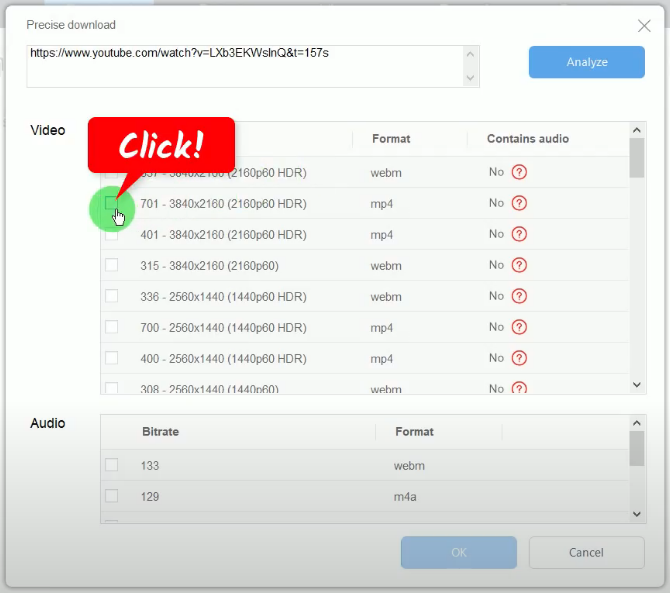
If the column “Contains audio” is marked as “No”, it means you need to manually select the audio format from the option list shown.
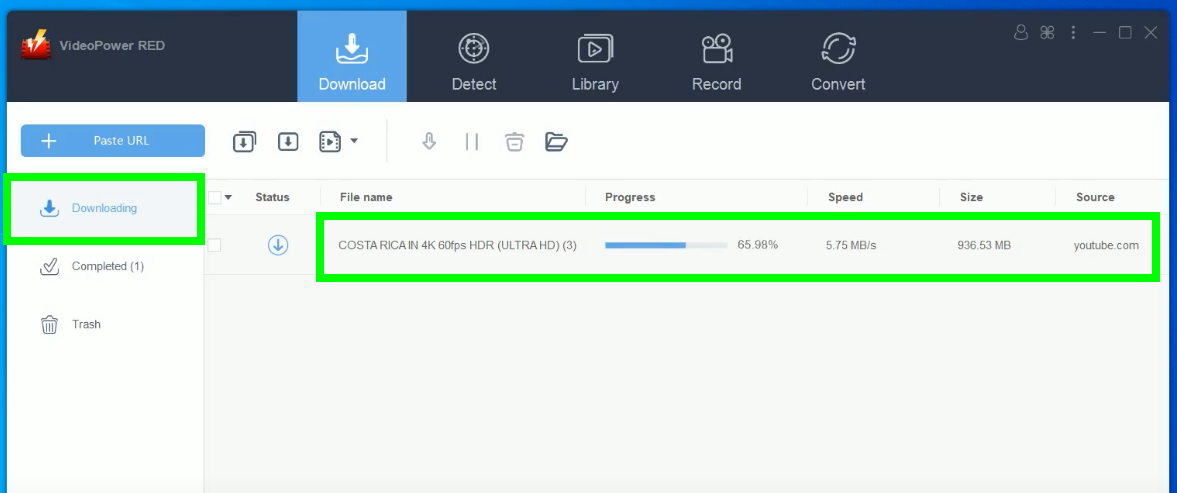
Step 4: 4K video is downloading
The 4K video will be processed for download under the “Downloading” tab.
Step 5: 4K video download is completed
When the download is completed, it will be moved to the “Completed” tab.
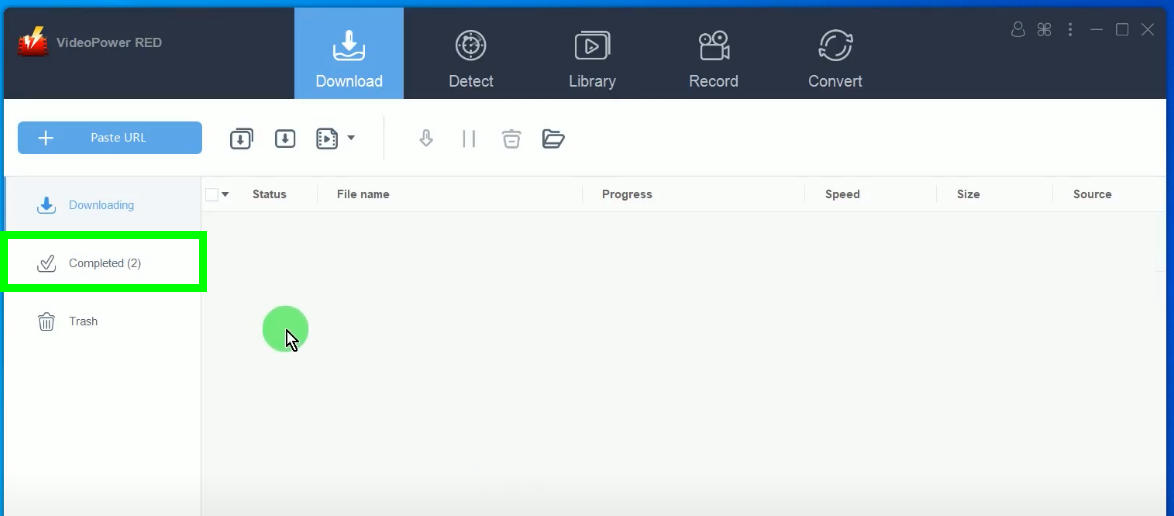
You may right-click the downloaded 4K video to see more options or select “Play” from the options to preview.

Conclusion:
Except for 270p, 360p, 1080p, and many other resolutions, there is what we call 4K resolution that is known to have super high quality that can offer users a satisfactory video standard. That’s why people want to download 4K videos.
Talking about downloading high-quality resolution videos, VideoPower RED, an amazing, hassle-free, and professional 4K video downloader would be the right application software to use in this kind of matter. Aside from the advanced precise downloading features, it also offers many additional features such as copy and paste URL, embedded browser, screen recorder, video editor, converter, video library, batch downloader, and so much more!
ZEUS series can do everything that VideoPower series can do and more, the interface is almost the same.
Check out NOW! Start easier with more affordable prices!




ZEUS Series
VideoPower brother products, start easier with more affordable prices!
| ZEUS BUNDLE 1 Year License ⇒ $29.99 |
ZEUS BUNDLE LITE 1 Year License ⇒ $19.99 |
ZEUS RECORD LITE 1 Year License ⇒ $9.98 |
ZEUS DOWNLOAD LITE 1 Year License ⇒ $9.98 |
||
| Screen Recorder | Screen&Audio Recording | ✔ | ✔ | ✔ | |
| Duration Setting, Schedule Recording | ✔ | ||||
| Video Downloader | Paste URL to download, batch download | ✔ | ✔ | ✔ | |
| Search/download video,browser detector | ✔ | ||||
| Music Recorder | Record music and get music ID3 tag info | ✔ | ✔ | ||
| Music search/download/record, CD Ripper/Creator, Audio Editor | ✔ | ||||
| Video Editor | Edit and convert videos, create slideshow | ✔ | |||
| Screen Capture | Capture screen, image editor | ✔ | |||