











Netflix, iTunes, Hulu, and Amazon have proven that content makers can engage in piracy by supporting a better, easier service to paying customers. But what will happen when piracy puts up a fight with something just as beneficial?
An app called Popcorn Time hypes everyone with that question. Available for Windows, Mac, and Linux, the app allows users to stream the latest movies with just a couple of clicks. The software runs BitTorrent to find and download movies, but exclude the usual hassle of plodding through skimpy torrent sites and waiting for the file to finish downloading. Fundamentally, it’s the version of the famous Netflix that users always wanted and maybe have been eager to pay extra but Hollywood may not allow it. It’s also a blatant enabler violation of the copyright in the United States, at least.
The creator of Popcorn Time immediately acknowledges the legal dangers. A disclaimer, warning that it is illegal in their country to download copyrighted material, comes to sight on the Popcorn Time website and in the app itself. Movie studios have been known to watch and check the torrent traffic and bring legal charges to individual file-sharers, so Popcorn Time isn’t inevitably safe unless you’re using a VPN to mask your location.
Since there are issues about Popcorn Time online and on legal terms, you can look for an available Popcorn Time alternative for the said app, VideoPower RED or ZEUS is able to directly stream and play videos and audios right away. There is no need for you to wait for it to finish downloading 4k videos with Popcorn Time. With no browser plugins, installation or extensions it is very easy to use. With this, you can also paste a link in the box at the Paste link bar. Then, enjoy instant playback anytime, anywhere. So, check out this best popcorn time alternative for your PC now.
Just click the link below to download this free app and follow through with the steps on how to use Popcorn Time alternative download software.
ZEUS can do what VideoPower series can do and more with an almost similar interface.
Check out NOW! Start easier with more affordable prices!
Method 1: Copy and Paste URL to Download video
Step 1: Copy and paste the URL of the video

Copy the link of the video that you want to download from your PC browser and then paste it into the program by clicking the “+ Paste URL” button. After that, you will see the video is downloading under the download control panel.
Step 2: Check the downloaded video
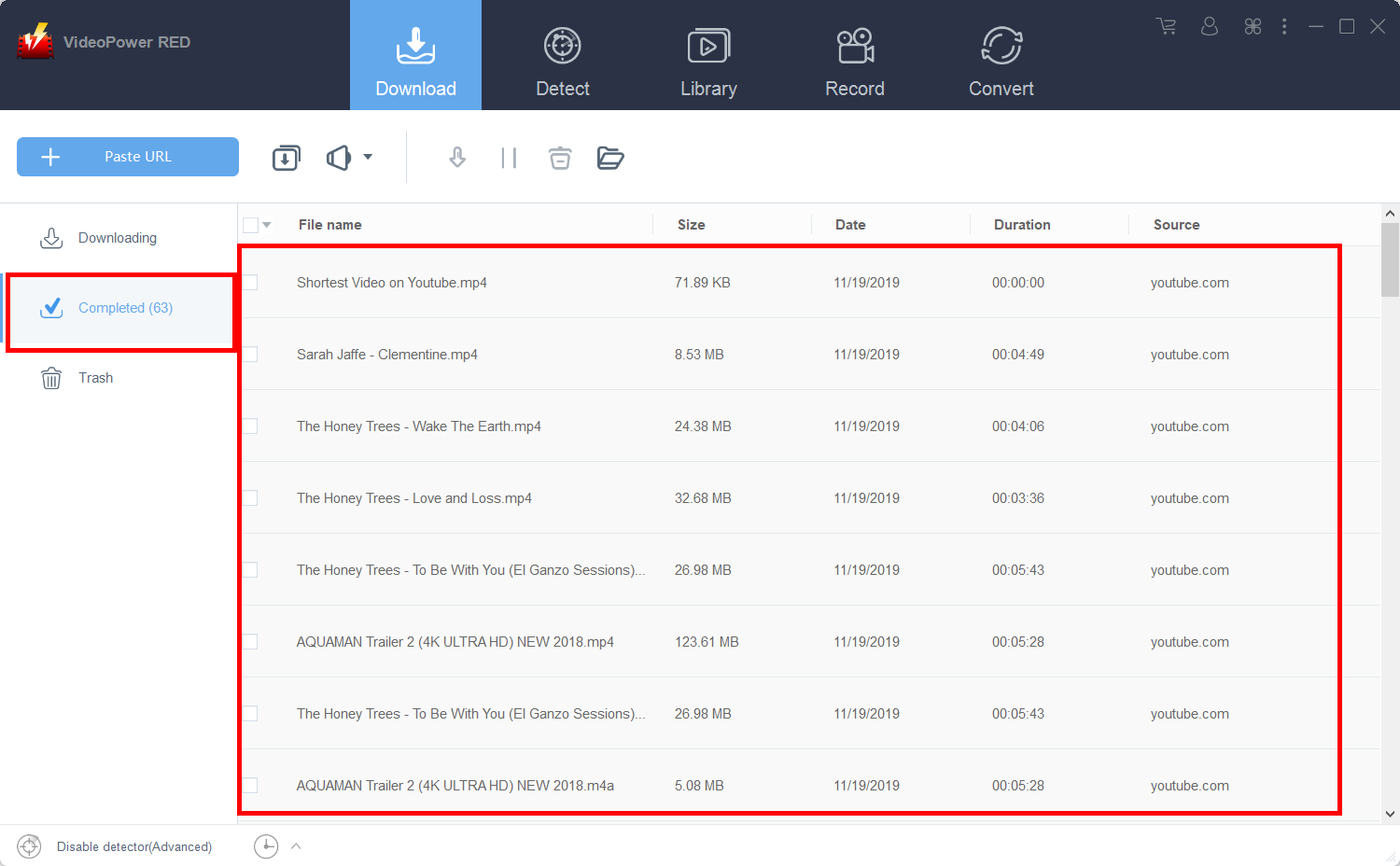
Wait for the download to finish, and then go to the “Completed” section to find the downloaded video.
Method 2: Use the Embedded Browser to Download Streaming Video from Popcorn Time Alternative
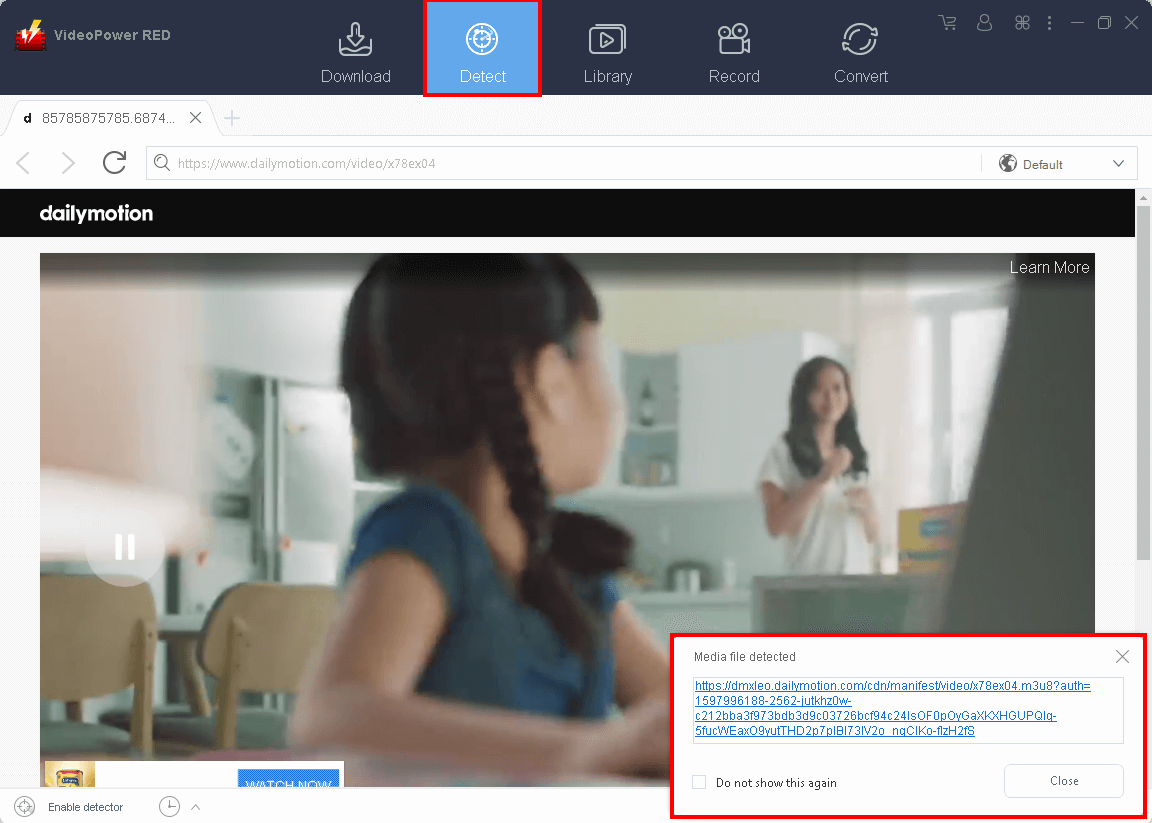
Open the “Detect” section and navigate to the website and video that you want to download. Play the video and a pop-up box will appear on the right side of its interface. Meaning, the video is detected and it naturally starts downloading.
Method 3: Record the movie from the Website
If you have a slow internet connection, you may opt to record the video. To do this, just follow the instructions below.
Step 1: Record screen.
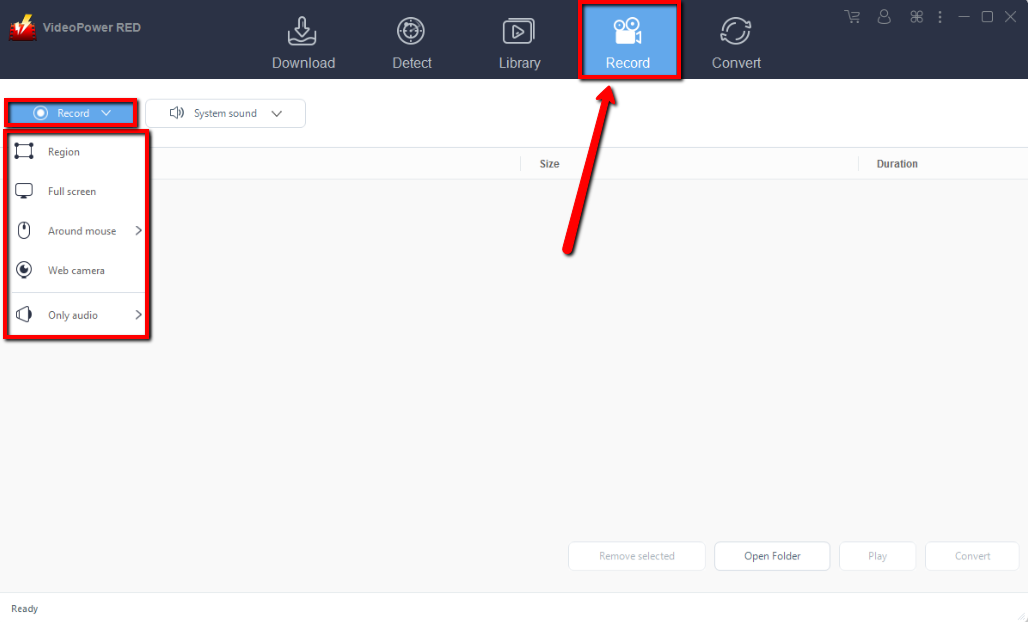
Click the “Record” drop-down button and select between “Region”, “Full-screen”, “Around mouse” or “Web camera” as preferred. To record the video, “Full-screen” is recommended.
Step 2: Check the recorded video.
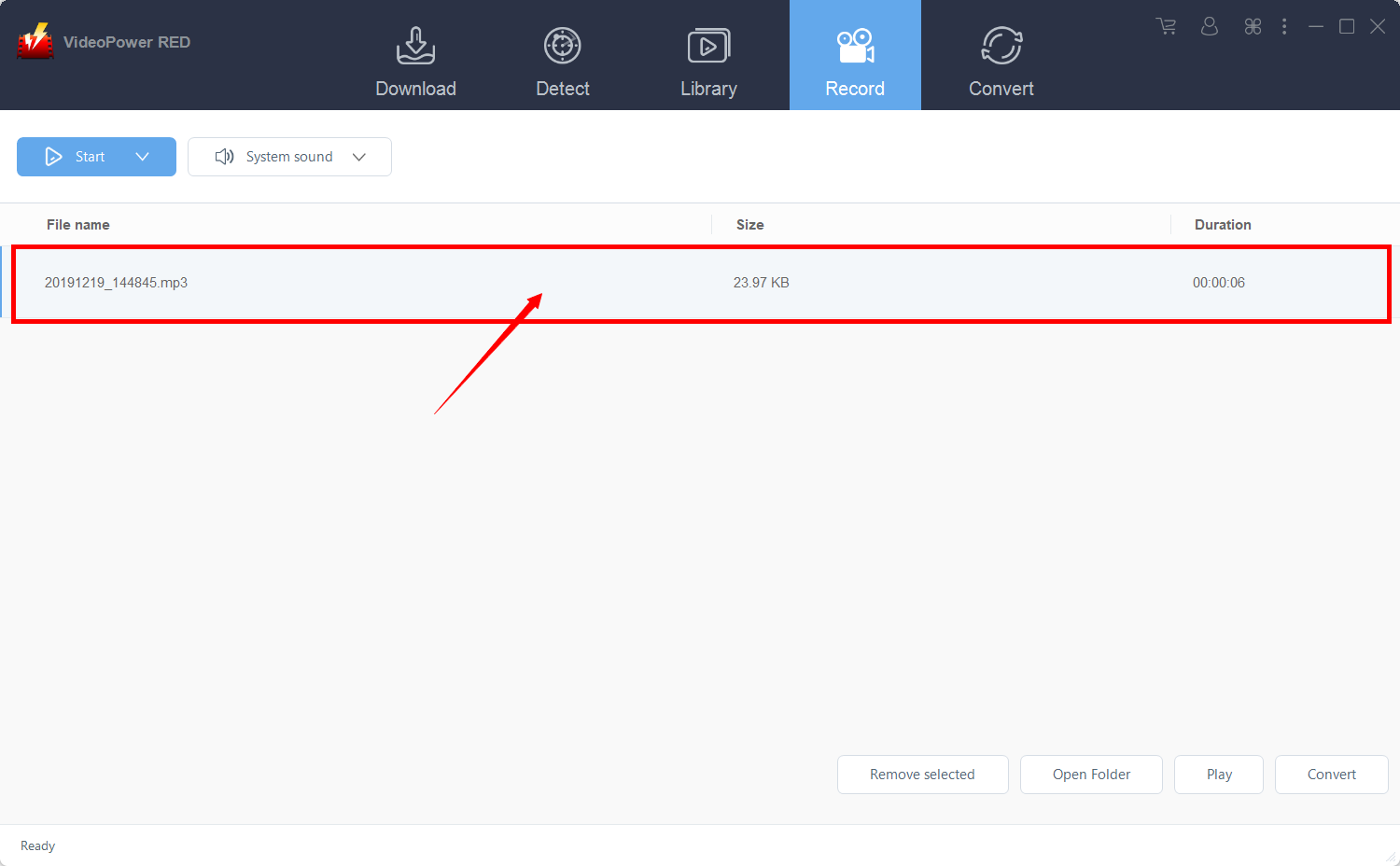
After recording, the recorded file can be seen in the record interface.
Conclusion:
In case you are looking for Popcorn Time alternatives to get the newest media content uploaded online, VideoPower RED is the best option for you. With its powerful downloading speed and high-resolution quality result, it will top all other Popcorn Time alternatives. The app also has conversion features for video and audio with a wide range of formats you can choose from. Download now this free app and enjoy watching while downloading.
ZEUS series can do everything that VideoPower series can do and more, the interface is almost the same.
Check out NOW! Start easier with more affordable prices!




ZEUS Series
VideoPower brother products, start easier with more affordable prices!
| ZEUS BUNDLE 1 Year License ⇒ $29.99 |
ZEUS BUNDLE LITE 1 Year License ⇒ $19.99 |
ZEUS RECORD LITE 1 Year License ⇒ $9.98 |
ZEUS DOWNLOAD LITE 1 Year License ⇒ $9.98 |
||
| Screen Recorder | Screen&Audio Recording | ✔ | ✔ | ✔ | |
| Duration Setting, Schedule Recording | ✔ | ||||
| Video Downloader | Paste URL to download, batch download | ✔ | ✔ | ✔ | |
| Search/download video,browser detector | ✔ | ||||
| Music Recorder | Record music and get music ID3 tag info | ✔ | ✔ | ||
| Music search/download/record, CD Ripper/Creator, Audio Editor | ✔ | ||||
| Video Editor | Edit and convert videos, create slideshow | ✔ | |||
| Screen Capture | Capture screen, image editor | ✔ | |||