











Hulu is a premium multimedia site that offers one of the largest online video streaming services with tons of TV shows, movies, music videos, and many more. It is one of the best options for streaming on-demand shows and series ensuring not to miss a single part of the favorite shows and movies that most of the users are looking forward to.
You can also download the Hulu app for PC good for keeping track of the admired shows is not impossible at all as long as there are a solid internet connection and a supported device to stream. Moreover, there’s no long-term commitment to this site, so users are free to change or cancel their subscription at any time.
However, Hulu download is not available because Hulu doesn’t have a downloader app to save and store videos. This stops users to continue enjoying their favorite shows in the absence of an internet connection. There’s just a watch later offer on this site but users are required to pay for it. Therefore a third-party tool that is capable to download Hulu videos for offline viewing is highly needed but the question is how to download Hulu videos for offline viewing?
To make it possible, an amazing, hassle-free, and trusted third-party application software called VideoPower RED or ZEUS is recommended for users who ask on how to download Hulu videos.
Try to use the product for free. Just click the link below to download and install the app.
ZEUS can do what VideoPower series can do and more with an almost similar interface.
Check out NOW! Start easier with more affordable prices!
Method 1: Use the Embedded Browser to Download Video from Hulu
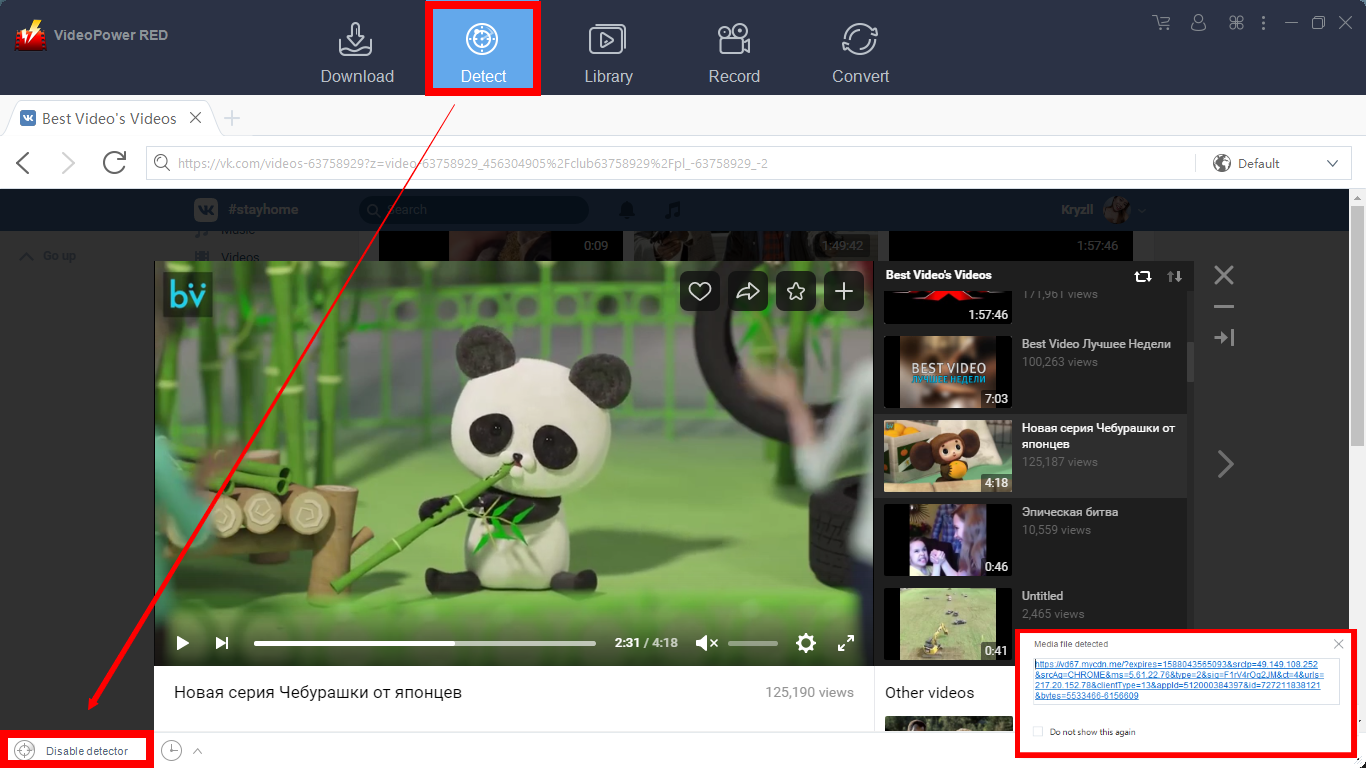
Open the Hulu website using the embedded browser. Play the video you want to download and if the program supports the site, the video will be downloaded automatically.
A pop-up prompt “Media file detected” will show to let you know that the program is downloading the Hulu video.
Method 2: Download Hulu Video Using the External Detector
Step 1: Open Settings
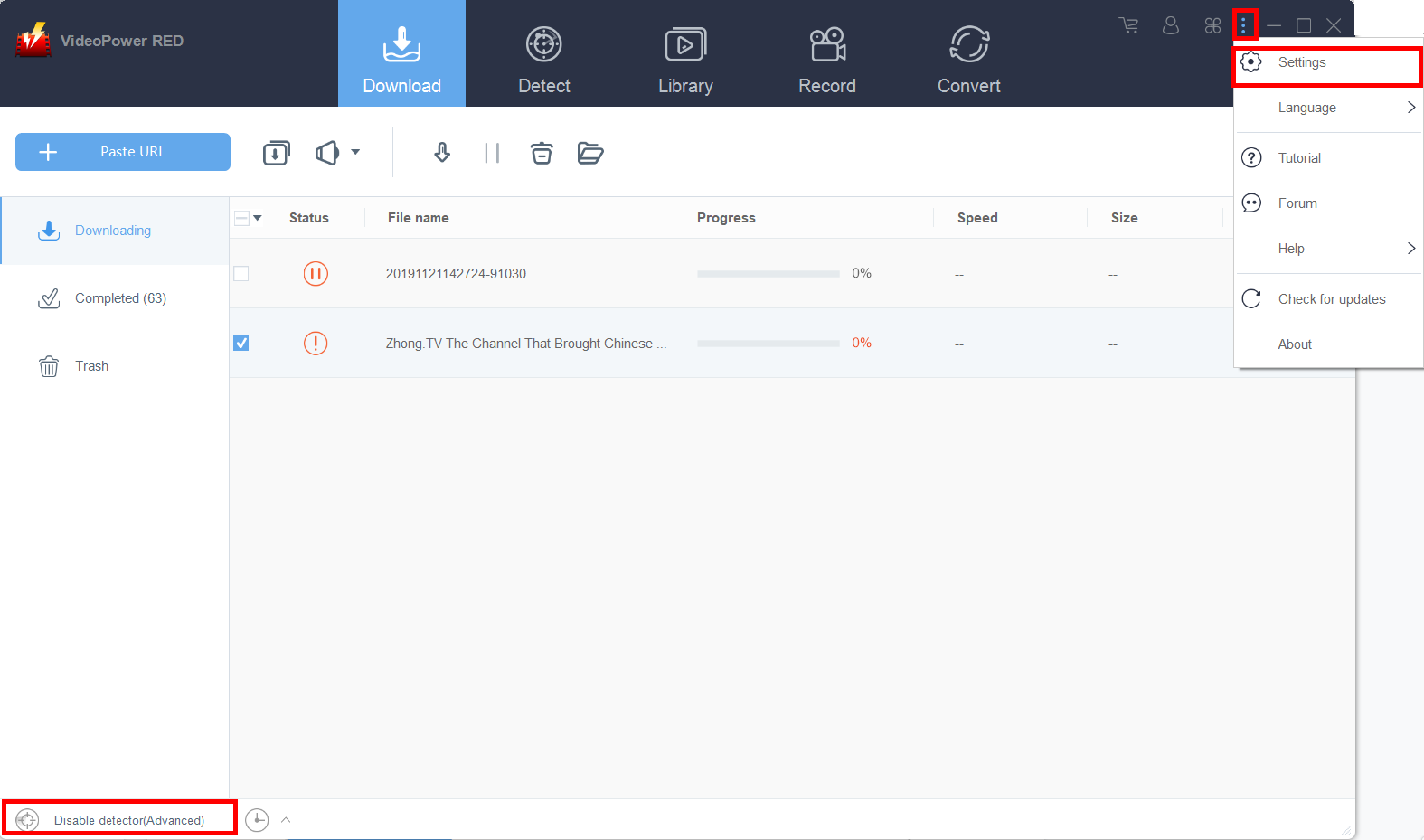
Click on the “Settings” button on the upper-right corner of the interface to open the settings.
Step 2: Enable the Advanced Detector to Download Hulu Videos
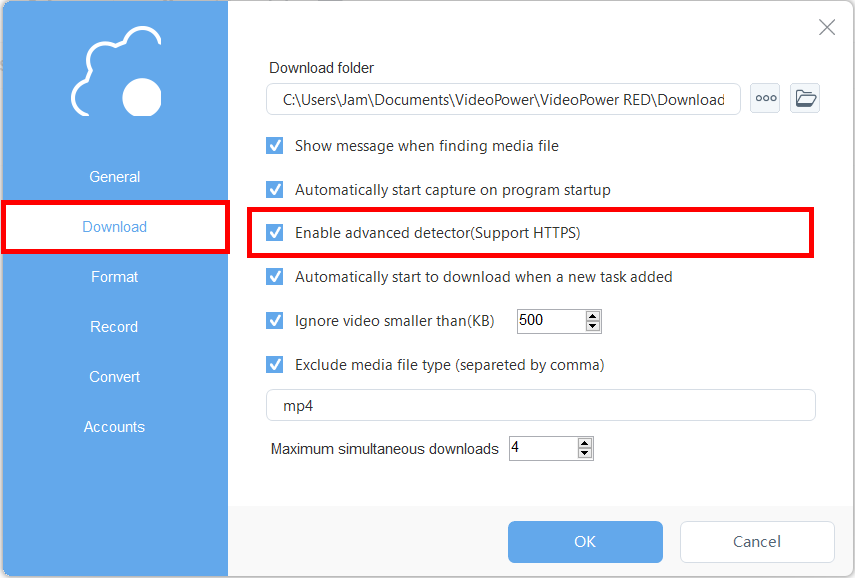
Set “Enable Advanced Detector” on the download settings. Click “OK” to save the changes made.
Then find the video that you want to download using your preferred browser, play the video, and the software will detect and download the video automatically from that external source.
Conclusion:
As online streaming sites like Hulu were discovered and developed, many people became more connected with online activities and ought to keep track of and save their favorite shows locally. However, saving and downloading video files from Hulu would be problematic as this site doesn’t have a download feature.
Downloading would be the best and suited choice for keeping track of the desired shows from Hulu and, VideoPower RED would be the right application software to make it possible. This app helps users to save their desired and favorite shows locally for them to enjoy them anywhere they are and anytime they want.
Moreover, VideoPower RED isn’t only good at downloading videos and shows online but it also possesses various useful and professional features like screen recording and video converting.
ZEUS series can do everything that VideoPower series can do and more, the interface is almost the same.
Check out NOW! Start easier with more affordable prices!




ZEUS Series
VideoPower brother products, start easier with more affordable prices!
| ZEUS BUNDLE 1 Year License ⇒ $29.99 |
ZEUS BUNDLE LITE 1 Year License ⇒ $19.99 |
ZEUS RECORD LITE 1 Year License ⇒ $9.98 |
ZEUS DOWNLOAD LITE 1 Year License ⇒ $9.98 |
||
| Screen Recorder | Screen&Audio Recording | ✔ | ✔ | ✔ | |
| Duration Setting, Schedule Recording | ✔ | ||||
| Video Downloader | Paste URL to download, batch download | ✔ | ✔ | ✔ | |
| Search/download video,browser detector | ✔ | ||||
| Music Recorder | Record music and get music ID3 tag info | ✔ | ✔ | ||
| Music search/download/record, CD Ripper/Creator, Audio Editor | ✔ | ||||
| Video Editor | Edit and convert videos, create slideshow | ✔ | |||
| Screen Capture | Capture screen, image editor | ✔ | |||