











Wistia is a good platform for making or watching video content. While not as good as YouTube or Vimeo, it is a platform that displays some promise to maximize its range in the future.
YouTube has various useful tools you can operate to capture and download videos as per your needs. But what about Wistia?
To be honest, YouTube and Wistia are both very useful because each of them provides different benefits. YouTube gives you the benefit to expand exposure for your videos and your video content.
If you’re going to carry on being active on YouTube and use it for both traffic and a place to issue your content, then this will be very beneficial for you. Additionally, YouTube allows more exposition which can lead them to your homepage.
Indeed, when trying to embed the video on your homepage the traffic leaks and your account will outflow and the people will view on the video watch page, or they can click it and see more of your content on YouTube.
Wistia, unlike YouTube, allows you to try various options for embedding and calls to action on a page. Wistia allows more thoughtful calls to action, customization choices on-page for your explainer video, and/or email captures.
If you plan on building a video content strategy and drive traffic through search use YouTube and if you want to do page customization options for embedding, email capture, and profound calls to action Wistia is the best bet. So it is up to you because it depends on your goals for the content.
In this post, we’ll take a look at the steps on how to download the Wistia video in under a minute. Just click the link below to download this free app and follow through the guide on how to download Wistia Video with VideoPower RED or ZEUS.
You can try to use the software for free by downloading its trial version below.
ZEUS can do what VideoPower series can do and more with an almost similar interface.
Check out NOW! Start easier with more affordable prices!
Method 1: Auto-Detect (Embedded Detector) to download Wistia video
Step 1: Launch the “Detect” function
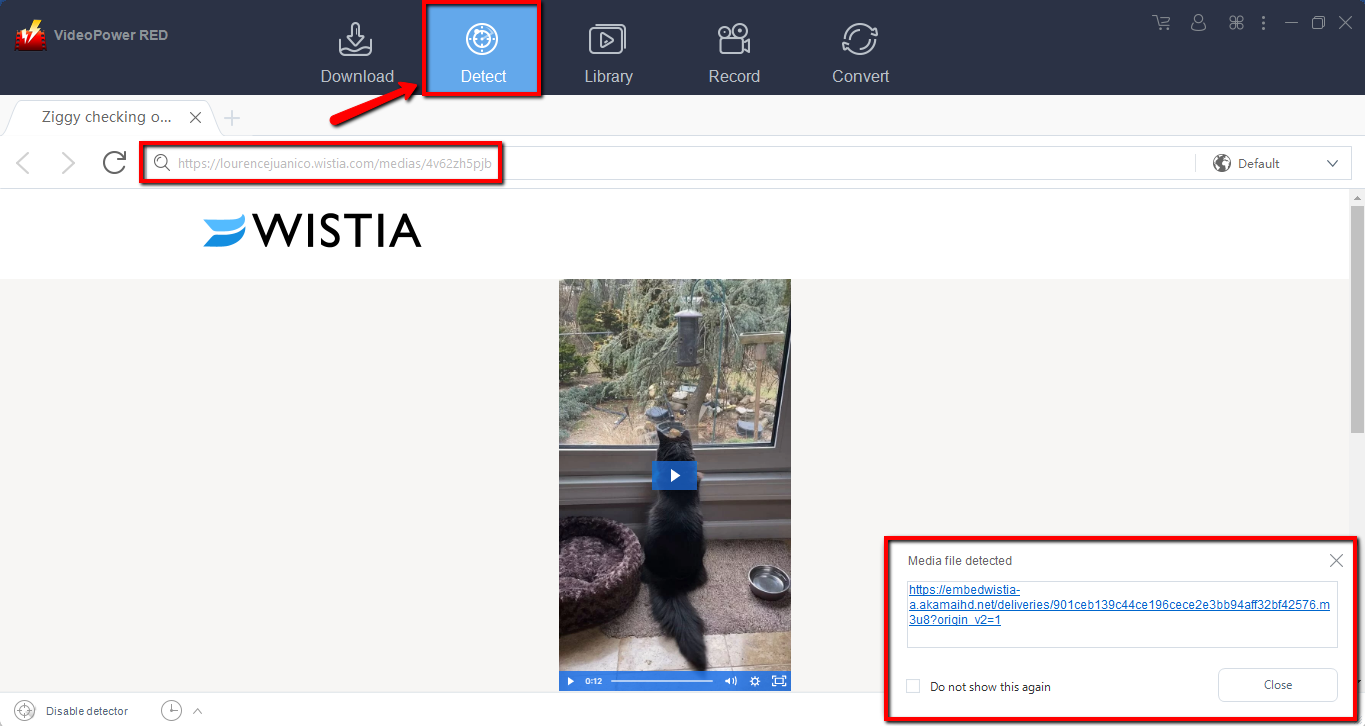
Click “Detect” to open the built-in embedded browser. Copy the URL of the video you want to download from your PC browser and paste it to the address bar.
The software will detect the Wistia video file and download it automatically.
Step 2: Check the downloaded Wistia video
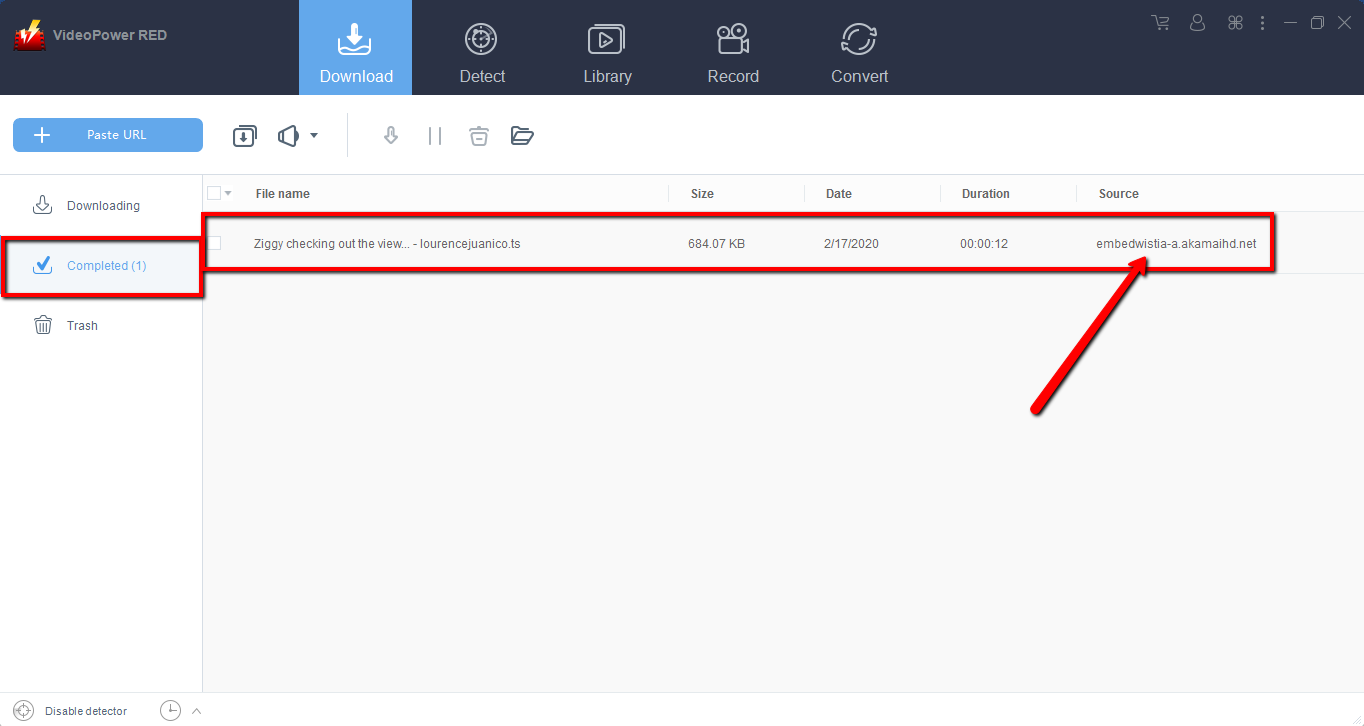
Wait for the download to finish, and then go to the “Completed” section to find the downloaded Wistia video.
Method 2: Record the Wistia video
Sometimes because of the web update or slow internet connection, the program can’t download the video anymore but you can still save the video by using the recording function.
Step 1: Choose sound source and recording mode to start
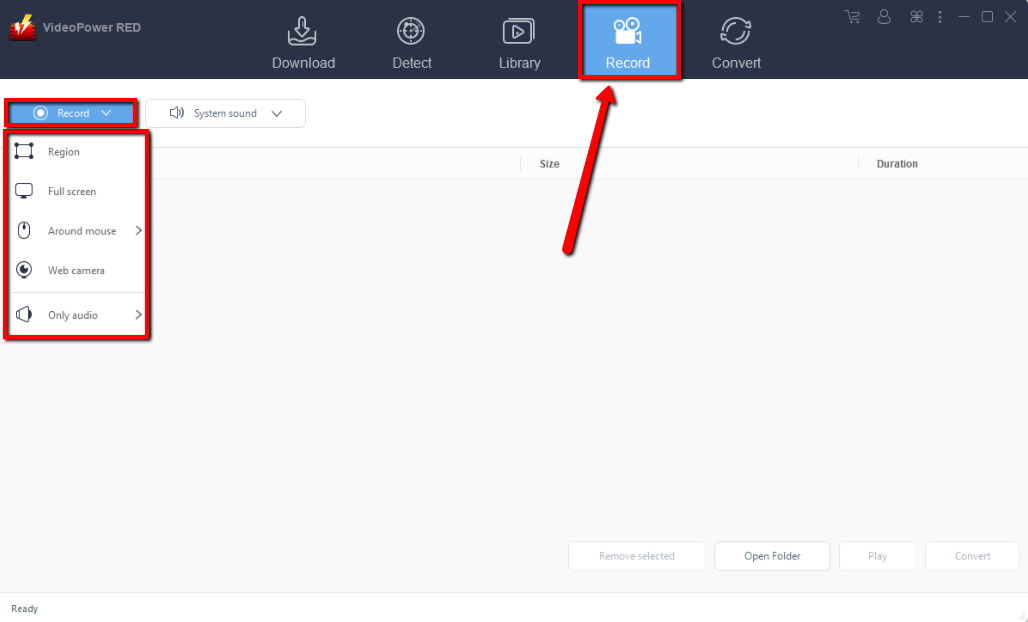
To select the recording area, click the “Record” drop-down button to choose among the “ Fullscreen”, “Region”, “Around mouse” or ‘Web Camera.”
In recording the Wistia video that you selected, “Fullscreen” and “Region” are recommended.
Step 2: Check the recorded Wistia video.

After recording, the recorded file can be seen in the record interface.
Conclusion:
Wistia doesn’t let you download videos on their website automatically, but thanks to VideoPower RED and its powerful video downloading performance, downloading videos from Wistia is now easy.
Not just download, VideoPower RED also lets you convert videos into different kinds of formats. Download now to experience what it’s like to download without a sweat.
ZEUS series can do everything that VideoPower series can do and more, the interface is almost the same.
Check out NOW! Start easier with more affordable prices!




ZEUS Series
VideoPower brother products, start easier with more affordable prices!
| ZEUS BUNDLE 1 Year License ⇒ $29.99 |
ZEUS BUNDLE LITE 1 Year License ⇒ $19.99 |
ZEUS RECORD LITE 1 Year License ⇒ $9.98 |
ZEUS DOWNLOAD LITE 1 Year License ⇒ $9.98 |
||
| Screen Recorder | Screen&Audio Recording | ✔ | ✔ | ✔ | |
| Duration Setting, Schedule Recording | ✔ | ||||
| Video Downloader | Paste URL to download, batch download | ✔ | ✔ | ✔ | |
| Search/download video,browser detector | ✔ | ||||
| Music Recorder | Record music and get music ID3 tag info | ✔ | ✔ | ||
| Music search/download/record, CD Ripper/Creator, Audio Editor | ✔ | ||||
| Video Editor | Edit and convert videos, create slideshow | ✔ | |||
| Screen Capture | Capture screen, image editor | ✔ | |||