











FLV or Flash Video is a container file format used to deliver digital video content over the Internet using Adobe Flash Player. It is a video format developed as Flash MX was launched.
This format makes it possible to watch video files online as it has a very small file size and fast leading speed. Most video streaming companies have switched from flash videos to HTML now but there are still websites that use flash. With VideoPower RED or ZEUS, you can save flash videos to your computer locally for offline viewing.
It is an amazing, hassle-free video downloader software and the best choice for this kind of matter. It can download videos easily and support different sites like YouTube, Vimeo, Dailymotion and etc.
Check out this article to learn how to save flash videos and click the link below to download the app.
ZEUS can do what VideoPower series can do and more with an almost similar interface.
Check out NOW! Start easier with more affordable prices!
Method 1: Paste URL to Download Flash Videos
Step 1: Copy and paste video URL
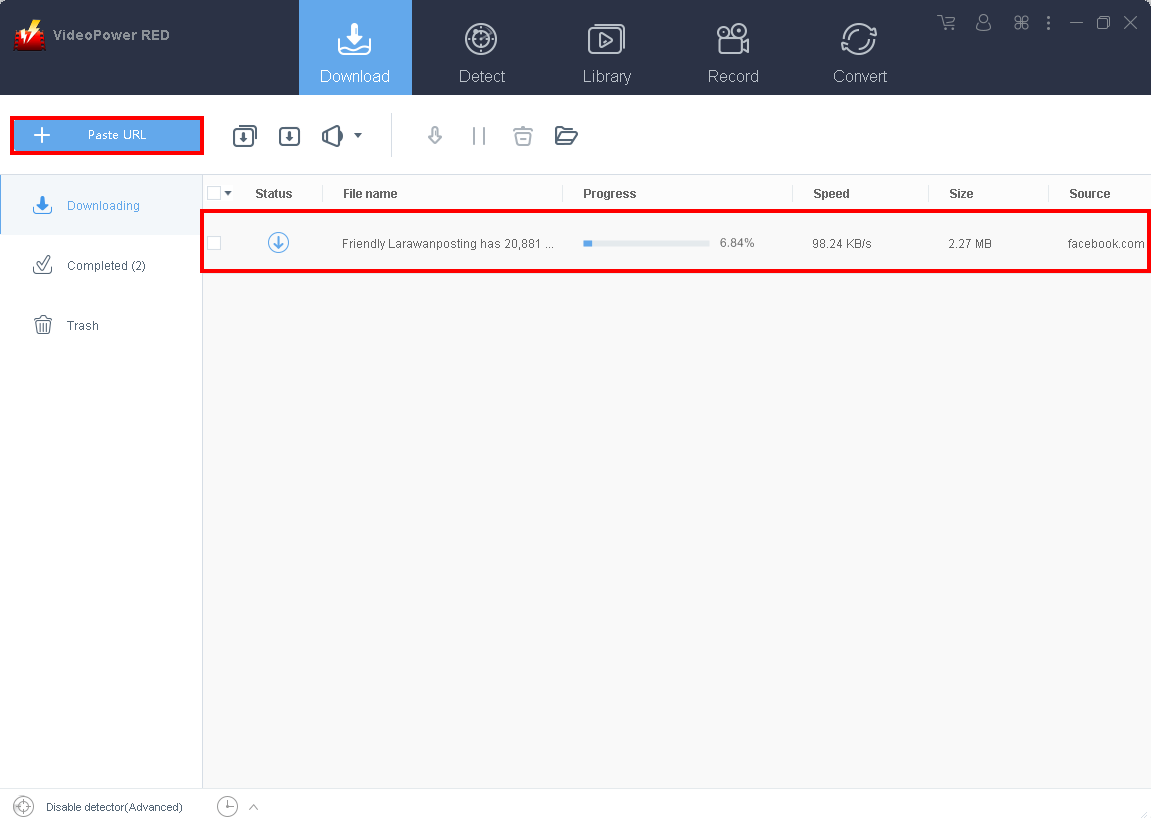
Copy the link of the video that you want to download from the PC browser and then paste it into the program by clicking the “+ Paste URL” button. After that, you will see the video is downloading in the download control panel.
Step 2: Check the downloaded file
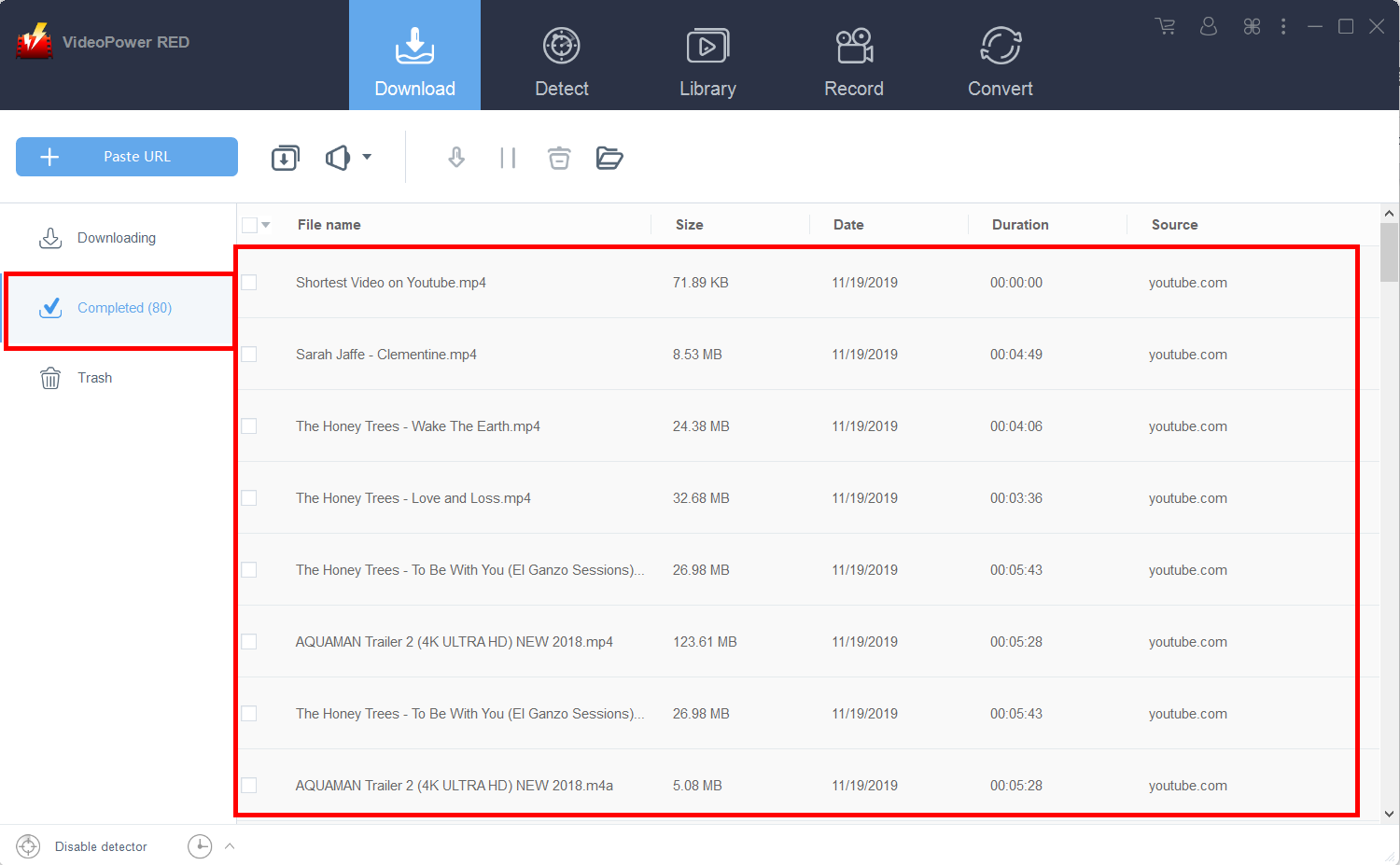
After downloading complete, go to the “Completed” section to find the downloaded flash video.
Method 2: Auto-detect Flash Video and Download
Paste the above-copied video URL to the embedded browser on the “Detect” window.

The software can detect the video being played with its embedded browser and download it automatically.
Method 3: Record the Flash video.
For people who are in areas with a slow internet connection, you may opt to use the recording function of the software instead.
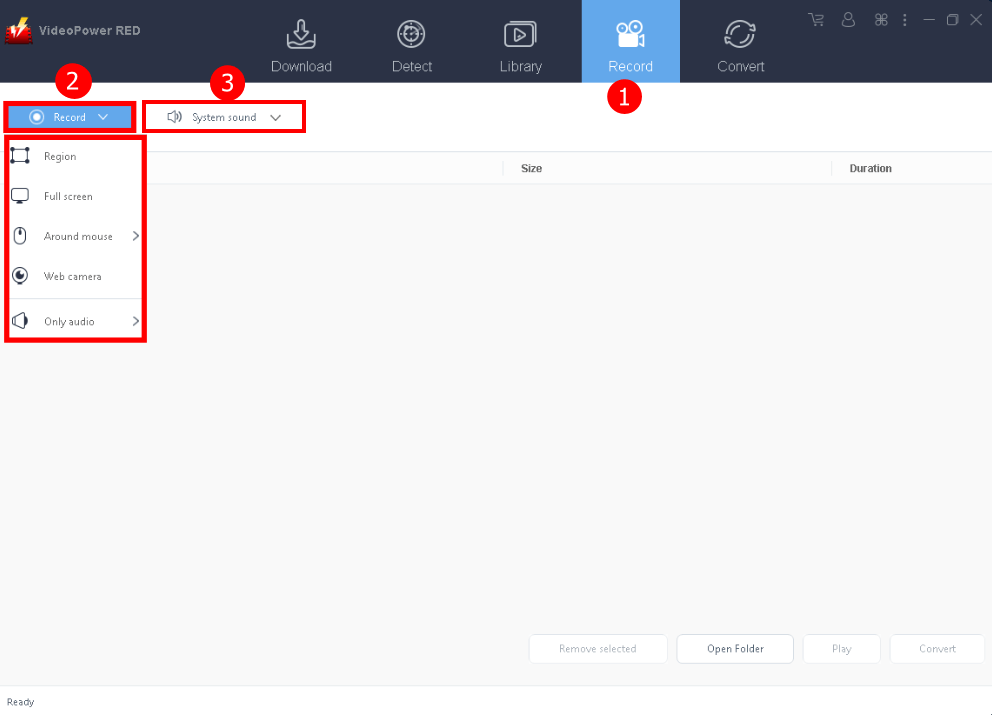
1. Go to the “Record” tab 2.
2. Choose a recording mode to start recording the video.
3. Select the Audio source, “System Sound” is the default.
After recording, the recorded file can be seen in the record interface.
Conclusion:
Many websites have now turned away from using flash because they found a better alternative – HTML. However, there are still websites that use Flash such as HBO Go and CBS.
To enjoy watching your desired clips and shows in any way you want and anywhere you are. VideoPower RED, an amazing downloader software would be a great help for this kind of matter. By just simply copying the flash video URL and pasting it into the program, everything is possible.
ZEUS series can do everything that VideoPower series can do and more, the interface is almost the same.
Check out NOW! Start easier with more affordable prices!




ZEUS Series
VideoPower brother products, start easier with more affordable prices!
| ZEUS BUNDLE 1 Year License ⇒ $29.99 |
ZEUS BUNDLE LITE 1 Year License ⇒ $19.99 |
ZEUS RECORD LITE 1 Year License ⇒ $9.98 |
ZEUS DOWNLOAD LITE 1 Year License ⇒ $9.98 |
||
| Screen Recorder | Screen&Audio Recording | ✔ | ✔ | ✔ | |
| Duration Setting, Schedule Recording | ✔ | ||||
| Video Downloader | Paste URL to download, batch download | ✔ | ✔ | ✔ | |
| Search/download video,browser detector | ✔ | ||||
| Music Recorder | Record music and get music ID3 tag info | ✔ | ✔ | ||
| Music search/download/record, CD Ripper/Creator, Audio Editor | ✔ | ||||
| Video Editor | Edit and convert videos, create slideshow | ✔ | |||
| Screen Capture | Capture screen, image editor | ✔ | |||