











Ustream, established in March 2007, is dedicated to providing a personal online audio and video broadcasting platform through the Internet.
The site now has up to two million registered users, generating up to 1.5 million hours of online video and millions of viewing per month.
In 2008, During the presidential campaign, almost each and every candidate used Ustream to interact with their loyal supporters.
If you are a big fan of Ustream, you must have tons of Videos from Ustream that you’ve always dreamed of downloading to watch and enjoy it whenever you want offline.
In that case, we highly recommend the best and easiest all in one Video Downloader tool called VideoPower RED or ZEUS that can download any popular videos including Ustream. Just click the link below to download this awesome free app and scroll down below for the detailed guide on how to download and save your Ustream video.
The software provides 4 methods of downloading online videos.
You can try to use the software for free by downloading its trial version below.
ZEUS can do what VideoPower series can do and more with an almost similar interface.
Check out NOW! Start easier with more affordable prices!
Method 1: Copy and Paste the URL to download Ustream video
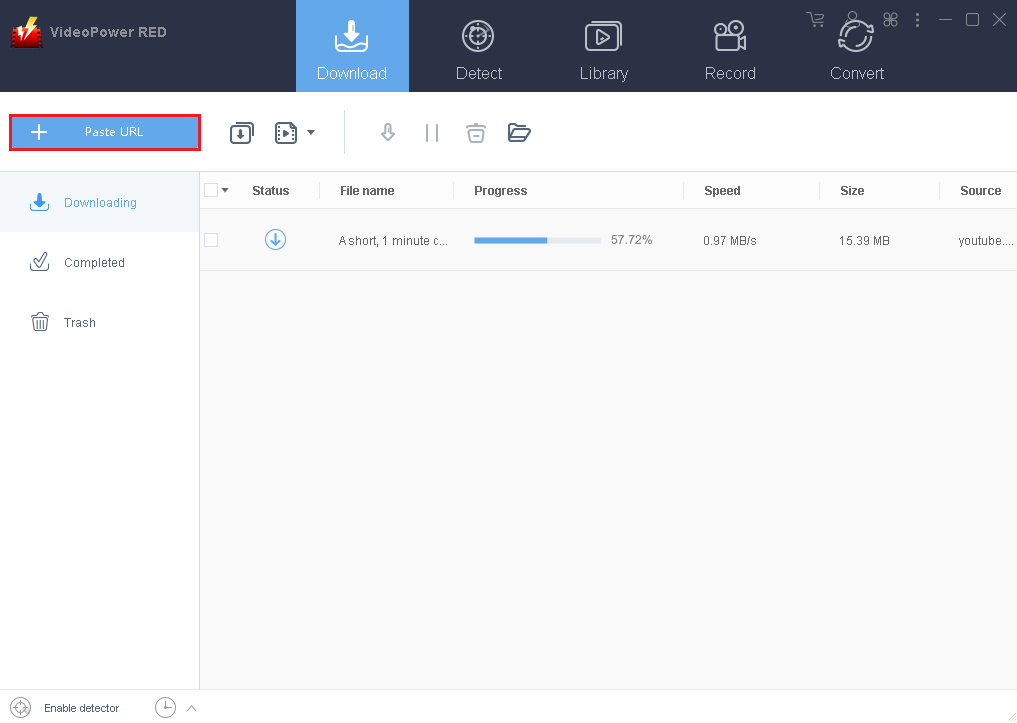
Step 1: Paste URL and download video.
Copy the URL of the Ustream video that you want to download and then paste it into the program by clicking the “Paste URL” button. After that, you will see the video is downloading in the download control panel.
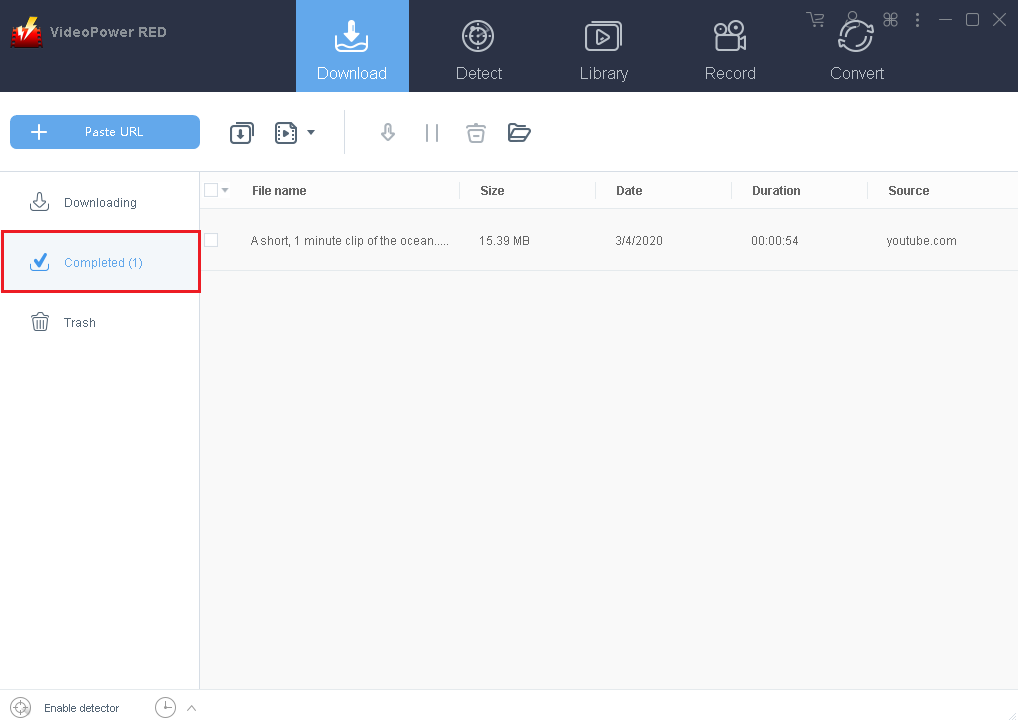
Step 2: Check the downloaded file.
Wait for the download to finish, and then go to the “Completed” section to find the downloaded video.
Method 2: Use the Embedded Browser to download Ustream video
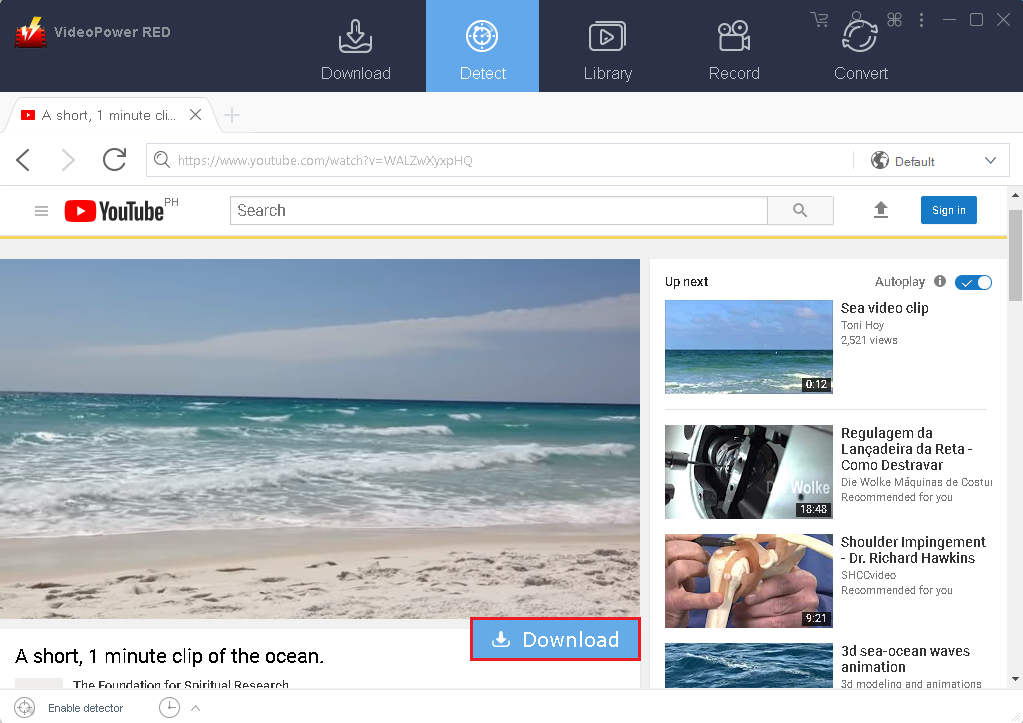
Download the desired video file using Auto-Detect on the “Detect” control panel. The software can detect the video being played on it and it will be downloaded automatically in any sites except for YouTube videos wherein YouTube, there’s the need to click first the download button before it will be downloaded.
YouTube Site:
Play the desired video with an embedded browser, the “Download” button will automatically pop-up at the bottom of the video. Click it to start downloading.
Other sites (Ex. Ustream):
Find your desired video and play it. A “Media File Detected” notice will appear to notify that the chosen file has been detected and will be downloaded automatically.

Method 3: Use the External Detector to download from PC browsers
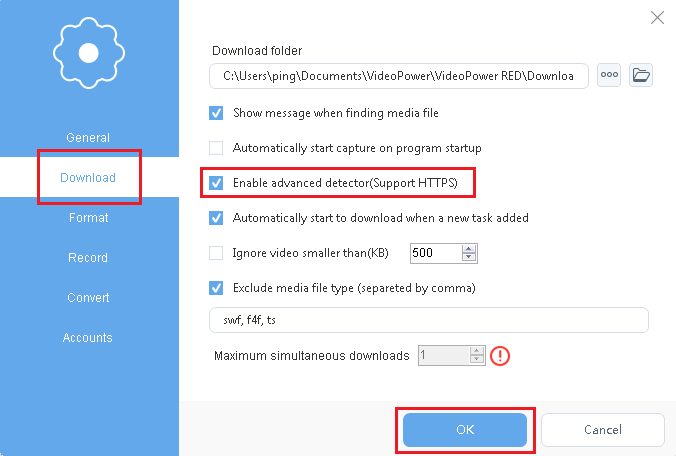
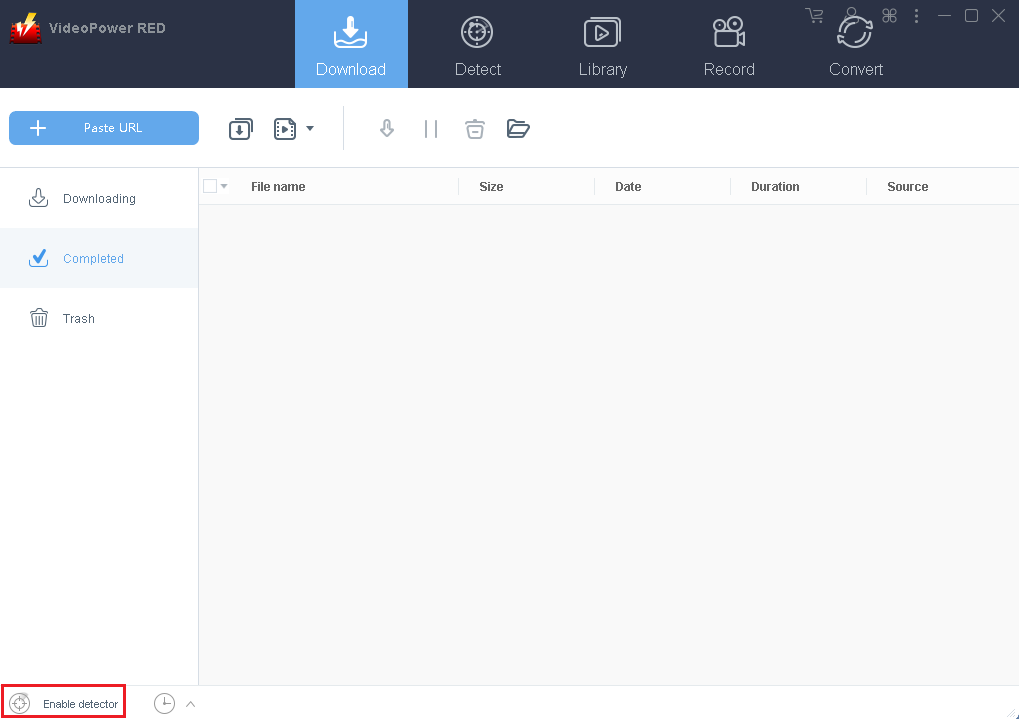
Activate the “Enable Advanced Detector” on the download settings window and enable the detector located on the lower left of the software, then VideoPower RED can detect videos being played in any sites through an external browser (IE, Chrome, firefox, etc) and download it automatically .
Enable Advanced Detector (Support HTTPS):
Enable Detector:
Method 4: Record Ustream video and save to local
In some cases, because of slow internet connection, downloading would be problematic. To continue saving the desired video file, use a screen recording feature.
Record the desired screen through five different modes; Region, Fullscreen, Around mouse, Web camera, Only audio. Select one and the recording will start automatically.
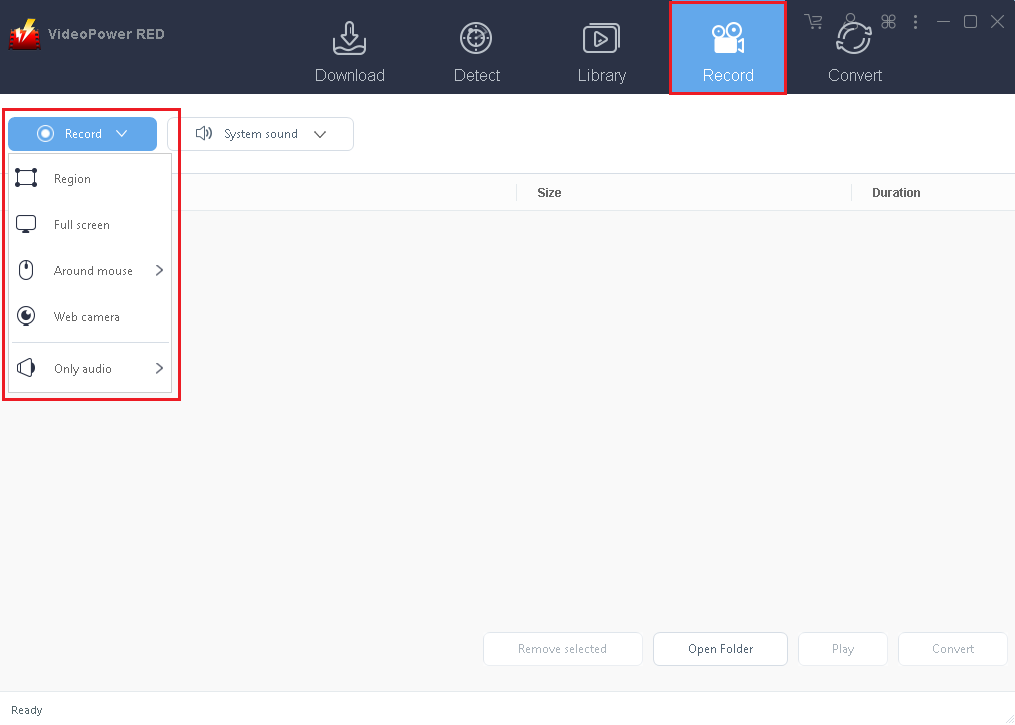
After the recording is finished, check out the recorded file on the “Record” control panel.
We introduce to you the most amazing Video Downloader with quick and easy to use functions called VideoPower RED. It has ultra-fast downloading speed and high-quality recording results. With this app. It’s a piece of cake to download videos from Ustream. So what are you waiting for? Download it now.
ZEUS series can do everything that VideoPower series can do and more, the interface is almost the same.
Check out NOW! Start easier with more affordable prices!




ZEUS Series
VideoPower brother products, start easier with more affordable prices!
| ZEUS BUNDLE 1 Year License ⇒ $29.99 |
ZEUS BUNDLE LITE 1 Year License ⇒ $19.99 |
ZEUS RECORD LITE 1 Year License ⇒ $9.98 |
ZEUS DOWNLOAD LITE 1 Year License ⇒ $9.98 |
||
| Screen Recorder | Screen&Audio Recording | ✔ | ✔ | ✔ | |
| Duration Setting, Schedule Recording | ✔ | ||||
| Video Downloader | Paste URL to download, batch download | ✔ | ✔ | ✔ | |
| Search/download video,browser detector | ✔ | ||||
| Music Recorder | Record music and get music ID3 tag info | ✔ | ✔ | ||
| Music search/download/record, CD Ripper/Creator, Audio Editor | ✔ | ||||
| Video Editor | Edit and convert videos, create slideshow | ✔ | |||
| Screen Capture | Capture screen, image editor | ✔ | |||